

Complex animation and artificial intelligence projects can bring even the most skilled IT teams in Central Europe to a standstill when desktop performance lags or hardware limits creativity. Modern work now demands fast, secure, and flexible solutions that support distributed teams and heavy workloads. By adopting virtualized workspaces powered by cloud desktops, enterprise IT managers can provide their teams with reliable access to high-performance environments that enhance productivity, improve team collaboration, and adapt quickly as business needs evolve.
Key Takeaways
| Point | Details |
|---|---|
| Cloud Desktops Enhance Flexibility | Businesses can access virtual desktops from any device, improving remote work capabilities and scalability. |
| VDI vs. DaaS Models | Organizations can choose between managing their infrastructure with VDI or utilizing third-party managed services with DaaS for operational efficiency. |
| Performance for Specialized Workloads | High-performance cloud desktops are essential for compute-intensive tasks like AI and animation, requiring scalable resources and optimized infrastructure. |
| Importance of Cost and Security Management | Organizations must evaluate total cost of ownership and implement strong security protocols to ensure compliance and protect data integrity. |
Defining Cloud Desktops for Business
Cloud desktops represent a transformative technology enabling businesses to access virtual desktop environments through cloud infrastructure. These virtualized workspaces provide secure, flexible computing solutions that fundamentally reimagine traditional desktop computing models. Cloud desktop technologies enable organizations to deliver comprehensive desktop experiences from remote servers, eliminating hardware constraints and geographical limitations.
At their core, cloud desktops function as complete desktop environments hosted remotely, allowing employees to access their personalized workspaces from any device with internet connectivity. The key advantages include:
- Centralized management of desktop environments
- Enhanced security through controlled access
- Reduced hardware investment requirements
- Simplified software updates and maintenance
- Improved scalability for growing business needs
Businesses can implement cloud desktops through two primary models: Virtual Desktop Infrastructure (VDI) and Desktop as a Service (DaaS). In VDI, IT teams manage their own cloud desktop deployment using platforms like Microsoft Azure or Amazon Web Services. Alternatively, DaaS solutions provide fully managed virtual desktop environments through third-party vendors, offering subscription-based access with minimal internal management overhead.
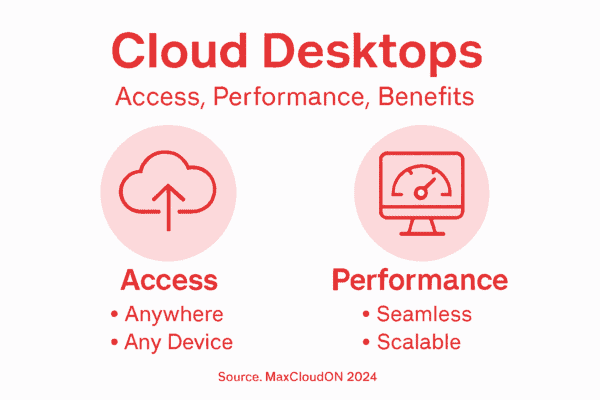
Performance and accessibility are critical differentiators for cloud desktop solutions. These platforms enable seamless remote work by providing consistent desktop experiences across multiple devices, supporting hybrid and distributed workforce models. Organizations can rapidly provision new workstations, adjust computing resources dynamically, and maintain robust security protocols without significant infrastructure investments.
Pro tip: Evaluate your organization’s specific workflow requirements and remote work needs before selecting a cloud desktop solution to ensure optimal alignment with your technological infrastructure.
Types of Cloud Desktop Solutions Available
Cloud desktop solutions have evolved to offer diverse options for businesses seeking flexible and efficient computing environments. Virtual desktop platforms primarily fall into two main categories: Virtual Desktop Infrastructure (VDI) and Desktop as a Service (DaaS), each with unique characteristics and deployment strategies.
The primary cloud desktop solutions include:
- Citrix Virtual Apps and Desktops: Mature platform with robust features
- Microsoft Azure Virtual Desktop: Cloud-native solution with Microsoft 365 integration
- Windows 365: Streamlined cloud PC experience
- VMware Horizon: Enterprise-grade desktop virtualization
- Amazon WorkSpaces: AWS-powered flexible virtual desktop
- V2 Cloud: Scalable desktop virtualization solution
Each solution offers distinct advantages depending on organizational requirements. Business cloud desktop solutions vary significantly in terms of scalability, user experience, deployment complexity, and specialized features. Organizations must carefully evaluate their specific needs, considering factors such as:
Here’s a side-by-side comparison of major cloud desktop solution providers and their distinguishing business strengths:
| Platform | Integration Strength | Best For | Unique Advantage |
|---|---|---|---|
| Citrix | Enterprise ecosystems | Large organizations | Advanced virtualization features |
| Azure Virtual Desktop | Microsoft 365 workflows | Hybrid workplaces | Seamless Microsoft access |
| Windows 365 | Native Microsoft environment | Small to midsize teams | Simplified cloud PC deployment |
| VMware Horizon | Multi-cloud compatibility | Custom enterprise setups | Flexible virtualization controls |
| Amazon WorkSpaces | AWS ecosystem | Distributed teams | Robust scalability options |
| V2 Cloud | Broad device access | Growing businesses | Easy onboarding and management |
- Centralized IT management capabilities
- Security protocols and data protection
- Cross-device accessibility
- Cost-effectiveness
- Performance for specialized workflows
- Integration with existing technological ecosystems
Deployment models differ substantially between VDI and DaaS approaches. VDI typically involves organizations managing their own virtual desktop infrastructure, providing maximum customization and control. Conversely, DaaS solutions offer simplified management through third-party providers, reducing internal IT overhead and providing more predictable operational expenses.
To clarify the differences between VDI and DaaS models, see this summary:
| Model | Management Approach | Customization Level | Cost Structure |
|---|---|---|---|
| VDI | In-house IT admin | Highly customizable | Variable, upfront costs |
| DaaS | Vendor-managed cloud | Limited customization | Predictable subscription |
Pro tip: Conduct a comprehensive workflow analysis and pilot testing with multiple cloud desktop solutions before making a final implementation decision to ensure optimal alignment with your organization’s specific technological requirements.
Key Features for Compute-Intensive Workloads
Cloud desktops for compute-intensive tasks require sophisticated technological infrastructure to support demanding computational requirements. Modern compute environments leverage advanced hardware configurations and distributed processing frameworks to deliver exceptional performance for specialized workloads.
Key features essential for high-performance cloud desktops include:
Scalable GPU and CPU Resources
- High-performance graphics processors
- Multi-core CPU configurations
- Rapid resource allocation
Advanced Memory Management
- Large memory capacity
- High-speed RAM configurations
- Efficient memory allocation strategies
Optimized Storage Solutions
- High-speed SSD storage
- Distributed storage architectures
- Low-latency data access mechanisms
Compute-intensive workloads demand specialized infrastructure that can dynamically adjust to complex computational requirements. This means implementing elastic computing models that enable instant scaling, parallel processing capabilities, and intelligent resource management. Organizations working in fields like artificial intelligence, scientific simulation, and complex data analytics require cloud desktop solutions that can seamlessly handle massive computational loads while maintaining consistent performance.
Networking infrastructure plays a critical role in supporting these high-performance environments. Advanced cloud desktops integrate high-speed interconnects, low-latency networking technologies, and robust data transfer protocols to ensure rapid communication between computational nodes and minimize performance bottlenecks.
Pro tip: Conduct comprehensive performance benchmarking across multiple cloud desktop configurations to identify the optimal solution that precisely matches your specific computational workflow requirements.
Real-World Applications in Animation and AI
Cloud desktops are revolutionizing creative and technological industries by enabling unprecedented computational capabilities. AI-powered virtual workspaces transform animation production and machine learning workflows by providing scalable, high-performance computing resources without substantial hardware investments.
Specific applications in animation and AI include:
3D Animation Rendering
- Complex scene generation
- Photorealistic graphics processing
- Real-time rendering workflows
Machine Learning Model Training
- Large dataset processing
- Neural network development
- Parallel computational tasks
Scientific Visualization
- Advanced simulation environments
- Data visualization techniques
- Complex computational modeling
In animation studios, cloud desktops enable artists to tackle increasingly sophisticated visual effects and rendering challenges. Graphic designers can leverage distributed GPU resources to create intricate animations that would previously require extensive local computing infrastructure. These platforms support collaborative workflows, allowing multiple team members to simultaneously access and modify complex project files from different global locations.
Artificial intelligence researchers benefit similarly by accessing scalable computational resources. Machine learning teams can dynamically adjust computing power for training complex neural networks, running massive simulations, and processing enormous datasets without purchasing dedicated hardware. This flexibility accelerates research and development cycles while maintaining data security and reducing operational costs.
Pro tip: Develop a comprehensive computational workflow assessment to identify specific cloud desktop configurations that maximize performance for your organization’s unique animation or AI project requirements.
Comparing Costs, Security, and Compliance
Cloud desktop adoption requires a comprehensive understanding of complex financial, security, and regulatory considerations. Cloud infrastructure strategies demand meticulous evaluation of operational expenses, data protection mechanisms, and regulatory compliance frameworks to ensure optimal organizational performance.
Key comparative aspects include:
Cost Management
- Reduced capital expenditure
- Dynamic resource allocation
- Predictable operational expenses
Security Protocols
- Multi-tenant environment protection
- Continuous threat monitoring
- Advanced encryption strategies
Compliance Requirements
- GDPR adherence
- HIPAA data protection
- SOC2 certification standards
Financial considerations extend beyond initial infrastructure investments. Organizations must develop sophisticated cost management strategies that account for dynamic resource scaling, potential hidden expenses, and long-term technological infrastructure requirements. Cloud desktops offer significant potential for reducing hardware procurement and maintenance costs while providing flexible computational resources.
Advanced security frameworks have emerged to address complex digital protection challenges. Zero-trust architectures, AI-powered threat detection, and comprehensive encryption strategies are critical for maintaining data integrity across distributed computing environments. Companies must implement robust access management protocols and continuous compliance monitoring to mitigate potential security risks.
Pro tip: Conduct a comprehensive total cost of ownership analysis that includes direct infrastructure expenses, potential productivity gains, and long-term compliance management costs when evaluating cloud desktop solutions.
Common Pitfalls and Choosing the Right Solution
Cloud desktop implementations require strategic planning and comprehensive understanding of potential challenges. Selecting the right VDI solution demands careful evaluation of infrastructure requirements, licensing complexities, and organizational technological capabilities.
Common pitfalls organizations encounter include:
Infrastructure Challenges
- Underestimating total deployment costs
- Overlooking application compatibility
- Neglecting scalability requirements
Performance Limitations
- Inadequate resource allocation
- Poor user experience design
- Insufficient network bandwidth planning
Compliance and Security Risks
- Incomplete data protection strategies
- Weak access management protocols
- Ineffective monitoring mechanisms
Successful cloud desktop adoption requires a nuanced approach that goes beyond technical specifications. Cloud desktop architecture strategies must accommodate diverse user needs, varying workload characteristics, and organizational workflow complexities. Decision-makers should prioritize solutions that offer flexible deployment models, seamless integration capabilities, and robust support for specialized computing environments.
Organizations must conduct comprehensive assessments that evaluate technical requirements, user experience, cost implications, and long-term scalability. This involves analyzing current infrastructure, projected growth, specialized application requirements, and the unique computational demands of different user groups within the enterprise.
Pro tip: Develop a detailed pilot testing strategy that thoroughly evaluates cloud desktop performance across multiple user profiles and workload scenarios before full-scale implementation.
Unlock the Full Potential of Cloud Desktops for Your Business
Struggling with scalability, performance, or security in your current cloud desktop setup This article highlights the critical challenges businesses face when adopting cloud desktops including managing compute-intensive workloads and ensuring seamless remote access. MaxCloudON specializes in delivering dedicated cloud desktops and high-performance GPU servers tailored to meet these exact pain points allowing your teams to work faster, smarter, and more securely.
Explore MaxCloudON Archives – MaxCloudON to learn how our powerful cloud desktop solutions transform workflows across animation studios, AI research groups, and enterprises seeking reliable compute power. Don’t settle for shared hosting that causes unpredictable performance. Visit MaxCloudON today for instant deployment, flexible pricing, and personalized support that ensures your cloud desktops align perfectly with your business goals. Get started now and experience a new standard in cloud computing.
Frequently Asked Questions
What are cloud desktops and how do they work?
What are the key benefits of using cloud desktops for businesses?
What are the differences between Virtual Desktop Infrastructure (VDI) and Desktop as a Service (DaaS)?
How can organizations ensure optimal performance for compute-intensive workloads on cloud desktops?
Recommended
- Virtual Cloud Desktop Services On Demand – MaxCloudON
- What is Cloud Computing: Definition, Types and Benefits – MaxCloudON
- Cloud Desktop PC Prices – MaxCloudON
- Private Cloud vs. Public Cloud: In-depth Comparison – MaxCloudON
- 7 καλύτερες συσκευές για επαγγελματίες με πρακτικές λύσεις – ΞΥΔΑΣ ΕΥΡΑΓΟΡΑ – Οι καλύτεροι στην αγορά. Μεγάλες προσφορές στις Ηλεκτρικές Συσκευές
- Responsive Design: Why It’s Crucial for Small Business Websites – Digital Marketing Agency – Market Link Solutions
- The Essential Guide to Purified Water for Offices – Coway Water Purifier