Lumion Cloud Rendering -
High-Performance Cloud Desktop PC with GPU

Run Lumion projects in the cloud using a dedicated Cloud Desktop PC with GPU acceleration, built for smooth real-time workflows and fast rendering.
Cloud PC with NVIDIA GPU
Windows-Based Workstations
Full Control Over Your Environment
Predictable Pricing
Instant Deployment
Free Trial Available
Lumion cloud rendering

What Is Lumion Cloud Rendering?

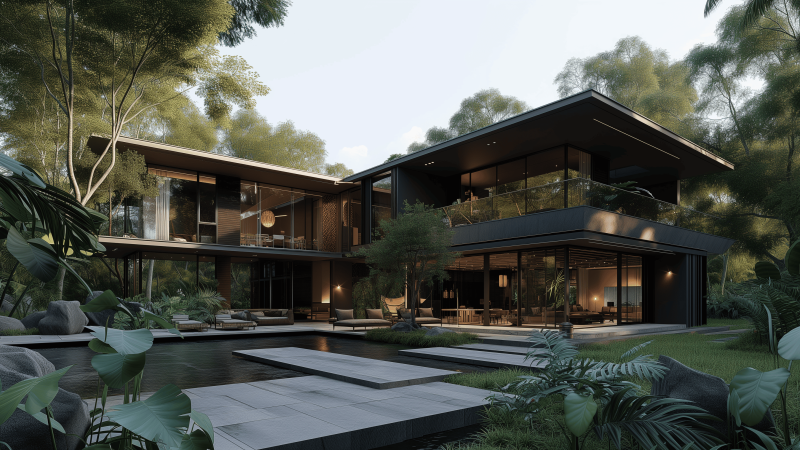
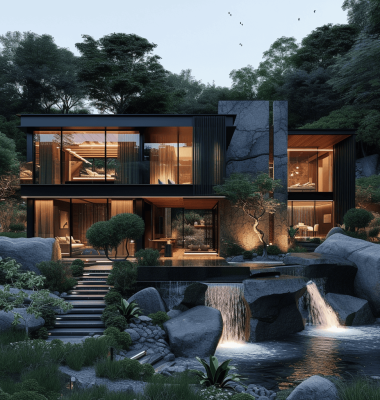
Lumion is a real-time visualization tool used for architectural rendering, landscape design, and 3D presentations.

MaxCloudON provides cloud infrastructure for Lumion, allowing you to work on and render complex scenes using Cloud Desktop PC with NVIDIA GPU or dedicated GPU servers for advanced workloads, instead of relying on limited local hardware.

Lumion depends heavily on GPU acceleration for real-time rendering, navigation, and final output, making a high-performance cloud workstation the ideal solution.

With Lumion in the cloud, you can:

  • Work on large scenes without lag
  • Render faster using dedicated GPU power
  • Access your projects from anywhere

How Lumion Works on MaxCloudON

Lumion runs on Cloud Desktop PCs or dedicated GPU servers – both deliver dedicated NVIDIA GPU power. Use a Cloud Desktop PC for interactive work and real-time rendering, or GPU servers for multi-GPU batch rendering and advanced workloads.

This means:

  • You work in a familiar Windows desktop environment
  • You install and run Lumion directly, just like on your local PC
  • You control your files, scenes, and rendering process
  • You access your workstation remotely via RDP, VPN, or Parsec

Ideal for architects, designers, and visualization studios.

Key specs
Cloud Desktop PC
Dedicated GPU Server
GPU Count

1 NVIDIA GPU

2,4, or 5 NVIDIA GPUs

CPU

up to 252 VCPU

up to 96 VCPU

Best for

Interactive design + rendering (viewport, editing)

Multi-GPU rendering and advanced workloads

Lumion cloud rendering

Benefits of Using MaxCloudON for Lumion

Smooth Real-Time Performance

Work without lag using dedicated GPU acceleration optimized for Lumion scenes.

Faster Rendering Output

Reduce render time for images and animations using high-performance cloud GPUs.

Full Control Over Your Workflow

Install Lumion, assets, plugins, and libraries without restrictions.

Dedicated, Unshared Resources

Your GPU power is not shared with other users.

Work From Anywhere

Access your Lumion environment remotely through a cloud desktop PC from any device.

Secure Environment

Work in a protected environment with VPN and encrypted access.

How to Use Lumion in the Cloud

Step 1 – Choose Your Cloud PC or GPU Server

Select a configuration based on your project size and complexity.

Step 2 – Install Lumion

Set up Lumion and your assets on your cloud machine.

Step 3 – Work & Render

Navigate, edit, and render your project in real time.

Step 4 – Export & Downloadย 

Export images or animations securely.

Lumion Cloud Rendering Pricing

MaxCloudON offers transparent pricing for Lumion workflows, with flexible plans based on your needs.

Cloud Desktop PCs with NVIDIA GPU (Recommended for Lumion)

  • Dedicated NVIDIA GPU workstation
  • Full desktop environment
  • NVMe storage

View Cloud Desktop Pricingย 

GPU Servers (Advanced)

  • High-performance GPU infrastructure
  • Scalable for advanced workloads

Explore GPU Server Pricing

Need an Automated Render Farm?

If youโ€™re looking for fully automated rendering workflows, explore Cloud Render Farm.

(Automation is available only for supported software like Blender, 3ds Max, Maya, Keyshot, Cinema 4D and V-Ray)

Try Dedicated Cloud Servers

Get A 48 Hours Free Trial* on a CPU Server and experience full control over your rendering environment before committing to a plan.

( * Registration is required, with no need for a bank card or any obligation )

Frequently Asked Questions

Yes. Lumion relies heavily on GPU performance for real-time viewport navigation, lighting, and final rendering. A powerful NVIDIA GPU is essential for smooth performance, especially with large architectural scenes.

MaxCloudON provides two dedicated cloud solutions:ย 

  • Cloud Desktop PC – Recommended for most users. 1 GPU, full Windows desktop. Ideal for interactive design, real-time viewport, and final rendering. Starting from $17/day.
  • Dedicated GPU Server โ€” For advanced users. 2-5 GPUs. Ideal for multi-GPU batch rendering only. Starting from $32/day.

Yes. With MaxCloudON’s Cloud Desktop PC, you get a full Windows desktop with a dedicated GPU in the cloud. Your local computer only needs to run the remote desktop client. All the heavy GPU processing happens on our servers.

No. You get dedicated GPU resources with full control. No sharing, no noisy neighbors.

Yes. Access your Cloud Desktop PC from anywhere via RDP, VPN, or streaming tools like Parsec.

Yes. You can upgrade your configuration or switch to more powerful setups anytime.

Explore more guides in our 3D Rendering blog category and improve your workflow and performance.

Scroll to Top

Request a personalized quote to fit your specific business needs