
What is GPU rendering and How to Use it in Your Advantage
GPU rendering uses the parallel power of modern graphics cards to create images, animations, and visual effects much faster than
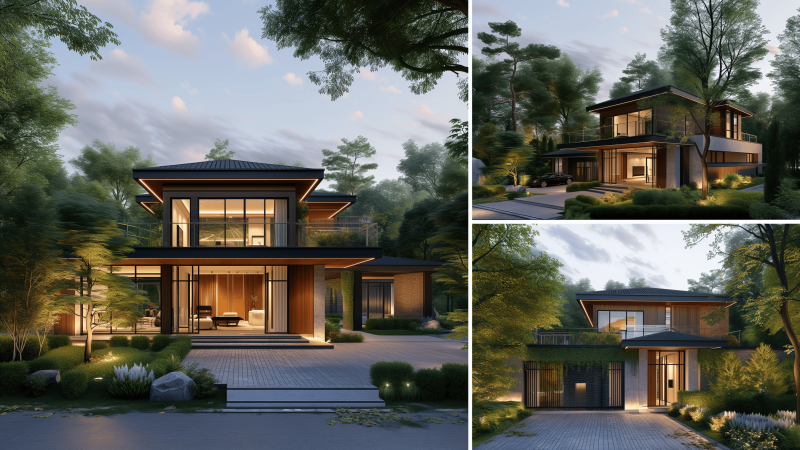
MaxCloudON provides high-performance 3D exterior rendering services through a cloud render farm built for architects, visualization studios, and teams working on large-scale developments, landscapes, and building exteriors.
Exterior rendering often involves complex lighting, detailed environments, vegetation, and high-resolution outputs that can significantly slow down local machines. With MaxCloudON, you can process these demanding exterior scenes faster and deliver high-quality visuals without hardware limitations.
Whether you want a fully automated workflow or complete control over your rendering environment, you can choose between automated cloud rendering with RenderSonic or dedicated cloud servers. RenderSonic is a desktop app that connects your workstation to the cloud and automates the entire rendering process from upload to final output.
Work without investing in expensive local hardware or maintaining render nodes – run your exterior rendering projects entirely in the cloud.

Use RenderSonic to render your exterior scenes automatically in the cloud.
Best for: architectural exteriors, real estate visuals, fast iterations, client presentations

For advanced exterior workflows, use dedicated cloud servers with full control.
Use any 3D software, render engine, or plugin required for your workflow, including SketchUp, Revit, Enscape and other industry-standard tools.
Best for: large-scale exterior scenes, urban visualization, and architectural rendering
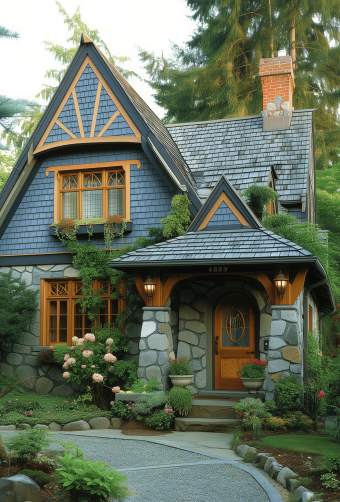
Render buildings, landscapes, and urban environments without performance bottlenecks.
Accurately simulate sunlight, shadows, reflections, and atmospheric conditions.
Process high-resolution images and animations significantly faster than local workstations.
Choose between upfront pricing or predictable prepaid plans.
Switch between automated rendering and full infrastructure control.
All data is transferred using encrypted connections with isolated environments.
MaxCloudON is built to handle demanding exterior rendering workflows, including large environments, complex lighting conditions, and high-resolution outputs.
Choose between automated rendering with upfront, per-project pricing and no long-term commitment, or dedicated servers with prepaid plans designed for long-term workloads.
“The fastest dedicated VPS we have used. The rendering nodes are really dedicated and you’ll get what is advertised. It’s applicable, from a small freelance artist to a big design studio.”
Principal/Creative Director of Clusters Creative
“We have used the services of Rend-it (now MaxCloudON) many times when we have not been able to meet the deadline with what we have in our in-house Render farm. Quick and responsible, they have always saved us.”
Founder and CEO of Vaya Studios
“Best cloud. Excellent service and support, awesome pricing. There are no restrictions on the installed software. Once the servers were configured, my company used them for months without making any changes.”
Information Technology Manager at Visual Method
3D exterior rendering is the process of creating realistic images or animations of a building’s exterior before construction. It allows architects and designers to visualize materials, lighting, surroundings, and scale in a photorealistic way.
The cost depends on scene complexity, level of detail, resolution, and rendering time.
With MaxCloudON, you can choose between:
This ensures you know your costs in advance, with no hidden fees.
Exterior scenes often include large environments, natural lighting, vegetation, and high-resolution outputs, which require significant computing power.
Cloud rendering allows you to:
Yes. With dedicated cloud servers, you can use any 3D software, render engine, or plugins required for your workflow.
For automated rendering, RenderSonic supports selected industry-standard tools and handles the process automatically in the cloud.
Yes. MaxCloudON is built for large-scale scenes, urban visualization, and high-resolution rendering workloads.
You can process anything from single building exteriors to complex development projects using either automated rendering or dedicated servers.
MaxCloudON offers two approaches:
This allows you to choose between speed and simplicity or complete control over your rendering environment, depending on your project needs.
Cloud rendering is significantly faster than rendering on a single workstation because tasks are processed across multiple high-performance nodes or dedicated servers.
The exact speed depends on scene complexity, resolution, and render settings, but most exterior projects can be completed much faster than local rendering, especially for large scenes and animations.
With MaxCloudON, you can choose between:
Explore workflows, performance tips, and cloud rendering strategies for large-scale exterior projects.
GPU rendering uses the parallel power of modern graphics cards to create images, animations, and visual effects much faster than
Rendering doesn’t have to be slow. In this guide, I’ll show you how to render faster using smarter settings, scene
I struggled with long render times and flat-looking results until I learned how to master 3ds Max rendering. This guide