

Relying on local hardware can slow down even the most promising AI and machine learning projects, especially when dataset sizes and computational needs rapidly outgrow your laptop. For Central European researchers, this challenge affects both daily productivity and long-term discoveries. By using cloud desktops designed for research, you access full-power performance, data security, and seamless collaboration without heavy upfront investment – here, you will see how these solutions remove common barriers so your focus stays on innovation.
Key Takeaways
| Point | Details |
|---|---|
| Cloud Desktops Enhance Flexibility | Researchers can access powerful computing resources remotely, allowing work from any location and on any device with a browser. |
| Elimination of Hardware Bottlenecks | Cloud desktops provide dedicated resources for compute-intensive tasks, bypassing the limitations of local machines. |
| Cost-Effective Solutions for Research | Pay-per-use billing models ensure researchers only pay for what they use, making cloud infrastructure financially advantageous. |
| Security and Compliance Considerations | Robust security measures protect sensitive research data and ensure compliance with regional regulations like GDPR. |
What Are Cloud Desktops for Researchers?
Cloud desktops are virtual computing environments hosted on remote servers that you access through your internet connection. Think of them as a fully functional computer delivered over the internet, complete with operating system, applications, and storage – but running on powerful hardware somewhere else.
For researchers, cloud desktops mean you’re no longer tied to expensive local machines. You can access your work from any device with a browser. Your compute-intensive projects run on dedicated infrastructure optimized for performance.
How Cloud Desktops Work
When you log into a cloud desktop, you’re connecting to a virtual machine running on a remote server. All processing happens on that server. Your local device simply displays what’s happening and sends your inputs back.
This architecture creates several advantages:
- Performance independence: Your research speed depends on server hardware, not your laptop
- Instant access: Log in from anywhere – university lab, home office, conference hotel
- Full control: You get complete root access to customize your environment exactly as needed
- Persistent storage: Your files, configurations, and applications stay synchronized across sessions
Understanding dedicated cloud infrastructure for AI researchers helps explain why performance remains consistent regardless of where you connect from.
Why Researchers Choose Cloud Desktops
Traditional laptops or desktop machines create bottlenecks for compute-intensive work. Machine learning model training, large-scale simulations, and statistical analysis require processing power that local hardware can’t consistently deliver.
Cloud desktops eliminate this constraint. You access GPUs and CPUs configured specifically for your research needs. Storage scales with your projects. And you only pay for what you use.
For Central European research teams, this means cost-effective access to infrastructure that would otherwise require significant capital investment.
Key Capabilities
Cloud desktops for researchers typically include:
- GPU acceleration: Train neural networks and run data science workloads faster
- High-performance CPUs: Handle complex computations without waiting
- Scalable storage: Expand capacity as your datasets grow
- Collaborative features: Share desktops or resources with research partners
- Security: Encrypted connections and access controls protect sensitive research data
Cloud desktops transform how researchers approach compute-intensive projects by removing hardware limitations and enabling work from anywhere.
Pro tip: Start with a smaller cloud desktop configuration to test your workflow, then scale resources upward once you understand your actual computational needs – this approach saves money while ensuring optimal performance for your specific research.
Types and Key Features for Research Use
Cloud desktops come in different configurations designed to match specific research workloads. Choosing the right type means your projects run efficiently without overpaying for unused capacity.

Researchers typically work with two main cloud desktop categories: general-purpose desktops for standard computational tasks and GPU-accelerated desktops for machine learning and data visualization work.
General-Purpose Cloud Desktops
These desktops suit researchers working with statistical analysis, database queries, code development, and document processing. They use traditional CPUs without specialized graphics processors.
You’ll use general-purpose desktops when:
- Running Python scripts for data manipulation and preprocessing
- Executing statistical models that don’t require GPU acceleration
- Conducting literature reviews and writing research papers
- Managing databases and performing SQL queries
- Compiling code and running unit tests
These configurations typically cost less because they focus on computational power rather than specialized hardware.
Here’s a summary of the main cloud desktop types and their research applications:
| Desktop Type | Ideal Research Use | Typical Hardware | Approximate Monthly Cost |
|---|---|---|---|
| General-Purpose | Statistical analysis, coding | High-end CPUs only | $100–$350 |
| GPU-Accelerated | Machine learning, simulations | CPUs & Dedicated GPUs | $400–$900 |
| Hybrid Scalable | Multi-discipline, group sharing | Variable CPU & GPU | $500–$1200 |
GPU-Accelerated Cloud Desktops
GPUs multiply your processing speed for specific research tasks. A single GPU can perform thousands of calculations simultaneously, making them indispensable for modern research.
You’ll use GPU-accelerated desktops when:
- Training neural networks and deep learning models
- Processing large image or video datasets
- Running 3D simulations or rendering visualizations
- Performing matrix operations in machine learning frameworks
- Accelerating scientific computing workloads
Following cloud desktop setup best practices ensures you configure GPU resources correctly for your specific research needs.
Critical Features for Researchers
Beyond desktop type, certain features matter significantly for research productivity:
- Full root access: Customize your environment, install any software, configure system settings without restrictions
- High-speed connectivity: Dedicated bandwidth ensures fast file transfers and responsive performance
- Persistent storage: Data remains available across sessions, allowing long-running experiments
- Encrypted connections: Protect sensitive research data during transmission and storage
- Scalable resources: Add more CPU, GPU, or memory as your projects grow
- Flexible billing: Pay for actual usage without long-term contracts
The right cloud desktop type eliminates performance bottlenecks specific to your research, allowing you to focus on discoveries instead of infrastructure limitations.
Pro tip: Start with a trial configuration, monitor your actual resource usage during a typical research day, then match your permanent setup to those real patterns – this prevents both performance problems and wasted spending.
Enhancing AI and Data Science Workflows
Cloud desktops fundamentally transform how you approach machine learning projects. Instead of waiting hours for training cycles on local hardware, you execute experiments in minutes using dedicated GPU infrastructure.
This speed advantage compounds across your research timeline. Running more experiments means testing more hypotheses, refining models faster, and reaching publishable results sooner.
Accelerating Model Training
Training deep neural networks requires sustained computational power. Cloud desktops provide exactly that without thermal throttling or resource contention that plagues local machines.
You experience real benefits immediately:

- Parallel experimentation: Train multiple model variations simultaneously instead of sequentially
- Faster iteration cycles: Complete hyperparameter tuning in days instead of weeks
- Reduced development time: Spend less time waiting, more time analyzing results
- Reproducible environments: Configure identical setups across experiments for consistent comparisons
Understanding how to deploy GPU servers for AI training helps you leverage these advantages from your first project.
Scaling Data Processing
Real-world datasets often exceed what fits comfortably in local memory. Cloud desktops let you work with datasets that previously required complex preprocessing or sampling strategies.
You can process:
- Large image collections for computer vision tasks without downsampling
- Complete time-series datasets for forecasting models
- Uncompressed text corpora for natural language processing
- Multi-modal datasets combining images, text, and sensor data
This eliminates artificial constraints that previously limited research scope.
Collaboration and Reproducibility
Research teams in Central Europe working across multiple cities gain enormous advantages from cloud desktops. Your team accesses identical computing environments regardless of location.
Collaboration benefits include:
- Shared configurations: All researchers use the same libraries, versions, and settings
- Remote access: Collaborate from university labs, home offices, or conferences
- Persistent notebooks: Jupyter notebooks and RStudio environments remain synchronized
- Version control integration: Git workflows function seamlessly with cloud desktop development
Cloud desktops eliminate the friction between model development and deployment, letting you focus on research questions instead of infrastructure constraints.
Real-Time Collaboration Features
Modern cloud desktops support collaborative tools that accelerate team research. Multiple researchers can access shared notebooks, discuss code changes, and debug issues together without email exchanges or file version confusion.
This creates a genuine research environment where your team stays synchronized and productive regardless of physical location.
Pro tip: Configure your cloud desktop with your entire development stack pre-installed before inviting collaborators – this eliminates environment setup delays and ensures everyone works with identical software versions from day one.
Security, Compliance, and Data Sovereignty
Research data demands protection that matches its sensitivity level. Cloud desktops handling confidential datasets require security architecture that prevents unauthorized access, data breaches, and compliance violations.
Central European researchers face specific regulatory requirements around data handling. Understanding your obligations ensures your cloud infrastructure meets legal standards.
Data Encryption and Privacy
Encryption in transit protects your data while traveling between your device and the cloud desktop. All connections use industry-standard protocols that scramble information so interceptors see only gibberish.
Encryption at rest protects stored files on the cloud server itself. Even if someone gains physical access to storage hardware, your research remains unreadable without decryption keys.
Key security features include:
- End-to-end encryption: Data encrypted before leaving your device
- VPN support: Additional encryption layer for sensitive research work
- Secure authentication: Multi-factor authentication prevents unauthorized logins
- Session isolation: Your work remains completely separate from other researchers’ environments
Compliance with European Regulations
Research institutions in Central Europe must comply with data protection laws. The General Data Protection Regulation (GDPR) establishes strict rules for handling personal or sensitive data.
Your cloud desktop provider must ensure:
- Data stored within European data centers
- Compliance documentation for institutional requirements
- Clear data processing agreements specifying who accesses your information
- Regular security audits and penetration testing
Verify your provider maintains current certifications before storing sensitive research data.
Data Sovereignty and Control
Full root access means you control exactly what runs on your cloud desktop. You install software, configure security settings, and determine access permissions without vendor restrictions.
This control prevents situations where cloud providers could access your research:
- Your private encryption keys remain under your control
- Proprietary algorithms stay confidential on your isolated desktop
- Research data never transfers to third-party servers without your explicit action
- Audit logs show exactly who accessed what and when
Cloud desktops with full administrator control and transparent security practices protect your research integrity while enabling the computational power you need.
Managing Access and Permissions
When collaborating with team members, you determine precisely who accesses which projects and data. Create separate user accounts with granular permissions rather than sharing credentials.
Practical access control includes:
- Individual accounts for each collaborator
- Permission levels restricting access to specific datasets
- Automatic session logging for audit trails
- Quick account deactivation when team members leave projects
Pro tip: Before uploading sensitive research data, document your institutional security requirements and confirm your cloud provider meets them—this prevents compliance problems later and protects both your research and your institution’s reputation.
Cost Structure and Alternatives Compared
Cloud desktop pricing varies significantly based on hardware configuration and usage patterns. Understanding your actual costs prevents budget surprises while ensuring you choose infrastructure matching your research needs.
Most cloud providers use flexible billing models where you pay for resources consumed rather than fixed monthly fees. This approach rewards efficient research workflows and allows budget optimization.
How Cloud Desktop Pricing Works
Cloud desktop costs depend on several factors that directly correlate to computational power. Larger CPUs, GPUs, and storage capacity increase monthly expenses proportionally.
Typical pricing components include:
- Compute resources: CPU cores and memory allocation
- GPU acceleration: Per-GPU hourly or monthly rates
- Storage: Monthly charges for persistent data storage
- Bandwidth: Data transfer costs (often minimal for internal operations)
- Support: Premium support tiers for dedicated assistance
You control total spending by matching resource allocation to your actual requirements rather than purchasing enterprise packages unnecessarily.
Comparing Cloud Desktops to Alternatives
Traditional alternatives like purchasing dedicated hardware or using shared university computing require different financial models. Each approach presents distinct advantages and limitations.
Local workstations demand upfront capital investment of $3,000–$8,000 for capable systems. You own hardware but lose flexibility, face maintenance costs, and struggle with scaling when research needs grow.
University clusters offer free computing but introduce wait queues during peak periods. Your jobs may queue for hours while you wait for resource availability. Debugging becomes difficult without interactive desktop environments.
Public cloud providers offer flexible infrastructure but often lack transparent pricing and provide shared resources rather than dedicated hardware. Performance becomes unpredictable when other customers’ workloads spike.
Dedicated cloud desktops eliminate wait queues, provide guaranteed performance, and eliminate capital equipment costs. You access powerful GPU resources immediately without infrastructure management overhead.
Compare the main infrastructure alternatives for research teams:
| Solution | Upfront Cost | Flexibility | Scaling Capability | Typical Wait Time |
|---|---|---|---|---|
| Local Workstation | $3,000–$8,000 | Low | Difficult | None (personal use) |
| University Cluster | Free | Limited | Moderate | Hours–Days |
| Public Cloud Provider | Variable | High | Easy | None |
| Dedicated Cloud Desktop | None | Very high | Seamless | None |
Cost Efficiency for Research Teams
Research groups in Central Europe benefit from dedicated cloud infrastructure’s transparency. You understand exactly what you’re paying for without hidden charges or surprise billing.
Cost advantages include:
- No capital investment: Avoid purchasing expensive hardware outright
- Scalability without commitment: Increase or decrease resources month-to-month
- Team resource sharing: Multiple researchers use pooled infrastructure efficiently
- Pay-per-use efficiency: Stop paying when projects complete
Dedicated cloud desktops cost less than purchasing equivalent hardware while providing performance advantages and complete administrative control that shared systems cannot match.
Calculating Your Actual Costs
Estimate realistic monthly expenses by matching your specific workload. A single GPU-accelerated desktop for machine learning research typically costs $400–$900 monthly depending on GPU selection and storage requirements.
Break down costs:
- Determine required CPU cores for your primary tasks
- Assess whether GPU acceleration is necessary
- Calculate storage needs based on dataset sizes
- Estimate monthly usage hours
- Request quotes from providers for your exact configuration
This approach ensures budget accuracy and prevents overpaying for unused capacity.
Pro tip: Start with a smaller configuration and monitor actual resource utilization during real research work – most teams discover they need less than initially estimated, significantly reducing monthly expenses while maintaining full performance.
Unlock Research Potential with MaxCloudON’s Dedicated Cloud Desktops
Researchers tackling compute-intensive workloads often face challenges like limited local hardware, unpredictable performance, and complex infrastructure setup. This article highlights how cloud desktops offering full root access and GPU acceleration empower you to focus on discoveries without infrastructure distractions. MaxCloudON addresses these exact pain points by providing high-performance dedicated cloud desktops that deliver scalable resources, top-level security, and instant deployment tailored for AI, machine learning, and simulation workloads.
Maximize your research efficiency and collaboration with the proven reliability of MaxCloudON. Explore our suite of solutions including GPU servers and virtual desktops optimized for demanding projects. Whether you need powerful environments for deep learning or seamless real-time collaboration, our platform ensures consistent and transparent performance that meets your data sovereignty and regulatory needs.
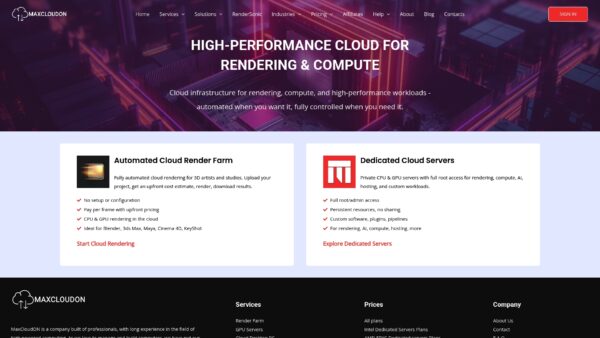
Experience research without limits today. Visit MaxCloudON to start your journey with dedicated cloud desktops and discover how our Rend It Archives – MaxCloudON offerings can further streamline your workflows. For specialized graphical workloads, check out the Cinema 4D Archives – MaxCloudON to see how we empower creative and scientific professionals alike. Get started now and transform your computing challenges into accelerated breakthroughs.