

Data scientists and engineers searching for powerful GPU options never seem to run out of choices. Every year brings fresh contenders that promise faster speeds and smoother workflows. Whether you want to handle large datasets or train complex machine learning models, finding the right solution can feel overwhelming. The world of GPU providers is full of different features and pricing. Some focus on flexibility while others aim for maximum performance. Discovering which option fits your unique needs just might surprise you.
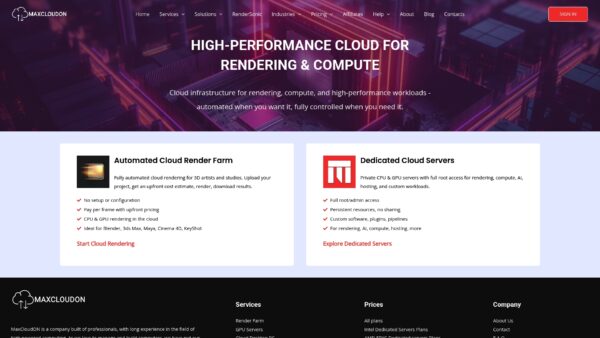
MaxCloudON – GPU Server Rentals
At a Glance
MaxCloudON is a strong choice for data scientists, engineers, and technical teams who need predictable high GPU performance for compute-intensive workloads. The platform combines dedicated GPU infrastructure with flexible cloud environments so you can focus on training models, running simulations, and processing large datasets without managing physical hardware.
Core Features
MaxCloudON provides dedicated GPU cloud servers designed for compute-intensive workloads such as AI model training, simulation pipelines, large-scale data processing, and high-performance computing. Unlike shared GPU platforms, each server runs on dedicated hardware, giving engineers full control over the environment, drivers, CUDA versions, and installed frameworks.
Users receive root or administrator access, allowing them to deploy custom ML stacks, install specific Python libraries, manage Docker workloads, or configure distributed training environments exactly as they would on an on-premise GPU cluster.
Pros
- Dedicated GPU performance: Each server runs on dedicated hardware which ensures stable performance for AI training, simulations, and compute-intensive workloads without resource contention.
- Full environment control: Root or administrator access allows engineers to install custom ML frameworks, CUDA versions, drivers, and dependencies required for specific research or production pipelines.
- Flexible infrastructure: GPU, CPU, and cloud desktop options allow teams to deploy training environments, development workstations, or compute nodes within the same platform.
- Predictable pricing: Fixed prepaid server plans make infrastructure costs easy to forecast for long-running experiments and production workloads.
- Experienced infrastructure team: The platform is operated by a team experienced in high-performance computing and GPU workloads, helping reduce deployment complexity for technical teams.
Who It’s For
MaxCloudON is well suited for data scientists, ML engineers, research teams, and organizations running compute-intensive workloads that require predictable GPU performance without the complexity of managing physical infrastructure. The platform offers scalable GPU resources for deep learning experiments, model training, simulation workloads, and other compute-heavy tasks where consistent performance and full environment control are essential.
Unique Value Proposition
MaxCloudON stands out by combining dedicated GPU infrastructure with full administrative control. Unlike shared GPU platforms, every server runs on dedicated hardware, eliminating noisy-neighbor performance issues during demanding workloads such as model training or large-scale simulations.
This approach gives engineers the flexibility of a private GPU environment without the complexity of managing physical infrastructure. Teams can install custom frameworks, deploy containerized workloads, and configure distributed training pipelines exactly as they would on their own GPU cluster.
For organizations that require predictable performance, transparent pricing, and full control over their compute environment, MaxCloudON provides a practical alternative to traditional cloud GPU platforms.
Real World Use Case
A machine learning research team used MaxCloudON GPU servers to train computer vision models on a large dataset. By running distributed training jobs on dedicated GPUs, the team significantly reduced model training time compared to their local workstation setup. Because the servers provided full administrative access, the engineers were able to install custom Python libraries and deploy containerized training pipelines without restrictions.
Pricing
Pricing details are available on dedicated pages for GPU and CPU server configurations on the website. MaxCloudON uses fixed, transparent pricing with prepaid plans available on daily, weekly, and monthly terms. This structure allows teams to select the exact server configuration they need and run workloads with predictable infrastructure costs.
Website: https://maxcloudon.com
StackGpu GPU Cloud Servers
At a Glance
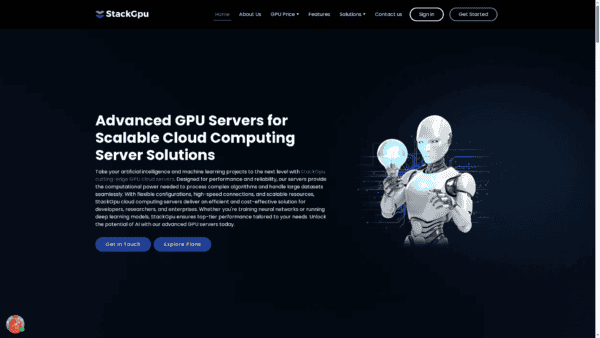
StackGpu delivers high performance GPU cloud servers tailored for AI and machine learning workloads with an emphasis on scalability and reliability. The platform suits teams that need powerful hardware and global access without managing physical infrastructure.
Core Features
StackGpu offers NVIDIA RTX 4090 and A100 Tensor Core GPUs alongside flexible configuration options and scalable resources to match project demands. The service runs on a global data center network with over 40 locations and includes transparent pricing and 24/7 expert support focused on uptime and maintenance.
Pros
- High performance hardware: The availability of top tier GPUs supports complex model training and compute intensive workflows for faster iteration.
- Global infrastructure: More than 40 locations reduce latency for distributed teams and speed data transfers for remote rendering or inference.
- Flexible scaling: Configurable resources let you scale compute up or down to match episodic workloads without long term commitments.
- Dedicated expert support: Around the clock technical support helps keep long runs stable and reduces time lost to configuration issues.
- Energy efficient servers: Optimized hardware choices aim to lower power draw which helps studios manage operational costs and sustainability goals.
Cons
- Opaque configuration pricing: Specific configuration quotes are not listed openly on the site which makes precise budget forecasting harder for fixed project bids.
- Narrow product focus: The offering centers on GPU cloud server rental and may not address non GPU infrastructure needs such as managed storage or orchestration services.
- Limited enterprise details: Information about long term contracts or enterprise grade service level agreements is sparse which complicates procurement for larger studios.
Who It’s For
Researchers, developers, and enterprises focused on deep learning, computer vision, and natural language processing will gain the most from StackGpu. Small studios and research labs that need high throughput training or real time data processing without buying hardware will find this especially useful.
Unique Value Proposition
StackGpu combines high end GPU options with a wide geographic footprint and 24 7 support so teams can run heavy training jobs and reduce iteration time. That combination appeals to studios that prefer dedicated hardware access and predictable performance.
Real World Use Case
A research team rents StackGpu servers to train a complex image recognition model and trims training cycles from weeks to days. Faster cycles let artists and engineers test new architectures more often and deliver proof of concept work within tight production windows.
Pricing
Pricing starts from $17.6 per hour for smaller GPU plans while larger configurations start around $35.2 per hour for XLARGE plans. Final costs vary based on configuration and actual usage so include buffer in project budgets.
Website: https://www.stackgpu.ai/
Lambda Labs
At a Glance
Lambda Labs delivers access to high performance AI compute with a focus on security and scalable infrastructure for research and enterprise workloads. The platform suits teams that need supercomputers and full stack orchestration for training and inference at scale.
Core Features
Lambda provides supercomputers for training and inference, scalable AI infrastructure such as Superclusters and One Click Clusters, and a broad selection of NVIDIA GPUs including GB300 NVL72 and H200. The service also emphasizes SOC 2 Type II compliance and managed orchestration for large scale AI pipelines.
Pros
- High scalability from single GPU to large clusters: Lambda supports small experiments and full scale model training on the same platform which reduces context switching.
- Strong focus on security and compliance: The platform highlights SOC 2 Type II practices which is important for projects that handle sensitive or regulated data.
- Wide range of AI infrastructure products and hardware options: Teams can pick from instances, One Click Clusters, and Superclusters to match workload size and budget.
- Expert support and co engineering opportunities: Lambda offers hands on support that helps speed up model training and deployment for teams that need guidance.
- Flexible deployment for different AI needs: The product supports research, enterprise, government, and startup projects with adaptable compute configurations.
Cons
- Complexity might require expert knowledge for optimal use: Smaller studios or artists without dedicated MLE or DevOps support may face a steep learning curve.
- Pricing details are not included directly on the site and may vary: You must request a custom quote which slows initial budget planning for fixed price production work.
- Focus primarily on enterprise and research level AI infrastructure: The offering may exceed the needs and budget of artists or studios that only require modest GPU render cycles.
Who It’s For
Lambda Labs targets organizations engaged in advanced AI work including research institutes, enterprise AI teams, startups building foundational models, and government projects that require secure compute. Studios with data sensitive pipelines and a need for heavy GPU scale will see the most benefit.
Unique Value Proposition
Lambda combines high performance supercomputers, strict compliance, and managed orchestration so teams can train and serve large models without building on premises clusters. The value lies in shifting infrastructure overhead to a secure, expert driven provider.
Real World Use Case
A research institute uses Lambda to train large language models on secure GPU clusters, shortening training timelines and simplifying cluster management while keeping sensitive datasets within compliant infrastructure. The result is faster iteration and dependable throughput for experiments.
Pricing
Pricing is available via inquiry or custom quote and specific fees are posted on the website Pricing page when requested. Contact Lambda Labs for a tailored proposal that matches your project scale and security requirements.
Website: https://lambdalabs.com
Paperspace
At a Glance
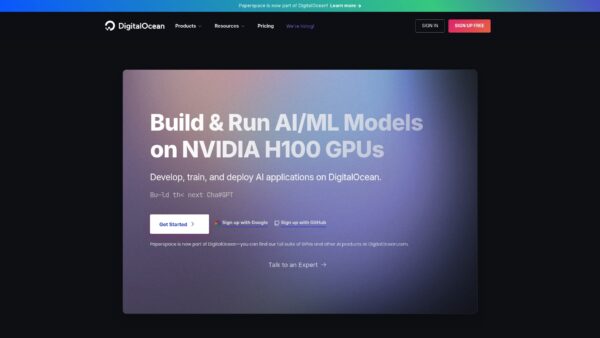
Paperspace is a cloud computing and AI development suite now part of DigitalOcean that focuses on GPU based training, hosted desktops, and deployment services for teams. It balances broad capability with a level of product complexity that new users will notice.
Core Features
Paperspace combines GPU cloud infrastructure, hosted desktops, and an ML platform that supports full model development and deployment. The product set includes notebooks, machines, Workflows in beta, and tools to develop, train, and deploy AI models at scale across projects.
Pros
- Wide range of GPU options: Paperspace offers multiple GPU instance types so you can match performance to specific model sizes and rendering tasks.
- Flexible on demand pricing: The platform supports pay as you go billing which removes long term commitments for burst projects.
- Integrated development environments: Notebooks and pipeline tools reduce friction from research to production by keeping code and compute together.
- High performance and scalable infrastructure: Paperspace provides resources that scale with training workloads and large render jobs for studio pipelines.
- Ease of integration with DigitalOcean: Users gain a smoother path to other DigitalOcean services for networking, storage, and deployment workflows.
Cons
- Steep product breadth for newcomers: The extensive set of offerings can overwhelm teams that need a single focused service.
- Pricing for sustained workloads: Costs can rise for long term or large scale usage compared with negotiated enterprise contracts.
- Opaque feature pricing: Several features require consultation for exact pricing and options which slows quick budgeting decisions.
Who It’s For
Paperspace serves developers, data scientists, AI engineers, and research teams that need cloud based GPU resources and end to end AI tools. It fits studios and enterprise teams that plan recurring model training or high performance computing and want integration with DigitalOcean.
Unique Value Proposition
Paperspace stands out by packaging GPU compute, hosted desktops, and an ML platform under one roof while leveraging DigitalOcean integration. That combination helps studios move from experimentation to deployment without stitching multiple vendors together.
Real World Use Case
A team of data scientists uses Paperspace GPU cloud to train large neural networks then deploys models as scalable API endpoints. The hosted desktops let artists and engineers review results interactively while pipelines move successful experiments into production.
Pricing
Pricing varies by product and usage with free tiers available for entry level testing. Paid subscriptions and on demand billing cover advanced features and higher performance instances and require an evaluation for sustained budget planning.
Website: https://paperspace.com
CoreWeave Cloud
At a Glance
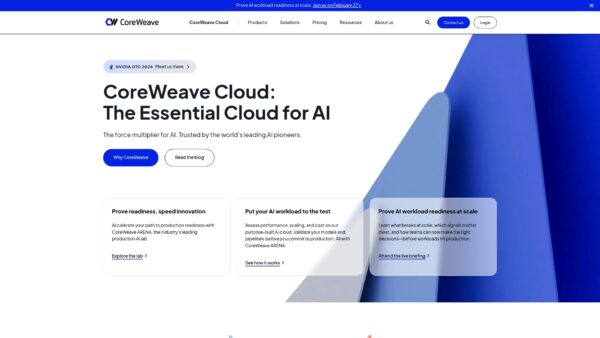
CoreWeave Cloud is an AI native platform built for heavy model training and VFX rendering with scalable GPU and CPU compute. Its focus on performance and purpose built storage makes it a strong choice for studios and teams pushing large scale workloads.
Core Features
CoreWeave combines an AI native platform with tools and teams that support complex AI pipelines. The platform offers NVIDIA Blackwell, Hopper, and Ada Lovelace GPU options, managed Kubernetes for AI workloads, and purpose built storage with no migration fees.
CoreWeave also provides runtime acceleration products such as Slurm on Kubernetes and Serverless RL, plus CoreWeave ARENA for workload testing and Mission Control for observability and security.
Pros
- Specialized infrastructure: CoreWeave focuses on AI workloads and offers hardware and tooling tuned for model training and inference which improves predictable throughput.
- Broad GPU lineup: The platform supplies industry leading GPU options including modern NVIDIA architectures to match a range of training and rendering needs.
- Flexible storage: Purpose built storage with no fees for data migration reduces friction when moving large asset libraries or datasets.
- Testing and validation: CoreWeave ARENA lets teams validate performance before full production which shortens iteration cycles.
- Managed services: Managed Kubernetes and operational support simplify running complex distributed jobs so teams spend less time on infrastructure.
Cons
- Narrow workload focus: The platform is primarily tuned for AI workloads which may not match studios seeking general purpose cloud compute for diverse tasks.
- Complex pricing: Multiple GPU types and configurations create pricing complexity that requires careful cost estimation for render heavy projects.
- Unclear support details: The provided data lacks specifics on support plans and SLAs which makes procurement conversations more involved.
Who It’s For
CoreWeave targets AI researchers, machine learning engineers, and studios that run large scale render or training jobs and need dedicated performance. It fits teams that require modern GPU architectures and managed operational tooling without running their own data center.
Unique Value Proposition
CoreWeave pairs high end GPU hardware with AI specific tooling and dedicated services so studios get both raw performance and an environment built for model scale. That combination reduces the time between prototype and production for compute heavy projects.
Real World Use Case
OpenAI has used CoreWeave infrastructure to train and deploy large models, demonstrating the platform can handle multi stage training pipelines and deliver fast turnaround for complex experiments and production inference.
Pricing
Pricing varies by GPU type, CPU, storage, and networking choices with detailed instance and service prices published on the website. Budgeting requires selecting specific instance families for accurate cost forecasting.
Website: https://coreweave.com
Runpod

At a Glance
Runpod delivers on demand GPU infrastructure focused on AI development and deployment with global reach and fast scaling. For studios managing bursty, compute heavy jobs or AI experiments, it offers predictable scaling and compliance that matter for sensitive projects.
Core Features
Runpod provides on demand GPUs across 31 global regions, serverless instant AI workloads with no idle charges, and the ability to spin up a multi node GPU cluster in minutes. The platform also offers RunPod Hub for open source model deployment and global distribution for low latency.
Pros
- Wide GPU selection and regions: Runpod supports many GPU types across 31 regions which reduces latency for distributed teams and remote render tasks.
- Serverless model for cost efficiency: Serverless instant workloads remove idle costs and simplify scaling so you pay for compute when you actually use it.
- Fast cluster deployment: Multi node GPU cluster deployment in minutes accelerates training and large batch processing without prolonged setup.
- Trust through compliance: HIPAA & GDPR compliance makes Runpod suitable for projects that handle sensitive data and regulated workflows.
- Practical learning resources: The platform provides case studies and resources that shorten onboarding and speed technical adoption.
Cons
- Pricing specifics are not listed in the provided content which makes upfront budgeting harder for studio managers planning fixed monthly costs.
- Complex workflows may require deeper technical knowledge to optimize cluster shapes and networking for peak performance.
- The provided data does not list supported operating systems or integrations which leaves questions about pipeline compatibility with existing studio tools.
Who It’s For
Runpod fits AI developers and engineering teams that need scalable, cost effective GPU infrastructure and global deployment. Studio managers and 3D artists who run compute heavy experiments or bursty render and AI processing will find the platform useful for temporary capacity and peak demand.
Unique Value Proposition
Runpod combines global deployment, serverless instant workloads, and quick multi node cluster creation to deliver flexible compute without long term infrastructure management. The compliance posture adds trust for projects involving protected data while the Hub speeds model rollout.
Real World Use Case
A company used Runpod to train and deploy image and video models that required large GPU farms for short bursts. The setup reduced costs by avoiding permanent hardware and improved scalability so the team handled spikes in demand without adding local infrastructure.
Pricing
Pricing details are available on the website and follow a pay as you go model with options for long term reservations to reduce costs. Visit the pricing pages to compare on demand rates versus reserved commitments for predictable budgeting.
Website: https://runpod.io
Cloud GPU Rendering and Compute Tools Comparison
This table provides a clear and concise overview of leading cloud GPU rendering and compute tools, highlighting their core features, benefits, limitations, and pricing models for an informed selection.
| Product | Core Features | Pros | Cons | Pricing Highlights |
|---|---|---|---|---|
| MaxCloudON | Dedicated GPU and CPU cloud servers for AI training, simulations, and compute-intensive workloads with full environment control | Dedicated hardware ensures stable performance; full root/admin access; predictable prepaid pricing | Predefined server configurations; fewer integrated ML platform tools than hyperscale providers | Fixed prepaid pricing with daily, weekly, and monthly server plans |
| StackGpu | Global cloud GPU servers with NVIDIA RTX 4090 and A100 GPUs; scalable configurations | High-end GPUs; distributed resources in over 40 locations; 24/7 technical support | Limited information on enterprise offerings and comprehensive configurations | Pricing starts at $17.6/hr, larger setups from $35.2/hr |
| Lambda Labs | AI-focused supercomputers and scalable clusters with secure infrastructure | High-level security practices; vast GPU selections; support for large-scale AI tasks | Features tailored to enterprise solutions may exceed smaller studios’ needs | Pricing available upon inquiry via the provider’s website |
| Paperspace | GPU-infrastructure offering with hosted desktops and an ML-specific platform | Broad GPU options; integrated environments for end-to-end AI workflows; flexible pricing | Extensive product range may overwhelm new users | Free tiers available; flexible paid options tailored for usage |
| CoreWeave | AI-optimized platform featuring NVIDIA GPU support and managed environments | Specialized hardware adjustments; managed Kubernetes services; flexible testing solutions | Focuses exclusively on AI-centric workloads, pricing complexity | Pricing available online based on resource configurations |
| Runpod | On-demand GPU deployment across 31 regions with serverless workflows | Streamlined compliant processes; quick cluster setups; helps conserve costs via a serverless model | Technical expertise might be required for optimal cluster use | Pay-as-you-go details obtainable on the website, with reserved plans aiding budget predictability |
Discover Scalable GPU Cloud Solutions Designed for Data Scientists and Engineers
Finding reliable alternatives to platforms like StackGpu.ai can be challenging when you need powerful GPU resources, predictable performance, and full control over your infrastructure. The article highlights the growing need for scalable, high-performance GPU infrastructure capable of supporting demanding workloads such as AI model training, simulations, and large-scale data processing without the complexity of managing physical hardware or dealing with unpredictable shared environments. For teams that need stable GPU performance, flexible environment control, and the ability to manage drivers, frameworks, and dependencies freely, these challenges are common across many compute-intensive workflows.
MaxCloudON provides dedicated GPU and CPU cloud servers designed for compute-intensive workloads where stability and environment control are critical. Unlike shared GPU platforms, each server runs on dedicated hardware and offers full root or administrator access, allowing engineers to install custom frameworks and deploy their own training or simulation pipelines.
In addition to GPU compute infrastructure, MaxCloudON also supports automated cloud rendering workflows through RenderSonic, enabling studios and technical teams to process complex 3D workloads alongside AI and simulation tasks on the same dedicated infrastructure.
For organizations looking for predictable pricing, dedicated hardware, and full control over their compute environment, MaxCloudON represents a practical alternative to shared GPU cloud platforms.
Visit MaxCloudON to explore available GPU server configurations and deploy infrastructure tailored to your compute workloads. Plus, MaxCloudON guide to Nvidia products, features and tutorials gives you the insights needed to harness GPU hardware effectively.