
Choosing the best cloud render farm depends on more than raw speed. Studios and freelance artists also need software compatibility, predictable pricing, reliable support, and a workflow that fits their production pipeline. In this guide, we compare 6 cloud render farms in 2026 based on infrastructure, pricing model, supported software, and the types of users each platform serves best.
MaxCloudON
At a Glance
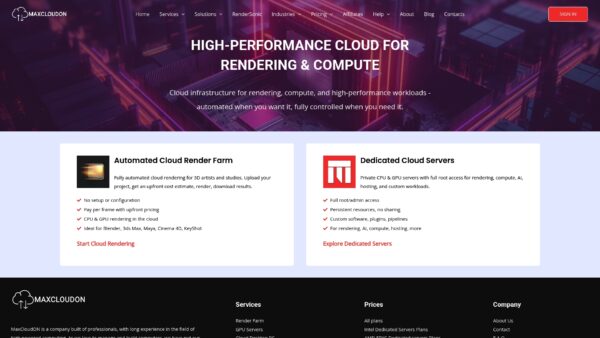
MaxCloudON is a cloud infrastructure provider focused on high-performance rendering and compute workloads. The platform combines dedicated GPU and CPU servers with automated cloud rendering through RenderSonic, allowing artists and studios to choose between fully automated rendering workflows or complete manual control over their environment.
This hybrid approach makes MaxCloudON suitable both for users who want simple pay-per-frame automation and for teams that require dedicated infrastructure for custom pipelines and plugins.
Core Features
MaxCloudON provides multiple cloud services designed for professional rendering and compute workloads.
- RenderSonic automated cloud rendering, enabling frame submission, upfront cost estimates, and automated job distribution.
- Managed and unmanaged rendering options, allowing users to choose between automated workflows or full environment control.
- Dedicated GPU and CPU servers with full root or administrator access.
- Pay-per-frame rendering for automated jobs through RenderSonic.
- Prepaid server plans available weekly, monthly, or longer for dedicated infrastructure.
- Compatibility with major 3D software including Blender, 3ds Max, Maya, Cinema 4D, and KeyShot.
- Cloud desktop PCs for remote creative work and pipeline access.
- Machine learning infrastructure for AI model training and compute workloads.
Pros
- Flexible rendering options: Users can choose between fully automated cloud rendering through RenderSonic or dedicated servers for manual rendering and custom pipelines.
- Dedicated infrastructure: GPU and CPU servers run on private hardware rather than shared environments, providing consistent performance and full environment control.
- Strong software compatibility: Support for widely used 3D tools such as Blender, Maya, and 3ds Max allows studios to move existing workflows to the cloud without major adjustments.
- Automation with cost transparency: RenderSonic provides upfront cost estimates and automated job processing, helping users predict rendering costs before submitting projects.
- Multiple pricing models: Both usage-based rendering and prepaid infrastructure plans allow studios to choose the most cost-effective model depending on project size and workload frequency.
- Responsive technical support: MaxCloudON provides direct technical support to assist with server setup, rendering workflows, and troubleshooting, helping studios resolve issues quickly during active production.
Takeaway: these strengths favor teams that need reliability and predictable outcomes for tight schedules.
Who It’s For
MaxCloudON is designed for 3D artists, animation studios, visual effects teams, architectural visualization firms, and product designers who need scalable rendering capacity.
It works particularly well for teams that:
- require dedicated GPU resources for large projects
- need to run custom plugins or rendering pipelines
- want automated rendering without managing infrastructure
- prefer predictable infrastructure performance instead of shared render queues
Takeaway: choose MaxCloudON when project scale or peak rendering needs exceed in‑house capacity.
Unique Value Proposition
MaxCloudON combines dedicated GPU and CPU infrastructure with automated cloud rendering through RenderSonic, giving studios the choice between fully automated job submission or full administrative control over their rendering environment. Teams can run pay-per-frame rendering through RenderSonic or deploy dedicated servers for custom pipelines, plugins, and long-running workloads. This hybrid model allows studios to scale rendering capacity quickly while maintaining predictable performance and complete control over their production environment.
Takeaway: the platform positions itself as the practical alternative to owning a local render farm or piecing together multiple providers.
Real World Use Case
A mid-sized animation studio uses RenderSonic for automated frame rendering during peak production, while maintaining a dedicated GPU server for scene preparation, plugin management, and look development.
By splitting workloads between automated rendering and dedicated infrastructure, the studio accelerates delivery schedules without investing in additional local hardware.
Takeaway: real project deadlines benefit from predictable cloud capacity and remote access.
Pricing
MaxCloudON offers multiple pricing models depending on how users prefer to run their workloads.
- Pay-per-frame pricing for automated rendering through RenderSonic
- Prepaid server plans available weekly or monthly for dedicated GPU and CPU servers
- Custom configurations depending on hardware requirements and workloads
Pricing details and configuration options are available on the official website.
Website: https://maxcloudon.com
RebusFarm
At a Glance
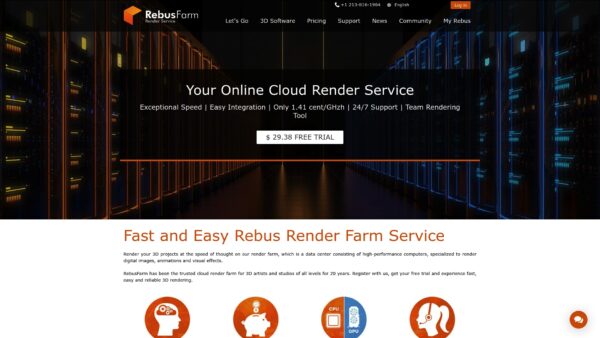
RebusFarm is a veteran cloud render farm with more than twenty years of industry experience that delivers fast, reliable rendering for studios and independent artists. The platform pairs plugin driven submission with transparent per second pricing and green energy servers.
Core Features
RebusFarm supports a wide range of 3D software including 3ds Max, Cinema 4D, Maya, and Blender and offers both CPU and GPU rendering options. The service runs on high performance hardware such as AMD Threadripper CPUs and NVIDIA Quadro RTX GPUs and provides a team rendering tool, a Farminizer plugin, cost estimation tools, and round the clock support.
Pros
- Fast and reliable rendering: Powerful hardware and optimized job distribution deliver consistent render speed that reduces overall production time.
- Broad software support: Native plugins let you submit jobs directly from popular 3D applications so your existing pipeline remains intact.
- Pay only for render time: Billing per second removes capital expenditure on render nodes and aligns costs with actual project usage.
- 24/7 support and tutorials: Continuous customer support plus extensive documentation helps teams resolve issues during tight deadlines.
- Green energy servers: The use of environmentally friendly power reduces the carbon footprint for heavy rendering workloads.
Cons
- Requires internet and uploads: Large scenes demand significant upload time which creates dependency on stable bandwidth for timely delivery.
- Costs can accumulate: For very long or highly detailed jobs the per second billing model can become expensive compared to incremental local upgrades.
- Cloud based workflow comfort needed: Teams unfamiliar with cloud based pipelines face a learning curve when shifting from on prem infrastructure.
Who It’s For
RebusFarm targets 3D artists, visual effects studios, architectural firms, and product visualization teams that need high performance rendering without investing in local hardware. It works best for groups that rely on plugin driven submission and value a predictable pricing model per job.
Unique Value Proposition
RebusFarm combines long standing industry experience with a plugin centric workflow and dedicated high performance hardware, offering transparent cost estimates via the online calculator and the Farminizer plugin while reducing local infrastructure overhead.
Real World Use Case
A 3D animation studio uploads a complex animation through the RebusFarm plugin, monitors progress in the control center, and distributes frames across CPU and GPU nodes to finish the sequence far faster than local render queues would allow.
Pricing
Pricing is calculated based on actual render time with job costs computed per second. You can estimate costs using the online cost calculator or the Farminizer plugin, and specific rates are published on the website.
Website: https://rebusfarm.net
Fox Renderfarm
At a Glance
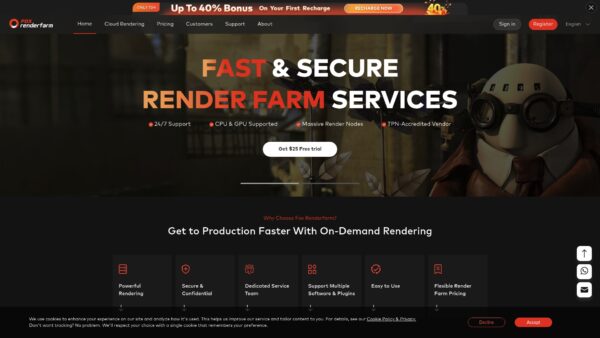
Fox Renderfarm delivers a scalable cloud rendering service built for demanding 3D production teams. It combines CPU and GPU rendering with a large global node pool and 24/7 customer support to shorten delivery timelines and reduce on-premise load.
- Fast turnaround for large batches of frames when you need predictable timing.
Core Features
The platform provides broad software compatibility and production-grade infrastructure that fits movie VFX, animation, and architectural visualization pipelines. Automatic environment detection simplifies setup and helps jobs start without manual tuning.
- Thousands of render nodes for parallel processing and faster throughput.
- Multi-OS support that covers Windows, Mac, and Linux environments.
- Raysync technology for high-speed file transmission and massive SSD storage for active projects.
- API support for pipeline integration and automation.
- ISO27001 certification and NDA options for secure delivery.
Pros
- High scalability with thousands of nodes: You scale rendering capacity on demand which reduces queue times for large projects.
- Wide software and plugin support: The service supports major 3D applications and renderers so you avoid complex scene conversions.
- Strong security with ISO27001 and NDA options: Studios get controlled access and contractual confidentiality for sensitive projects.
- Fast support response time within 15 mins: Dedicated 24/7 support helps resolve pipeline issues during tight delivery windows.
- Flexible pricing and incentives: A free trial and up to 40 percent bonuses for new users help evaluate the service before committing.
Cons
- Transparent pricing is limited: Detailed rates are not listed openly which requires direct inquiry to get exact costs.
- Dependent on internet connectivity: Uploading and downloading large asset sets requires stable bandwidth which can lengthen total turnaround.
- Requires technical familiarity to use APIs: Teams need technical knowledge to fully leverage automation and pipeline integration features.
Who It’s For
Fox Renderfarm targets professional 3D artists and studios that need reliable, secure cloud rendering for production pipelines. It fits VFX houses, animation studios, architectural firms, and product visualization teams that handle heavy render loads and tight deadlines.
- Ideal users are studios handling feature film VFX, episodic animation, game asset rendering, or large architectural presentations.
Unique Value Proposition
Fox Renderfarm pairs production-grade security and global compute scale with studio-level support experience. The combination of ISO27001 certification, dedicated support, and large node capacity makes it practical for confidential, time sensitive projects.
- The platform emphasizes secure, fast transfer and predictable throughput for large scenes.
Real World Use Case
A mid sized VFX studio uses Fox Renderfarm to render complex shot sequences for a feature film and reduces rendering time from weeks to days. Support for multiple software and plugins keeps the same pipeline intact across shots and artists.
- The result is faster editorial iterations and cleaner handoffs between departments.
Pricing
Flexible render farm pricing with a free trial available. Specific prices and discounts are provided upon inquiry which lets studios negotiate terms based on scale and project needs.
Website: https://foxrenderfarm.com
GarageFarm.NET

At a Glance
GarageFarm.NET delivers a practical and accessible cloud render farm that fits studios and freelance 3D artists who need predictable throughput without owning hardware. The service balances affordability with human support, making it easy to scale for tight deadlines.
Core Features
GarageFarm.NET supports major 3D tools and offers both CPU and GPU rendering with strong scalability and security. The platform integrates via plugins and provides options for project confidentiality through ISO certification and NDAs.
- Supports 3ds Max, Maya, Blender, Cinema 4D, SketchUp, Rhino and more
- Scales to up to 20,000 CPU cores and 2,000,000 CUDA cores
- Includes plugin integration and ISO 27001 certification for secure projects
Pros
- Easy to use with minimal setup required. The platform integrates into existing workflows via plugins so you can upload jobs without retooling your pipeline.
- Affordable pricing with volume discounts. Usage based rates and discounts for larger jobs keep costs predictable for studios running regular batches.
- Flexible options for CPU and GPU rendering to suit different project demands. You can choose the compute type that matches renderer and quality targets.
- 24/7 support and real-time communication with staff. Human assistance helps studios move past roadblocks faster than self service alone.
- Trusted by a large community of 3D artists and studios. A broad user base indicates tested workflows across many project types.
Cons
- Prices may vary depending on the project size and urgency. Priority tiers change effective rates which requires attention when estimating budgets.
- Some users might need initial guidance to maximize the services. New studios may benefit from onboarding support to avoid inefficient job setups.
- Cost transparency depends on accurate job estimates. Because pricing is usage based with priority options you must plan jobs carefully to avoid surprise costs.
Who It’s For
GarageFarm.NET fits 3D artists, animation studios, architectural visualization firms, and freelancers who want scalable, cost effective rendering without managing physical hardware. Small studios with episodic spikes in demand gain the most value here.
Unique Value Proposition
GarageFarm.NET combines broad software support with large scale compute and human support to reduce setup friction. The mix of flexible priority tiers, plugin integration, and ISO compliance makes it suitable for confidential commercial work.
Real World Use Case
A small animation studio uses GarageFarm.NET to render complex 3D animation projects quickly and affordably. They meet tight deadlines by shifting peak frame rendering to the cloud and keep local workstations free for authoring.
Pricing
Pricing is usage based with low, medium, and high priority options. Rates start from $0.004 per OBh for CPU and $0.012 per OBh for GPU with actual costs determined by selected resources and project needs.
Website: https://garagefarm.net
RenderStreet Cloud Rendering
At a Glance
RenderStreet Cloud Rendering delivers fast, scalable GPU rendering focused on Blender and Modo workflows. The service targets professional artists and studios with predictable pricing and automation that reduces wall clock rendering time without changing your pipeline.
Core Features
RenderStreet centers on GPU rendering and workflow simplicity. It supports Blender 5.0 and Modo 17.0, offers in browser animation previews, and delivers render passes for compositing.
- GPU rendering for Cycles using NVIDIA L40s GPUs
- Automatic resource allocation with the proprietary RenderWheels algorithm
- Real time previews and accelerated still image rendering across multiple servers
- Flexible payment plans including unlimited monthly, hourly, and studio tiers
Pros
- Fast and scalable rendering solutions are tailored for Blender and Modo, allowing studios to finish large animation runs more quickly than local hardware alone.
- Transparent and predictable pricing simplifies cost planning, especially with an unlimited monthly option that removes per frame surprises.
- Seamless workflow integration means you can upload projects without modifying existing pipelines or learning a new toolchain.
- Advanced GPU acceleration powered by NVIDIA L40s GPUs delivers noticeable speed gains on GPU friendly scenes.
- Proprietary resource optimization through RenderWheels helps prioritize jobs for the fastest delivery times possible.
Cons
- The service leans toward professional studios and experienced users, which may present a steep learning curve for absolute beginners who need hand holding.
- Pricing and feature details for large or custom projects require direct consultation, so large studios must budget time for planning and quotes.
- The website provides limited detail about support levels and customizable options, leaving some uncertainty for teams that require dedicated account management.
Who It’s For
RenderStreet fits professional artists, freelancers, and small to mid sized studios using Blender or Modo who need reliable GPU capacity to meet tight delivery schedules. Teams with established pipelines benefit most because RenderStreet integrates without forcing project changes.
Unique Value Proposition
RenderStreet combines dedicated GPU acceleration with a proprietary scheduling algorithm to deliver consistent turnaround for complex frames. Its pricing variants, including an unlimited monthly plan, make cost predictable for repeat projects and high volume rendering.
Real World Use Case
A freelance 3D artist uploads an animation sequence through RenderStreet’s web interface, selects GPU acceleration and a pay as you go hourly plan, and receives finished frames overnight. The artist saves weeks of local render time while controlling expenses.
Pricing
RenderStreet offers an unlimited rendering plan at $59.97 per month, a pay as you go hourly plan, and studio plans with custom support and pricing. Large projects typically require direct consultation to confirm resources and costs.
Website: https://render.st
Ranch Computing
At a Glance
Ranch Computing is a French benchmark render farm focused on fast, affordable, and flexible rendering for 3D projects. It pairs powerful CPU and GPU servers with tools aimed at reducing setup friction for studios and independent artists.
Core Features
Ranch Computing provides fast rendering through dedicated CPU and GPU servers and supports a wide range of 3D software and rendering engines. The platform includes RANCHecker and RANCHSync to simplify project validation and file synchronization and offers server rental for extended control.
Pros
- Fast rendering times due to powerful servers that shorten iteration cycles for animation and VFX projects.
- Wide software support that covers numerous 3D applications and renderers so you can keep your existing pipeline intact.
- User friendly setup tools such as RANCHecker and RANCHSync that reduce manual configuration and speed uploads.
- Confidentiality protocols that protect client assets during transfers and rendering operations.
- Server rental option that gives studios greater control over environment and software versions for complex pipelines.
Cons
- Specific focus on 3D rendering means the service is not suitable for non 3D compute projects that require different tooling.
- Registration and initial setup are required to use RANCHecker and RANCHSync which adds a small onboarding overhead for new users.
- Pricing details live behind a link on the website so you must request or navigate to pricing pages to see exact rates and discounts.
Who It’s For
Ranch Computing targets 3D artists, studios, and companies that need high performance rendering for architecture, VFX, product visualization, and motion design. It fits teams that value predictable performance and prefer a provider with dedicated server rental options.
Unique Value Proposition
Ranch Computing combines dedicated CPU and GPU infrastructure with practical project tools to deliver fast, repeatable renders without forcing you to rework your pipeline. The server rental model adds an extra layer of control for larger studios.
Real World Use Case
A VFX studio rendering complex animations uses Ranch Computing to distribute heavy frames across GPU nodes and validate scenes with RANCHecker before submission. The result is reduced frame turnaround and consistent output across multiple artists.
Pricing
Ranch Computing advertises volume discounts and claims savings up to 70 percent for bulk purchases. Exact prices and discount tiers are available on the website and require visiting the pricing section to get a tailored quote.
Website: https://ranchcomputing.com
Cloud Rendering Services Comparison
Discover a detailed comparison of top cloud rendering platforms designed to assist professionals, studios, and freelancers in making informed choices based on their rendering needs and project specifications.
| Platform | Key Features | Typical User Base | Advantages | Pricing & Website |
|---|---|---|---|---|
| MaxCloudON | Automated rendering via RenderSonic, dedicated GPU & CPU servers, full root/admin access, cloud desktops | Studios with high-compute requirements and diverse tasks | Automated rendering + dedicated servers in one platform, predictable performance, full environment control, responsive support | Pay-per-frame automation or prepaid weekly/monthly server plans Visit MaxCloudON |
| RebusFarm | Plugin-driven job submission, green energy servers, AMD and NVIDIA hardware | Studios needing seamless integration and fast support | Transparent billing, 24/7 assistance | Pay-per-use; Visit RebusFarm |
| Fox Renderfarm | Thousands of nodes, multi-OS support, enhanced security (ISO27001) | Feature film, episodic project producers | High scalability, confidentiality options | Inquiry-based pricing; Visit Fox Renderfarm |
| GarageFarm.NET | Broad software compatibility, user-friendly plugins, scalable CPU/GPU rendering | Small studios and individual 3D artists | Affordable, real-time team communication | Priority-based rates; Visit GarageFarm.NET |
| RenderStreet | Proprietary resource optimization, NVIDIA GPU acceleration | Blender and Modo-specific teams | GPU-centric, unlimited monthly options | Monthly or hourly pricing; Visit RenderStreet |
| Ranch Computing | High-speed file transfer tools, server rental options | Teams favoring project confidentiality | User-friendly tools, predictable rendering | Custom quotes available; Visit Ranch Computing |
This table summarizes the offerings of various cloud rendering platforms, helping readers identify the tools best aligned with their operational needs.
Discover Faster and More Predictable Cloud Rendering with MaxCloudON
The search for the best cloud render farms often comes down to tackling key challenges like unpredictable performance, complicated infrastructure, and rising costs. The 6 Best Cloud Render Farms in 2026 article highlights these pain points while emphasizing the need for reliable, scalable rendering solutions that integrate smoothly with industry tools like Blender and 3ds Max. If you want to avoid juggling multiple vendors or managing complex nodes, MaxCloudON offers a streamlined path forward.
Experience the power of dedicated GPU and CPU servers combined with RenderSonic, our automated cloud rendering software designed to simplify 3D production workflows. Gain full control over your projects and benefit from transparent pricing and seamless integration with popular tools by visiting our 3D Rendering – MaxCloudON page. Ready to accelerate your rendering process while reducing overhead costs? Visit MaxCloudON now and take control of your cloud rendering future.
Frequently Asked Questions
What are the key features to look for in a cloud render farm?
How can I estimate the costs of using a cloud render farm?
How do I ensure my data is secure when using a cloud render farm?
What steps can I take to streamline project submissions to a cloud render farm?
Can I rely on a cloud render farm for tight project deadlines?
Recommended
- Top 5 Superrendersfarm Alternatives in 2026 for 3D Artists and Animation Studios
- High-Performance Cloud for Rendering and Compute
- Fast Cloud Render Farm – Automated Online Rendering
- What Is a Cloud Render Farm? The Key to Faster Rendering
- Top 7 hilfra.be Alternatieven in 2026 voor Betrouwbare Bouwmaterialen in België
- Las 8 Mejores Alternativas a Majadahondamagazin.es en 2026