
How to Render Faster: Speed up Your 3D Rendering
Rendering doesn’t have to be slow. In this guide, I’ll show you how to render faster using smarter settings, scene
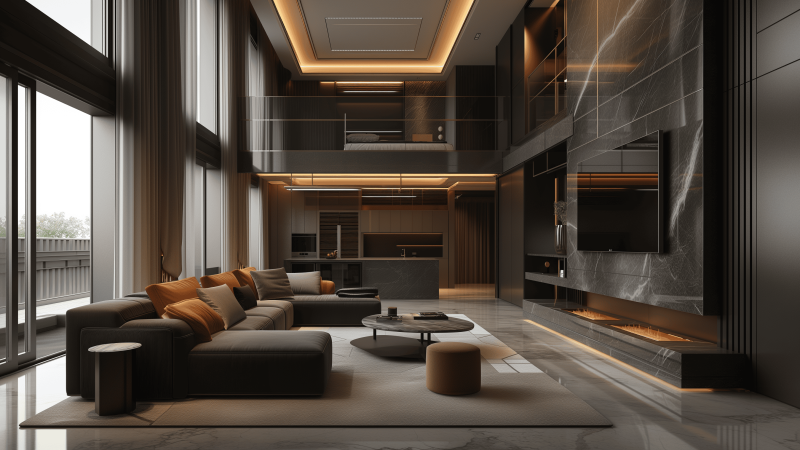
MaxCloudON provides high-performance 3D interior design rendering services through a cloud render farm built for interior designers, visualization studios, and creative teams working on detailed interiors, lighting setups, and material-focused scenes.
Interior rendering often involves multiple revisions, complex lighting, textures, and high-detail materials that can slow down local machines. With MaxCloudON, you can iterate faster, test variations, and deliver photorealistic interior visuals without hardware constraints.
Whether you want a fully automated workflow or complete control over your rendering environment, you can choose between automated cloud rendering with RenderSonic or dedicated cloud servers built for professional interior rendering workflows. RenderSonic is a desktop app that connects your workstation to the cloud and automates the entire rendering process from upload to final output.
Work without investing in expensive local hardware or maintaining render nodes – run your interior rendering projects entirely in the cloud.

Use RenderSonic to render your interior scenes automatically in the cloud. Upload your project, get an upfront cost estimate, and let the system handle rendering from start to finish.
Compatible with industry-standard tools such as 3ds Max, Blender and Cinema 4D, along with render engines like V-Ray.
Best for: interior designers, freelancers, fast iterations, client presentations

For advanced interior workflows, use dedicated cloud servers with full control over your environment. Install any software, plugins, or scripts and manage rendering exactly as needed.
Use any 3D software, render engine, or plugin required for your workflow, including SketchUp, Revit, Unreal Engine and other tools.
Best for: studios, complex scenes, custom pipelines, long-term projects
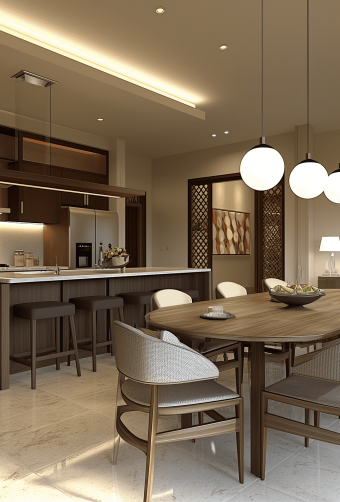
MaxCloudON can handle demanding interior rendering workflows, from high-resolution still images to detailed animations with complex lighting and materials. For full building projects, explore our architectural rendering services.
Render scenes faster with parallel processing or high-performance dedicated servers.
Achieve photorealistic interior lighting, materials, and textures.
Switch between automated rendering and full infrastructure control.
Handle everything from small projects to large interior visualization pipelines.
Upfront pricing for automated rendering or predictable prepaid server plans.
Encrypted transfers and isolated environments.
Choose between automated rendering with upfront, per-project pricing and no long-term commitment, or dedicated server plans with prepaid options designed for long-term and continuous rendering workloads.
“The fastest dedicated VPS we have used. The rendering nodes are really dedicated and you’ll get what is advertised. It’s applicable, from a small freelance artist to a big design studio.”
Principal/Creative Director of Clusters Creative
“We have used the services of Rend-it (now MaxCloudON) many times when we have not been able to meet the deadline with what we have in our in-house Render farm. Quick and responsible, they have always saved us.”
Founder and CEO of Vaya Studios
“Best cloud. Excellent service and support, awesome pricing. There are no restrictions on the installed software. Once the servers were configured, my company used them for months without making any changes.”
Information Technology Manager at Visual Method
3D rendering in interior design is the process of creating realistic images or animations of interior spaces. It allows designers to visualize layouts, lighting, materials, and furniture to present concepts clearly to clients.
Interior scenes often involve complex lighting, materials, and high-resolution output, which can take a long time to render on local machines. Cloud rendering allows you to process scenes faster, handle multiple iterations, and deliver results without relying on expensive hardware.
Yes. With dedicated cloud servers, you can use any 3D software, render engine, or plugin required for your workflow.
For automated rendering, RenderSonic supports selected industry-standard tools and handles the rendering process automatically in the cloud.
Different camera angles help present space, depth, and design details more effectively. By testing multiple perspectives, designers can better communicate layout, lighting, and atmosphere to clients.
MaxCloudON offers two approaches: automated cloud rendering with upfront pricing using RenderSonic, and dedicated cloud servers for full control over your environment.
This allows you to choose between fast, hands-off rendering or complete customization, depending on your project needs.
MaxCloudON uses secure connections with VPN and certificate-based encryption to protect your data. Each environment is isolated, ensuring your projects remain private and stable throughout the rendering process.
Explore practical tips, tools, and workflows used in interior design rendering projects.
Rendering doesn’t have to be slow. In this guide, I’ll show you how to render faster using smarter settings, scene
When I first started my journey as a 3D artist, rendering was always the bottleneck in my workflow. I remember
Choosing the best 3D rendering software in 2026 can dramatically impact your render speed, image quality, and creative flexibility. In