
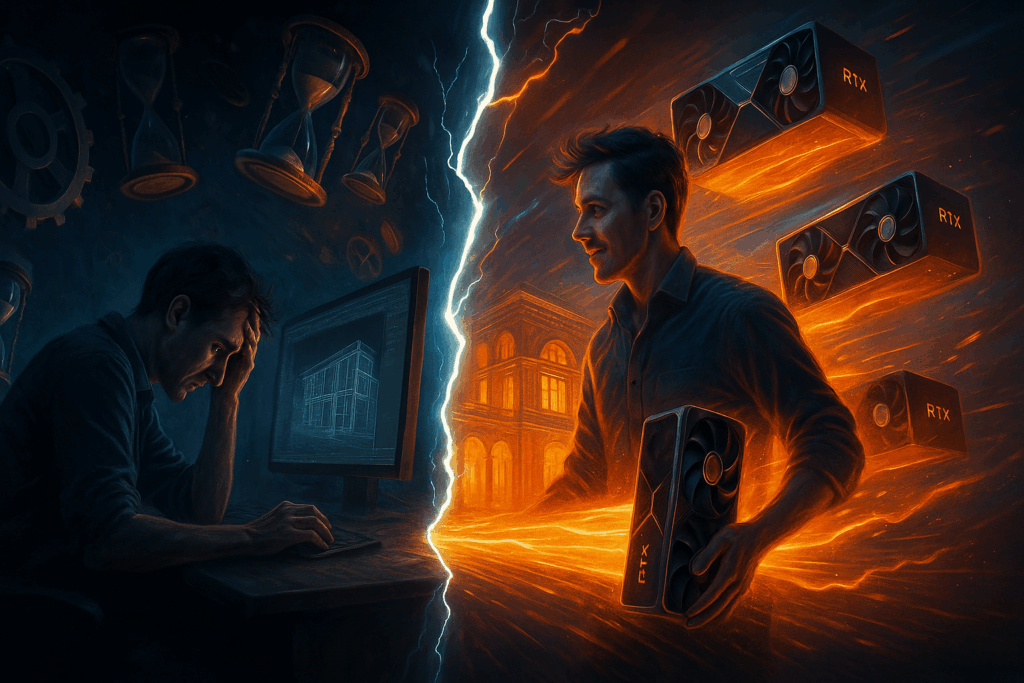
When I first started my journey as a 3D artist, rendering was always the bottleneck in my workflow. I remember spending countless nights waiting for frames to finish rendering on a single CPU, only to realize that a small scene change would force me to start the process all over again. It was frustrating, time-consuming, and often limited my creativity because I had to constantly think about how long something would take to render rather than focusing on the project itself.
That all changed when I discovered V-Ray GPU rendering. Suddenly, what used to take hours could be previewed in minutes, and I could iterate on my designs without the fear of losing precious time. This shift didn’t just improve my efficiency – it completely transformed the way I approached projects. In this post, I want to share my experience with V-Ray GPU rendering, its key features, and why I believe it’s one of the most powerful tools available for artists and studios today.
V-Ray GPU Key Features: An Overview
The V-Ray GPU engine is designed to take full advantage of modern GPUs (graphics processing units), making it a versatile and powerful production renderer. One of the standout features is its ability to use multiple GPU devices simultaneously, which means you can scale your rendering power simply by adding more GPUs to your system.
Key features of V-Ray GPU rendering include:
- Multi-GPU scalability: Use several GPU devices at once to multiply rendering performance and speed.
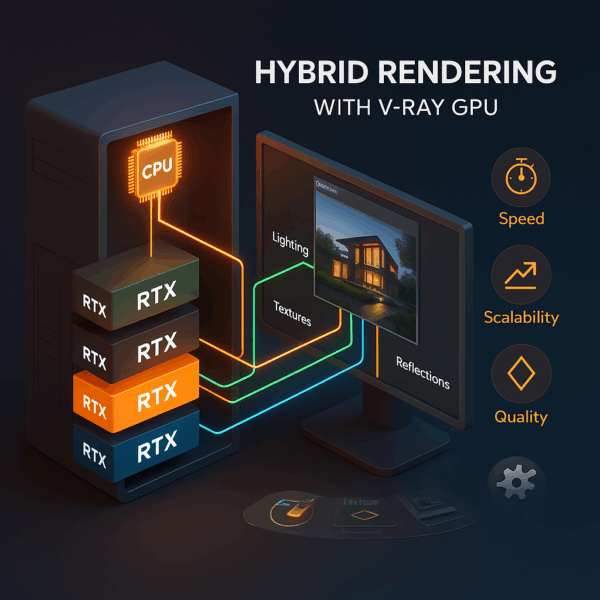
- Hybrid rendering mode: Combine CPU and GPU devices in a single workflow to maximize hardware utilization.
- Seamless user interface integration: Easily switch between CPU and GPU engines within the same interface.
- Cross-machine adaptability: Work efficiently on one workstation or across multiple render nodes as a render farm. To understand how render farms speed up large-scale projects, see What Is a Render Farm and How Does It Work?
- CUDA and RTX support: Leverage advanced ray tracing and hardware acceleration for faster, more realistic results.
These capabilities make V-Ray GPU not just a rendering option but a complete solution for artists who demand speed, flexibility, and high-quality output.
If you ever need more rendering power, you can easily scale with a V-Ray Render Farm or cloud GPU servers provided by MaxCloudON.
Why Should You Use V-Ray GPU
When I first switched to GPU rendering, I realized how much more freedom it gave me as an artist. The V-Ray engine is already known for its reliability, but the V-Ray GPU engine takes it further by letting me harness the power of GPU devices and even combine them with CPU hardware through hybrid rendering. This combination means I don’t have to choose between one or the other – I can use both CPU and GPU devices to maximize efficiency.
Another reason to use V-Ray GPU rendering is its adaptability to different hardware environments. Whether I’m working on a single machine with a single CPU or scaling up with multiple GPUs across render nodes, the system adjusts seamlessly to take advantage of all available power.
It also supports network rendering and distributed rendering, which is a game-changer for larger projects. For me, the ability to handle complex ray tracing and raytracing calculations with an RTX device or the RTX engine has been invaluable.
V-Ray GPU rendering is not just about speed – it’s about flexibility, scalability, and future-proofing your workflow. And if you ever need to scale further, you can always extend your setup with MaxCloudON’s cloud render farm services for instant access to additional GPU nodes.
Benefits of V-Ray GPU Rendering
The benefits of V-Ray GPU rendering became clear to me the moment I started working on high-detail projects with heavy textures. The render engine handled scene changes with impressive responsiveness, letting me see updates almost instantly. This drastically improved my overall performance and reduced wasted time.
With rendering engines like V-Ray GPU, I could achieve high-quality final outputs without sacrificing speed. The ability to use multiple GPUs and scale across render nodes meant I could take on bigger projects without worrying about bottlenecks. And thanks to hardware recommendations provided by Chaos, I was able to optimize my setup for maximum efficiency.
For me, the biggest benefit is that V-Ray GPU rendering is a true production renderer – not just for previews, but for final outputs that meet professional standards. It’s this balance of speed, scalability, and visual precision that makes it indispensable in my workflow.
Speed
One of the first things I noticed when I began using V-Ray GPU was the incredible boost in speed. Before, relying on a single CPU meant that even small test renders could take ages, and any scene changes would force me to wait again. With Nvidia CUDA cores and the RTX-accelerated ray tracing, however, I could see results almost instantly. This was especially true when working in interactive mode, where the render engine updated in real time as I adjusted textures, lighting, or geometry.
The ability to use multiple GPUs on a single machine or scale across render nodes meant that I could cut rendering times from hours to minutes. Even better, the combination of CPU and GPU devices through hybrid rendering allowed me to squeeze every bit of power from my CPU while still leveraging the raw speed of graphics cards.
For me, this speed advantage wasn’t just about saving time – it was about unlocking creativity. I could experiment more, iterate faster, and deliver projects with confidence, knowing that the rendered results would be ready when I needed them.
Performance
Speed is one thing, but overall performance is where V-Ray GPU rendering truly shines. The V-Ray engine has always been known for stability, but the GPU engine takes it further by optimizing how ray tracing and raytracing calculations are processed.
By using GPU devices alongside CPU hardware, I noticed a significant improvement in workflow responsiveness and scene stability – especially on complex projects with heavy textures and lighting setups.
The option for distributed rendering and network rendering made it easy to collaborate and combine GPU power across render nodes for larger jobs. The two rendering engines – CPU and GPU – gave me flexibility depending on the project’s needs, but I found myself relying more on the GPU side because of its efficiency. With proper hardware planning, you can build a system that maximizes both speed and stability. In practice, this meant fewer crashes, smoother workflows, and consistently high-quality outputs. If you’re comparing local vs remote setups, see “Advantages of Cloud Rendering: Why I Switched from Local to Remote Renders” for a deeper dive.
For me, the performance improvements of V-Ray GPU rendering weren’t just technical – they directly impacted my ability to deliver professional results on time.
Realistic Output
While speed and performance are crucial, the true test of any render engine is the quality of the final rendered image. With V-Ray GPU, I was amazed at the realism it delivered thanks to advanced ray tracing capabilities. The V-Ray GPU engine handles complex textures, lighting, and reflections with precision, producing results that rival traditional CPU rendering. What impressed me most was how well it adapted to scene changes in interactive mode, letting me preview realistic outputs almost instantly.
The RTX device and RTX engine further enhanced realism by accelerating raytracing calculations, making glass, metals, and other surfaces look lifelike. Whether I was working on architectural visualization or product design, the production quality of V-Ray GPU rendering gave me confidence that my work would meet professional standards.
For me, the combination of speed, flexibility, and realism is what makes V-Ray GPU rendering indispensable.
Conclusion: Why V-Ray GPU Rendering Changed My Workflow
Looking back at my journey, adopting V-Ray GPU rendering was one of the best decisions I made as a 3D artist. It gave me the ability to harness multiple GPUs, leverage hybrid rendering with CPU and GPU devices, and scale across render nodes using distributed rendering and network rendering.
The two rendering engines – CPU and GPU – offered flexibility, but the GPU side consistently delivered better overall performance. With proper hardware recommendations, I optimized my single machine setup and later expanded to different hardware environments, always achieving professional-quality rendered outputs.
In the end, V-Ray GPU rendering isn’t just a tool – it’s a complete solution for artists and studios who want speed, scalability, and realism in their rendering workflows. It has transformed how I work, and I believe it can do the same for anyone looking to push their creative boundaries.
If you ever need extra rendering power, explore MaxCloudON’s V-Ray Render Farm or Cloud GPU Servers for scalable, on-demand rendering performance.
Sources:
Frequently Asked Questions
Is V-Ray GPU faster than CPU rendering?
Yes. In most projects, V-Ray GPU rendering is faster than CPU rendering because it uses the parallel power of modern GPUs. Speed can be increased further by adding more GPUs or using hybrid rendering. CPU rendering, however, is recommended for very large scenes that exceed GPU memory, or when using plugins and materials not fully supported in GPU mode.
What GPUs work best for V-Ray GPU rendering?
NVIDIA RTX GPUs deliver the best performance because they support CUDA cores and hardware-accelerated ray tracing. Cards like the RTX 4090, RTX 4080, and RTX A6000 lead in speed and VRAM capacity, but previous-generation cards such as the RTX 3090 or RTX 3060 still provide excellent results for medium-to-large projects, offering strong value for artists on a budget.
Can I use both CPU and GPU at the same time in V-Ray?
Yes. V-Ray supports hybrid rendering, which allows you to combine CPU and GPU devices in a single workflow. This setup maximizes hardware efficiency and lets you balance performance and compatibility across different systems.
Does V-Ray GPU support final production renders, or only previews?
V-Ray GPU rendering is a full production renderer, not limited to previews. You can create final-quality frames, animations, and visualizations that meet professional standards for architecture, product design, and visual effects.
How can I speed up V-Ray GPU rendering even further?
For larger or more complex projects, you can distribute rendering tasks across multiple machines using a render farm. If you don’t have access to additional hardware, MaxCloudON’s V-Ray Render Farm let you scale your performance instantly in the cloud.