

When I first started working with Autodesk Arnold, one of the biggest questions I had was whether to rely on Arnold render CPU or GPU. It wasn’t just about speed – it was about stability, workflow efficiency, and long-term investment. Some projects demanded quick turnarounds and fast previews, while others required heavy simulations and solid performance. This ongoing tradeoff pushed me to explore the Arnold CPU or GPU rendering debate in depth.
Over time, I discovered that the answer isn’t simply picking one over the other – it’s about understanding how each works and where each excels. I have encountered scenes where Arnold CPU rendering saved me from crashes during complex simulations, while Arnold GPU rendering gave me the speed I needed to iterate quickly on creative ideas. In this post, I’ll share how I navigated those challenges, what I discovered about Arnold Render CPU and GPU, and how I built a workflow that combined the strengths of both. This is more than just a technical comparison, it’s a story of solving real workflow challenges.
What Is Arnold Renderer?
Arnold render has long been a cornerstone in the visual effects and animation industry. Originally developed as a CPU-based renderer, it became trusted for its ability to handle large, complex scenes. I still remember the first time I used Arnold – I was working on a project that required photorealistic lighting and shading. The results were stunning, even though the render times were long. Yet, even then, I understood why so many studios relied on Arnold: it is stable, predictable, and capable of handling massive datasets without breaking down.
If you’re new to rendering in general, check out this ultimate guide to what rendering is and how it works before diving deeper into CPU vs GPU workflows in Arnold.
As technology evolved, Arnold introduced GPU rendering, giving artists a choice between CPU and GPU workflows. This shift opened up new possibilities. Suddenly, I could test lighting and shading setups in near real-time using Arnold render GPU – that was impossible with CPU rendering alone. Arnold GPU render didn’t replace the CPU – it complemented it. The best part? Arnold rendering became more flexible, allowing me to decide whether to prioritize speed or reliability depending on the project.
What makes Arnold stand out is its ability to maintain consistency across both rendering modes. Whether I rendered on CPUs or GPUs, the results matched closely, which meant I didn’t have to compromise on quality. This consistency gave me confidence to experiment with both approaches without worrying about mismatched outputs.
If you’re still exploring which rendering engine is right for you, check out this breakdown of best 3D rendering software to see how Arnold compares to other popular tools.
Understanding Arnold CPU Rendering
CPU rendering in Arnold relies on the processor’s cores to handle complex calculations for lighting, shading, ray tracing, and geometry. Unlike GPU rendering, which spreads tasks across thousands of smaller cores, CPU rendering uses fewer but more powerful cores to process data. This makes it slower in terms of raw speed, but far more reliable when dealing with heavy, memory-intensive scenes.
In my experience, CPU rendering was the backbone of projects that required stability. For example, when I worked on a scene with massive amounts of geometry and high-resolution textures, GPU rendering struggled due to VRAM limitations. Arnold render CPU, however, handled it smoothly because system RAM was more flexible. This is why many studios still prefer Arnold CPU rendering – it’s not about speed, but about handling complexity without compromise.
Another aspect I appreciated was how seamlessly Arnold CPU render integrated with render settings. I could fine-tune sampling, lighting thresholds, and noise controls with confidence, knowing the results would be consistent across different workstations. That predictability was crucial when collaborating across teams, as everyone could rely on the same rendering outcomes regardless of hardware differences. For me, CPU rendering became my “safe mode” when deadlines were tight and I couldn’t risk unexpected issues.
Understanding Arnold CPU rendering taught me that even though it doesn’t match GPU speed, it reliability provides a foundation that is still indispensable. That’s why Arnold CPU remains integral in my pipeline – even as GPU rendering keeps evolving.
Advantages of Arnold CPU Rendering
Through countless projects, these are the biggest strengths I found in Arnold’s CPU rendering:
- Stability: Unlike GPU, which sometimes failed when I pushed the limits of VRAM, Arnold CPU render kept running smoothly even with extremely heavy datasets. I could throw millions of polygons and high-resolution textures into a scene, and the CPU would handle it without crashing. That kind of consistency is why Arnold has long been considered a production proven CPU renderer. For larger scenes where stability is crucial, I’ve often leaned on CPU-based workflows – especially when working with services like this cloud Arnold render farm built for high-performance workloads.
- Memory Management: CPU rendering can utilize system RAM, which is typically more abundant and flexible – especially on 64-bit operating systems – compared to the limited VRAM available to GPUs. This meant I could work on complex environments without worrying about memory bottlenecks. For example, when I worked on a large-scale architectural visualization project, the CPU renderer allowed me to load massive texture maps and geometry without compromise. The render settings also felt more predictable on CPU, giving me precise control over sampling and noise reduction.
- Pipeline Compatibility: Many render farms and studio pipelines are still built around CPU workflows, and Arnold fits naturally into them.
- Predictable Outputs: Consistent sampling and noise control make it easier to collaborate across different workstations, even if they have different CPUs or operating systems. This makes collaboration in studio pipelines or remote teams much more efficient.
Limitations of CPU Rendering with Arnold
Of course, Arnold’s CPU rendering isn’t perfect. Despite its strengths, I also faced clear limitations:
- Slower Rendering Speeds: Compared to GPU speed, CPU rendering was painfully slow, especially when I needed quick iterations. I worked on a project where the client wanted constant changes to lighting. Waiting hours for each render was frustrating, and it slowed down the creative process. That was the moment I realized that CPU rendering – while reliable -wasn’t always practical for fast-paced projects.
- Expensive Scaling: To get faster CPU rendering, I had to invest in high-end multi-core processors, and scaling performance often mean buying new machines. This was far more expensive than adding a single Nvidia RTX GPU to my workstation.
- Higher Power and Heat Loads: CPU rendering consumed more power, which not only increased electricity costs, but also generated more heat and more noise.
Over time, I saw how these limitations made CPU rendering less attractive for smaller studios or freelancers like me who needed efficiency. Slower turnaround times and higher hardware expenses pushed me to explore GPU rendering as a serious alternative.
Benefits of Arnold GPU Rendering
Switching to Arnold GPU was like shifting gears. Here’s what stood out immediately:
- Speed and Interactivity: the first thing I noticed was the incredible GPU speed. I could tweak lighting, materials, and camera angles and see results almost instantly. This real-time feedback transformed my workflow. Instead of waiting hours, I could iterate quickly, which made clients happier and gave me more creative freedom. For me, this is the biggest benefit of Arnold GPU rendering.
- Cost-Effective Scaling: Adding a Nvidia RTX card to my GPU workstation was far cheaper than upgrading to a new CPU workstation. I could stack multiple cards and boost performance without replacing my entire setup. This flexibility made Arnold’s GPU rendering a practical choice for freelancers and small studios who needed speed without breaking the bank.
- Consistent Visuals: CPU and GPU outputs matched closely, so switching between them didn’t compromise quality. This consistency gave me confidence to use GPU rendering for fast previews and CPU rendering for final outputs when stability was critical.
- Flexible Use: GPU became my go-to for previews, lookdev, and client iterations, while CPU held its ground for final renders when stability mattered most.
GPU rendering never replaced CPU in my workflow – but it became an essential tool for speed-driven tasks. When I needed extra rendering speed without upgrading my local workstation, I turned to scalable cloud GPU servers optimized for 3D and VFX workloads, where I could run Arnold GPU rendering with full control.
Hardware Requirements to Consider
Your choice between Arnold render CPU or GPU isn’t just about software – it’s also about hardware.
- Arnold CPU Rendering: The more cores – the better. Invest in a high-core-count processor (Threadripper, Xeon, or EPYC). Great for complex simulations and large datasets. Keep in mind that scaling CPU performance is expensive, and upgrading often means replacing the entire processor or motherboards. So think carefully about long-term investments.
- Arnold GPU Rendering: Arnold GPU required a strong graphics card, and the Nvidia RTX GPU series became my go-to choice. These cards offered not only raw GPU speed but also ray-tracing cores that accelerated Arnold rendering. I noticed that VRAM capacity is crucial – if the scene exceeded the GPU’s memory, rendering would fail. This limitation forced me to optimize textures and geometry more carefully than I did with CPU rendering. Still, the performance gains were worth it.
In practice, my ideal setup is hybrid: a robust CPU workstation paired with one or more RTX GPUs. That way, heavy simulations run on CPU and fast previews run on GPU. The key is matching the right tool to the right task.
Arnold Render CPU vs GPU: Feature Comparison
After years of working with both, I am often asked which is better: Arnold render CPU or GPU. The honest answer? It depends on the project. In terms of raw performance, Arnold’s GPU rendering is undeniably faster. The speed I experienced with Arnold GPU allowed me to iterate in real-time – something that CPU rendering. But when I working on projects with massive datasets, Arnold CPU proved far more reliable, thanks to its ability to tap into system RAM instead of being constrained by GPU VRAM.
Workflow flexibility was another deciding factor. With GPU rendering, I could make fast creative decisions – adjusting lighting or shaders on the fly. But when stability mattered most, CPU rendering gave me peace of mind, even on complex scenes that pushed hardware limits.
From a long-term investment perspective, I found that GPUs were more cost-effective to scale. Adding another Nvidia RTX GPU was cheaper than upgrading to a new CPU workstation. However, CPU rendering still holds its place, especially in pipelines where stability and compatibility are crucial. For me, the choice wasn’t about declaring a winner – it was about understanding the strengths of each and using them effectively.
Here’s a quick comparison based on my hands-on experience:
| Feature | Arnold CPU Rendering | Arnold GPU Rendering |
|---|---|---|
| Speed | Slower but reliable | Blazing fast with real-time feedback |
| Memory | Uses system RAM (more capacity) | Limited by GPU VRAM |
| Stability | Excellent for complex scenes | Can crash with large datasets |
| Cost to Scale | High (needs full system upgrades) | Lower (add a GPU) |
| Power / Heat | High, especially with heavy use | More efficient per frame |
| Ideal Use Case | Final renders, heavy scenes | Look dev, previews, fast revisions |
| Fail-Safe Behavior | CPU is more fail-safe for large/complex projects because of RAM flexibility. | Might fail if VRAM is exceeded |
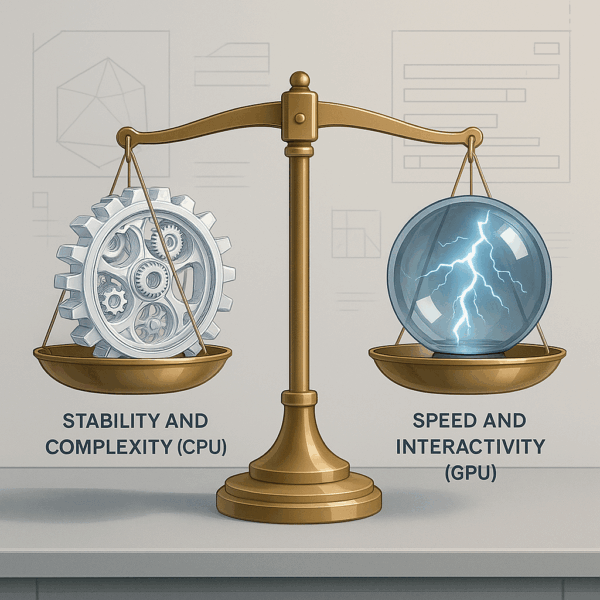
So, which should you choose? Both. Use GPU when speed and interactivity matter. Use CPU when complexity and reliability demand it. And when possible – use both in tandem.
Technical Considerations Beyond Rendering
One thing I didn’t expect when working with Arnold was how much external factors like data handling and analytics influenced rendering workflows.
- Analytics Integration – ADC media data and DoubleClick can influence how rendered outputs are distributed. While these datasets don’t directly affect render times, they do impact how final assets are optimized for web performance and delivery – such as page load speed and ad targeting.
- Cookie-based Data Tracking – especially for assets delivered online. Cookies collect data during online interactions, and this information often ties into web analytics that track how assets are used across platforms.
- Metadata & File Format Compatibility – Arnold rendering wasn’t just about producing images – it was about integrating into larger workflow pipelines. I had to ensure that my renders worked seamlessly with compositing, editing, and delivery systems. This meant paying attention to metadata, file formats, and compatibility with analytics tools. While these considerations weren’t as exciting as raw rendering performance, they were essential for delivering professional results.
While these factors don’t change render speed, they shape how you export, name, and deliver your files. Arnold fits nicely into these broader demands because it supports clean metadata, standard file formats, and consistent outputs.
In the end, I realized that Arnold rendering isn’t just about choosing between CPU and GPU. It’s about understanding the entire ecosystem – hardware, software, and even data analytics – that shapes how renders are produced and delivered. By paying attention to these technical considerations, I was able to create workflows that were not only efficient but also aligned with the broader demands of modern projects.
Conclusion
Looking back on my journey with Arnold rendering, I realized that the debate of Arnold render CPU or GPU isn’t about choosing one over the other – it’s about knowing when to use each. Arnold render CPU gave me reliability and the ability to handle massive datasets, while Arnold render GPU gave me speed and interactivity. By combining both, I built workflows that were efficient, stable, and adaptable to different project needs.
The real power lies in understanding when to use each, and how to combine both for maximum productivity.
By also considering the broader pipeline – web analytics, asset delivery, file formats, and metadata – I managed to craft solutions that satisfy both artistic and technical needs. That’s why Arnold remains my renderer of choice, whether I render by CPU, GPU, or both.
Sources:
- Autodesk Arnold Overview
- Arnold Documentation
- Nvidia RTX Technology
- Intel CPU Guide
- AMD Ryzen CPUs
- CG Channel Arnold GPU
- TechRadar CPU Guide
- Tom’s Hardware GPU Guide
Frequently Asked Questions
Is Arnold render CPU still relevant in 2026?
Yes, Arnold CPU is still highly relevant. It remains a production proven CPU renderer that excels in handling massive datasets and complex scenes. While GPU rendering is faster, CPU rendering provides unmatched stability and reliability.
Does GPU rendering replace CPU rendering completely?
No, GPU rendering doesn’t replace CPU rendering entirely. Instead, CPU and GPU rendering complement each other. I use GPU rendering for speed and interactivity, while CPU rendering is my fallback for heavy, memory-intensive projects.
What hardware should I prioritize for Arnold rendering?
If you need speed and real-time feedback, invest in a strong Nvidia RTX GPU. If your projects involve massive datasets, prioritize a high-core-count CPU. In my workflow, I balance both to maximize efficiency.
How do render settings differ between CPU and GPU rendering?
The render settings are largely consistent across CPU and GPU in Arnold. However, GPU rendering requires more attention to VRAM limits, while CPU rendering benefits from system RAM flexibility. I adjust accordingly depending on the project.