
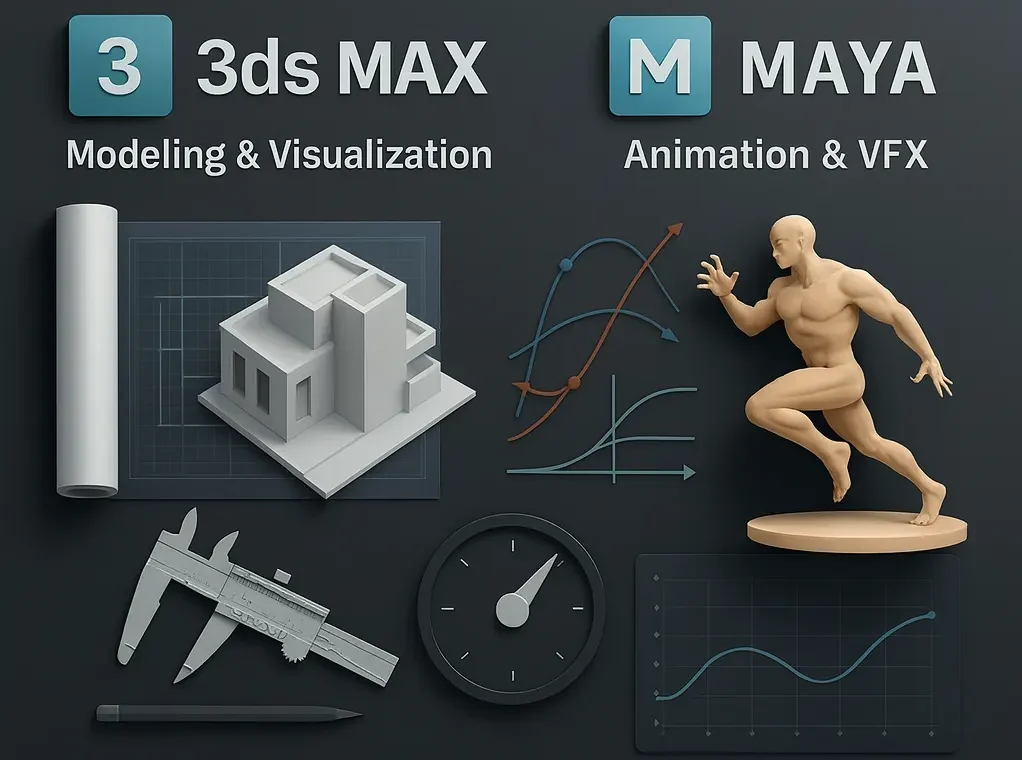
When I first entered the world of computer graphics, I kept hearing debates about 3ds Max vs Maya. At that time, I didn’t fully grasp why professionals were so divided. But over time, while working on different architectural visualization, design projects, animation work, and even game development support, I realized that the choice between these two Autodesk tools can significantly affect your project’s speed, efficiency, and success.
In 2026, this comparison is more relevant than ever. Both Autodesk 3ds Max and Maya have evolved with new features, licensing updates, and workflow enhancements. Having used both extensively across industries, I want to share my experience and help you decide which software – 3ds Max or Maya – suits your project best. If you’re planning to create massive visualizations or large animations, consider leveraging GPU servers or a dedicated cloud render farm to reduce hardware strain and accelerate production.
Autodesk 3ds Max vs Maya – Key Differences
From my perspective, the main differences between these two tools come down to:
- Workflow
- User interface
- Industry-specific strengths
- Specialized features
3ds Max is often praised for being more user friendly, especially for beginners in 3D modeling. Its robust modeling toolset and efficient workflow make it ideal for architecture, design visualization, and even virtual reality.
On the other hand, Maya is widely used in the film and animation industries. Its advanced animation, rigging and scripting tools offer deeper control for character creation and high-end VFX pipeline.
While 3ds Max simplifies the modeling process, Maya excels in complex scene control and animation pipelines. These differences are not just technical – they influence the overall project flow – how fast you can work, collaborate with teams, and meet deadlines.
If you’re curious about how rendering is handled behind the scenes – or why a render farm can be a game-changer – see our post: What Is a Render Farm and How Does It Work?
Features and Strengths of 3ds Max
When working on architectural visualization or design-heavy scenes, I rely on 3ds Max. Its powerful modeling tools, boolean operations, built-in asset libraries, and intuitive interface allowed me to create detailed environments and accurate structures quickly. Another strength is its compatibility with popular rendering engines, enabling high-quality visuals for presentations and client work.
Why I choose 3ds Max for modeling-heavy projects:
- Excellent modeling tools and modifiers
- Efficient workflow for large scenes
- Seamless rendering engine integrations
- Time-saving asset libraries
For professionals focused on modeling speed and output quality, 3ds Max remains a go-to solution. You can combine powerful modeling tools with fast output by using MaxCloudON 3ds Max render farm to handle heavy scenes efficiently.
Features and Strengths of Autodesk Maya
I first explored Maya during an animation-heavy project. Its animation tools, rigging systems, and scripting capabilities offered a level of control that 3ds Max couldn’t match.
Maya offers a wide range of animation tools that are perfect for film industry projects. Its ability to handle complex rigs gave me the flexibility I needed for character creation. I also relied heavily on its scripting language, which allowed me to customize the process flow and automate repetitive tasks. While the software can feel a bit complex at first, I found that it provides unmatched control over animation work and visual effects.
If you’re looking for a tutorial, see also How to Render in Maya: A Practical Guide
What stood out most in Maya:
- Advanced rigging and skinning tools (control for skeletal structures)
- Custom workflows using MEL or Python scripts
- Fine-tuned control over character animation and VFX
- Better performance when handling large animated scenes and massive environments
While Maya’s interface can feel overwhelming at first, the level of precision it provides for animation and VFX work is unmatched. Animators and VFX artists have control over every detail and timing. Mays is capable of producing high-quality results and that’s why It’s my preferred choice when working on projects that demand intricate motion and effects.
When it’s time to render, I often send frames to the MaxCloudON Maya render farm for high-performance output and faster turnaround, especially on heavy animation scenes.
You can expand Maya’s capabilities with specialized tools – see Top 10 Best Maya Plugins to Use in 2026.
Head-to-Head: 3ds Max vs Maya
Over time, I’ve come to the main differences between 3ds Max and Maya, and understand the strengths of each tool. For example, both 3ds Max and Maya run on Windows, but Maya also supports macOS, which was useful when I collaborated with teams using different systems. Both are offered under a trialware license, giving me the chance to test them before committing. In terms of price, they are similar, but the value depends on whether I needed powerful modeling tools for design visualization or advanced animation tools for animation projects. System requirements also played a role – Maya demanded more powerful hardware when I created massive environments, while 3ds Max was lighter for straightforward 3d modeling.
Having this comparison table helped me make informed choices and avoid workflow issues later.
Comparison Table: 3ds Max vs Maya
| Feature | Autodesk 3ds Max | Autodesk Maya |
|---|---|---|
| Best Use Case | Architecture, visualization, game environments | Character animation, VFX, film production |
| Modeling Tools | Spline modeling, modifiers, boolean ops, parametrics | Polygonal modeling, NURBS, sculpting |
| Animation Features | Basic rigging, motion paths, CAT/Biped systems | Advanced rigging, facial rigs, motion capture support |
| Rendering Support | Arnold, V-Ray, Redshift (plugins) | Arnold (native), Redshift, V-Ray |
| Simulation Tools | Basic cloth and particle systems | Fluids, nCloth, particles, Bifrost |
| Operating System Compatibility | Windows only | Windows, macOS, Linux (limited) |
| Scripting & Automation | MAXScript, Python | MEL, Python |
| Learning Curve | Easier to learn, especially for modeling | Steeper, especially in rigging and animation |
| Hardware Needs | Moderate (good for mid-tier workstations) | Higher (more GPU/RAM required for complex scenes and VFX) |
| Community & Plugins | Strong in architecture and game dev communities | Strong in VFX, film communities and animation |
| Licensing Type | Subscription (trialware available) | Subscription (trialware available) |
Modeling Capabilities
When working on 3D modeling, I often weighed the trade-offs between Maya vs 3ds Max
3ds Max provides a robust modeling toolset that made the modeling process straightforward. Its boolean operations and huge library of assets gave me an efficient workflow for design visualization, architecture, and large-scale environment building. The interface is more user friendly and helped me deliver results faster.
On the other hand, Autodesk Maya is a bit complex, but offers more flexibility for complex environments and character modeling, especially when the scene ties into an animated sequence or film pipeline.
In short, the main differences in modeling came down to:
- 3ds Max = Faster modeling, easier learning curve
- Maya = More flexible, better for integration with animation pipelines
Animation Workflows
In animation, Maya clearly leads. It was built with animators in mind and has all the tools for rigging, skinning, motion paths, and scripting. I often rely on its scripting language to automate repetitive tasks and customize my workflow.
3ds Max has animation capabilities as well but is often favored for game cutscenes or VR experiences, rather than cinematic animation. Maya definitely excelled in character creation and visual effects, making it the go-to animation software for cinema or animation projects.
For lifelike movements or advanced rendering program outputs, I would always choose Maya.
Rigging Differences
Rigging is another area where 3ds Max and Maya differ – rigging is where Maya truly shines. I was able to create complex skeletal structures and fine-tune skin weights for detailed character motion. This level of control is essential in VFX and film work.
3ds Max, while easier to learn, lacked the depth I needed for advanced rigging. 3ds Max can handle simple rigs quickly, which works fine for visualization or game prototypes, but it lacks the depth needed for production-grade character animation.
Maya is a bit complex, but its integration of rigging with visual effects and animation tools made it my preferred choice for high-end cinema or animation projects.
Licensing, Price, and System Requirements (2026)
Both tools are available under a trialware license, which lets you test before buying. Pricing is quite similar, but here’s what affected my decisions:
- 3ds Max runs on Windows and has lower hardware requirements
- Maya also supports macOS, which helped when working across mixed OS teams
- Maya needs more powerful specs for complex simulations
If you’re planning to run high-end animation or VFX, make sure your workstation meets Maya’s GPU and RAM needs. If you’re planning to create massive visualizations or large animations, consider leveraging cloud GPU servers or a dedicated cloud rendering service to reduce hardware strain and accelerate production.
Want to understand why remote rendering is such a game changer? Read Advantages of Cloud Rendering: Why I Switched from Local to Remote Renders.
3ds Max vs Maya: Which one is better?
The answer depends entirely on your project needs.
Choose 3ds Max if:
- You’re focused on modeling, visualization, architecture, or VR
- You want fast results and easier onboarding
- You rely on asset libraries and intuitive UI
- You’re a video game developer building static or semi-animated assets
Choose Maya if:
- You’re working on animation, film, or complex character rigs
- You need scripting or automation tools
- You value precise control for VFX and motion
Both tools are powerful. Personally, I choose 3ds Max for fast, modeling-heavy work and Maya when animation precision is required. Actually you don’t have to pick one – many professionals use both, depending on the task.
Rather than struggle with deadline pressure, many artists offload heavy scenes to a MaxCloudON render farm, letting their local workstation remain focused on creativity and responsiveness.
Sources:
Frequently Asked Questions
Is 3ds Max better than Maya for beginners?
Yes, 3ds Max is often considered more beginner-friendly, especially for those focused on modeling, design visualization, or architecture. Its intuitive interface and tool layout make it easier to learn. Maya has a steeper learning curve but offers more flexibility for animation and rigging professionals.
Which is better for animation - Maya or 3ds Max?
Maya is the industry standard for animation, rigging, and VFX. It provides advanced tools for character creation, motion paths, and scripting. 3ds Max supports animation too but is more commonly used for game cutscenes or architectural walkthroughs rather than full-scale cinematic productions.
Do video game developers prefer 3ds Max or Maya?
Both tools are widely used in game development. Many video game developers use 3ds Max for environment and prop modeling due to its speed and asset libraries. Maya is often chosen for character rigging and complex animations, especially when working in large game pipelines.
Can both Autodesk programs - 3ds Max and Maya - create massive environments?
Yes, both 3ds Max and Maya can create massive environments. 3ds Max is excellent for quickly modeling large architectural or game scenes. Maya is ideal when those environments need to be animated or integrated with detailed visual effects.