
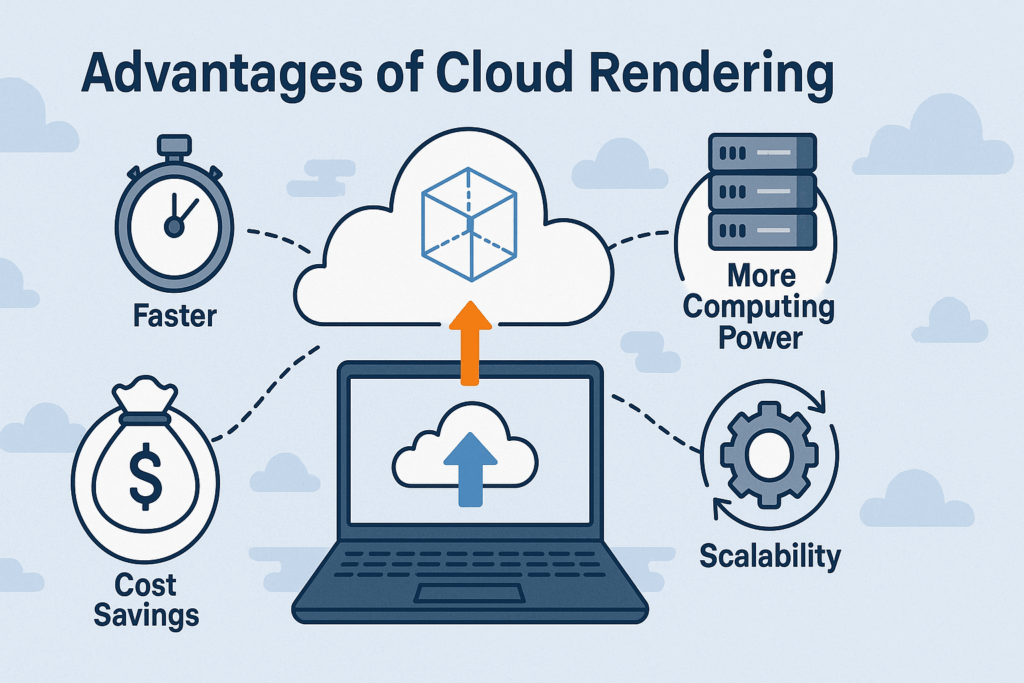
Cloud rendering means sending your 3D scenes to remote CPU and GPU machines instead of rendering them on your own computer. The main advantages are speed (many machines work on your frames at once), no hardware to buy or maintain, and capacity you only pay for when a deadline needs it.
Biggest win: animation. Frames render in parallel, so a job that ties up a workstation overnight can come back in about an hour.
Cost: you pay for compute time instead of buying GPUs that sit idle between projects. Test a few frames first to get a real estimate.
Two ways to do it: a managed render farm (submit from inside your 3D app, pay per use) or a rented dedicated server (you install and run everything yourself).
The downsides: upload time for big scenes, a supported-software list on managed farms, and costs that add up if you re-render carelessly.
My rule: standard software and engines go to an automated cloud farm. Custom software or plugins go to a dedicated machine I control.
In this post I want to share my own experience with the advantages of cloud rendering, not the theory. I’ve worked as a freelance 3D designer for more than 15 years, mostly on animation and visual effects with animation studios, and how I render has changed completely over that time. If you’re a 3D artist, an animator or running a small studio, these are the benefits that changed how I handle every render, especially on complex scenes and time-sensitive VFX work. I’ll also cover the downsides, because there are some.
What Is Cloud Rendering (And Why I Tried It)
Cloud rendering means using powerful remote servers, CPU and GPU render nodes, to process your 3D scenes instead of relying on your local machine. Usually that’s a render farm: many machines rendering the frames of one job at the same time. If you’re new to the basics, I’ve also explained what rendering is and how GPU rendering works.
I first tried it on a project with a tight deadline. In 2019, on a 40-second product animation my local PC was choking on the complexity of the scene. Switching to a cloud GPU server saved the deadline and showed me what I’d been missing.
Since then I’ve tried several options, from a general-purpose cloud like Google Cloud to 3D-focused render farms like Fox Renderfarm. Each had strengths, but none fit my workflow at the time. For years I rented dedicated servers from MaxCloudON instead, and today I use a fully-automated cloud render farm for most standard jobs. I’ll explain that timeline, and why I split my work the way I do, further down.
8 Big Advantages of Cloud Rendering I’ve Experienced
Here are the real-world benefits that convinced me to make rendering in the cloud part of my workflow:
1. Instant Scalability
When a job is bigger than my workstation, I don’t wait or buy hardware. A managed cloud farm splits an animation across many render nodes at once, and I don’t set up any of them. Capacity follows the project – when the deadline is over, I stop paying for it.
2. Lower Costs Compared to Buying Local Hardware
Buying GPUs for a peak that lasts two weeks means paying for hardware that sits idle the rest of the year, then ages. With cloud rendering I pay for compute only when I use it, and there’s no maintenance, power or cooling on my side.
Here’s how I’d estimate a job on a farm that bills by GHz-hour. This is a worked example, not a client job:
| Example job | Local render time | Compute used | Cost at $0.0154 per GHz-hour |
|---|---|---|---|
| CPU animation on a 16-core, 4 GHz workstation | 9 hours | about 576 GHz-hours (16 cores x 4 GHz x 9 h) | about $8.90 |
The farm uses roughly the same compute your own machine would. What you pay for is getting it back fast while your workstation stays free. The rate here is RenderSonic’s published starting price as of October 2026, billed per second of server time (pricing).
Cloud isn’t automatically cheaper. If you render every day, all year, owning hardware can win. I cover that under the downsides below.
3. Much Faster Render Times
The moment I was convinced: a complex animation that my local PC estimated at nearly 9 hours finished in under an hour on a server with 4 x RTX 3090 GPUs.
That’s the general pattern. A farm doesn’t make one frame dramatically faster; it renders many frames at the same time. Animation is where the time savings are biggest.
4. Zero Hardware Hassle
No overheating, failing fans or driver issues on my side. On a managed render farm, the provider keeps the nodes, software and drivers running and I just submit. My own workstation stays free for the next task instead of being locked up overnight.
5. Work From Anywhere
I can manage renders while traveling, work on scenes from different machines and collaborate with remote teammates. The rendering happens in a data centre, so my laptop only needs to submit the job and receive the frames.
6. Secure and Private Rendering Environment
Security depends on the setup, so I check it every time:
- On a managed farm, I want transfers encrypted, files purged from the render nodes after the job, and an NDA if the client asks for one. RenderSonic encrypts every upload and download, purges scene files and outputs from the nodes after a fixed retention window, and offers an NDA on request.
- On a dedicated server, the machine is mine alone for the rental. I have full admin access, nothing is shared with other users, and the setup stays under my control.
7. Real Human Support Is a Lifesaver
As a freelancer I don’t have a tech team. When something breaks at 2 a.m. before a delivery, a quick reply from a real person matters more than any spec sheet. The 24/7 support saved me from missed deadlines more than once.
8. It Can Be More Eco-Friendly Than You’d Think
A data centre runs its machines close to full load and spreads them across many customers’ jobs. A workstation I bought for a peak sits partly idle the rest of the time and still has to be manufactured, powered and eventually thrown away. Renting compute instead of buying extra GPUs means less hardware made for occasional use.
That’s a direction, not a measured number. How green a specific data centre is depends on its power source, so ask the provider if it matters to you.
The Downsides of Cloud Rendering
Cloud rendering isn’t the answer to everything. These are the trade-offs I’ve run into:
- Upload time. Your scene and its textures, caches and linked files have to reach the farm. On a slow line, a project with gigabytes of caches takes a while before any frame starts.
- Supported software only, on managed farms. You work within the versions, engines and plugins the farm supports. A custom tool or rare plugin may not be there.
- Costs add up when you’re careless. Re-renders after a missed setting cost the same as the first render. I always render a few test frames first; my render farm guide covers that routine.
- Owning can win at steady volume. If your machines would render around the clock all year, buying hardware can cost less over time.
- Quick stills don’t need it. If a frame takes a few minutes, submitting it to a farm can take longer than rendering it locally.
The cheapest cloud render is a faster one, so before I submit anything I go through the tips in how to render faster. And be careful with “free” offers; I’ve written about the traps of free rendering services.
When I Use Cloud Rendering
- Large 3D scenes and full-length animations
- Tight deadlines my local PC can’t meet
- Collaborating with remote teams in different locations
- Avoiding hardware upgrades I’d only need for a few weeks
- Testing output across different render engines
What I still render locally: quick stills, look-dev and lighting tests where I change something every render, and preview passes.
How I Picked the Right Cloud Rendering Provider
My choice has changed over the years, and it depends on the job, so here’s the honest timeline:
- Early on: my own workstations, plus traditional and commercial render farms. The commercial farms of that time often meant uploading through a web form and hoping the settings survived, and many didn’t allow custom scripts or non-standard plugins.
- Testing the cloud: I tried Google Cloud and Fox Renderfarm – each had strengths, but neither fit my workflow.
- Renting dedicated servers: for years I rented dedicated servers from MaxCloudON by the day, week or month, depending on the project. I chose them for unshared CPU and GPU power, full admin access to install my own software, plugins and render engines, simple daily, weekly and monthly billing, and real 24/7 support. Back then MaxCloudON had no automated rendering option.
- Today: for standard software and engines, I use an automated cloud render farm – MaxCloudON’s app RenderSonic. I submit from inside my 3D app, see an estimate first, and the frames come back to my output folder. I keep a dedicated machine for projects that need custom software or plugins.
When I compare providers now, I check five things: support for my exact software, engine, version and plugins; an estimate before I commit, in a pricing unit I can compare; submitting from inside the 3D app; security (encryption, file retention, NDA); and support response time close to a deadline.
Which Cloud Rendering Setup I Use Today
For standard jobs: RenderSonic. It’s an automated cloud render farm for Blender (3.0 and later), 3ds Max, Maya, Cinema 4D and KeyShot, with engines including Cycles, Eevee, V-Ray, Corona, Arnold and Redshift. You install the Windows app, point it at your project folder, and submit from inside your scene. It syncs your textures and linked files to the render nodes, shows an estimate before rendering starts, and sends finished frames to your local output folder. Billing is per second of server time, from $0.0154 per GHz-hour, with no data transfer fees, and new accounts get $15 of free render credit. Each software page lists what its integration covers: Blender, 3ds Max, Maya, Cinema 4D and KeyShot.
👉 Try RenderSonic with $15 free credit
For custom software or plugins: a dedicated machine. If a project depends on scripts, plugins or software that isn’t on a managed farm’s list, I rent a MaxCloudON dedicated cloud workstation or one of their cloud GPU servers, with full admin access, billed by the day, week or month. That’s how I worked for years, and it’s still the right tool for those jobs.
Final Thoughts: Why Cloud Rendering Is Worth It
For me, cloud rendering pays off whenever render time, not my own working time, is what stands between me and a deadline. It gives me faster renders, more delivery capacity and no hardware to buy for a peak. It isn’t free and it isn’t for every frame, so test a few frames from your own scene first and let the numbers decide.
Frequently Asked Questions
Why should I switch from local rendering to cloud rendering?
Switch when local rendering is what holds you back: renders that take hours or overnight, a workstation you can't use while it renders, or deadlines your hardware can't meet. Cloud rendering gives you many machines at once, no hardware to maintain, and high-end CPUs and GPUs without buying them. For quick stills, local rendering is often fine.
Is cloud rendering more expensive than upgrading my own hardware?
It depends on how often you render. Cloud rendering has usage costs but no upfront purchase, maintenance or idle hardware, so for variable workloads it's usually cheaper. If your machines would render around the clock all year, buying hardware can cost less over time. Price one real job both ways before deciding.
Can I use my own software and plugins on a cloud rendering service?
On a managed render farm, you use the software, engines and plugins the farm supports, so check its list first. If you need custom software or plugins, rent a dedicated cloud server or workstation with full admin access and install whatever your pipeline needs.
Is my data safe when using cloud render farms?
Security depends on the provider. Check whether transfers are encrypted, how long files stay on the render nodes, and whether they'll sign an NDA. On a dedicated server, the machine isn't shared with other users during your rental.
What types of projects benefit most from cloud rendering?
Animations, complex scenes, VFX work and collaborative visualization projects benefit most, especially when local renders take hours or a deadline is tight. Animation gains the most because frames render in parallel.
How do I get started with cloud rendering?
For a managed render farm, install the provider's app or plugin, submit a few test frames from your own scene, check the estimate, then send the full job. Many farms offer free credit, so you can test before you pay. For a dedicated server, rent a machine, install your software and render engines, upload your project and render as you would locally.