

Rendering complex projects can push your studio’s resources to the limit, especially when deadlines are tight and client expectations are high. Trying to juggle performance, security, and cost with basic hardware or shared infrastructure often leads to slow render times, unpredictable outages, and risks to your confidential content. You need solutions that are both reliable and scalable – ones that address real production challenges without hidden trade-offs.
This list tackles the key advantages dedicated hosting brings to render studios. Find out how exclusive GPU access, consistent infrastructure, and enhanced security can unlock faster workflows, safeguard your intellectual property, and help you confidently deliver high-quality results. Get ready to discover actionable steps that support your studio’s growth and optimize every part of your rendering pipeline.
Quick Summary
| Takeaway | Explanation |
|---|---|
| 1. Dedicated GPUs drastically improve rendering speed. | Utilizing dedicated GPUs can reduce rendering times from hours to minutes, revolutionizing production timelines for complex visual projects. |
| 2. Consistent performance is vital for complex projects. | Dedicated hosting ensures predictable rendering times, essential for meeting strict deadlines and maintaining client satisfaction across multiple projects. |
| 3. Full control over infrastructure enhances customization. | Dedicated hosting provides root access for customizing software and security settings, allowing studios to optimize their specific workflows without limitations. |
| 4. Security is paramount for protecting sensitive data. | Dedicated servers prevent data breaches common in shared environments, ensuring that intellectual property remains safe and complying with privacy regulations. |
| 5. Scalable infrastructure supports growth effortlessly. | With dedicated cloud hosting, studios can easily expand or contract resources as needed, ensuring they remain agile and responsive to project demands. |
1. Boost Rendering Speed with Dedicated GPUs
Dedicated GPUs are the powerhouse behind modern render studios. Unlike shared or integrated graphics, dedicated graphics processors deliver exclusive computing power that transforms render times from hours into minutes.
When you’re working with complex 3D scenes in Blender, Cinema 4D, or 3ds Max, your CPU alone cannot handle the parallel processing demands. Traditional CPUs have limited cores, typically 8 to 32, while modern GPUs contain thousands of smaller processing units working simultaneously. This architectural difference is what makes rendering faster.
Neural rendering with dedicated GPUs now accelerates traditional forward rendering by utilizing deep learning, breaking through parallel computing bottlenecks that would cripple standard processors. Your render farm gains the ability to process pixels, shaders, and complex light calculations at speeds that would be impossible on CPU-only infrastructure.
Here’s what dedicated GPU rendering actually delivers for your studio:
- Real-time feedback on complex scenes without waiting for progressive updates
- Faster turnaround times on client deadlines and iterations
- Scalable performance that grows with your project complexity
- Reduced hardware costs compared to building massive CPU farms
- Better energy efficiency per frame rendered
Hardware acceleration using dedicated GPUs such as high-performance options enables faster image processing and neural network inference, which is critical for real-time, high-resolution rendering demands where CPUs simply fall short due to limited parallelism.
Imagine rendering a photorealistic architectural visualization. Your lead artist submits a 4K animation with caustics, subsurface scattering, and volumetric lighting. On a CPU-only setup, this might take 48 hours. With dedicated GPU rendering through MaxCloudON’s infrastructure, you’re looking at 4 to 6 hours instead. That’s not just faster – that’s the difference between meeting deadlines and disappointing clients.
The difference becomes even more pronounced when handling multiple simultaneous projects. Your studio can render five animations in parallel across different GPU nodes, maximizing your throughput without purchasing expensive hardware that sits idle between jobs.
Dedicated GPUs don’t just speed up rendering – they fundamentally change what’s possible within your production timeline.
Pro tip: Start with GPU rendering on your most complex, time-consuming projects first to see immediate ROI, then gradually shift your entire pipeline to cloud-based dedicated GPUs as your team adapts to the workflow.
2. Ensure Consistent Performance for Complex Projects
Complex rendering projects demand unwavering reliability. When you’re managing multi-asset animations, real-time VFX sequences, or photorealistic architectural renders, even minor performance fluctuations can derail your entire production schedule.
Dedicated hosting eliminates performance variability that plagues shared infrastructure. On shared servers, your resources compete with hundreds of other users. One heavy workload from another customer can steal bandwidth, processing power, or memory, causing your renders to slow unpredictably.
With dedicated infrastructure, you control the entire hardware stack. Your GPU cores, CPU threads, memory, and network bandwidth belong exclusively to your projects. This means predictable rendering times, no surprise slowdowns, and no external interference.
Consistency matters because your team depends on accurate timelines. Your compositors need to know when shots will render. Your project managers need reliable delivery dates. Your clients expect predictable turnaround times. Dedicated hosting delivers all three.
Here’s what dedicated infrastructure provides:
- Guaranteed resource allocation that never gets shared or throttled
- Stable processing power across all your simultaneous renders
- Predictable memory usage without unexpected bottlenecks
- Consistent network performance for data transfers and job submissions
- Reliable uptime with minimal latency or interruptions
Consider a scenario where your studio renders a 400-frame animation. On shared hosting, frame 150 might take 12 minutes while frame 280 takes 18 minutes, creating unpredictable delays. On dedicated cloud hosting, each frame renders in approximately 14 minutes. This consistency lets you plan accurately and communicate confident deadlines to clients.
Multiple projects running simultaneously also benefit from dedicated resources. Your team can submit renders for three different clients without worrying that one project will starve another of computing power. Each gets full access to the infrastructure during its scheduled time.
Predictable performance isn’t a luxury – it’s the foundation of professional production timelines.
Complex projects with tight deadlines require this level of reliability. When your render infrastructure performs consistently, your entire studio operates more efficiently. Your artists spend less time troubleshooting slowdowns and more time creating.
Pro tip: Establish a baseline performance benchmark for your typical projects on dedicated hosting, then use those metrics to set accurate client expectations and internal production timelines.
3. Gain Full Control over Infrastructure Settings
Dedicated hosting gives you something shared servers never can: complete control over your infrastructure. You own the configuration, the settings, the security policies, and the performance tuning – everything.
With shared hosting, you’re locked into whatever the provider decides. Need a specific software version? Too bad. Want custom security rules? Not available. Need to optimize memory allocation for your particular workflow? You’re stuck accepting defaults built for generic users.
Dedicated infrastructure flips this entirely. You get full root or administrator access to your servers, meaning you can install anything, configure anything, and customize anything your production needs demand.
This control matters practically. Your team uses custom Python scripts for batch rendering optimization. You need specific libraries installed on your render nodes. You want to implement proprietary post-processing filters before outputs save. Dedicated hosting lets you do all of this without asking permission or waiting for provider approvals.
Consider how private render farms built on dedicated hosts provide full control over server configurations and infrastructure settings, enabling customization for workflow needs. This control reduces downtime, streamlines upgrades, and provides better project reliability compared to single-workstation setups.
Here’s what full infrastructure control actually enables:
- Custom software installations specific to your pipeline
- Optimized system configurations tuned for your workload types
- Security policies aligned with your confidentiality requirements
- Scheduled maintenance on your timeline, not the provider’s
- Direct troubleshooting access without support ticket delays
Your studio in Prague might need different configurations than one in Berlin. Maybe you render with Arnold exclusively and need aggressive CUDA optimization. Perhaps your security protocols require encrypted file transfers and isolated network segments. Dedicated hosting accommodates these specific needs.
Upgrades become faster too. Instead of waiting months for provider rollouts, you upgrade your servers when it benefits your timeline. Security patches, driver updates, library versions – all on your schedule.
Infrastructure control transforms your render farm from a generic service into a custom-built production tool.
This flexibility is especially valuable as your studio grows and your technical requirements evolve. You’re not constrained by provider limitations or forced to redesign your workflows around their platform restrictions.
Pro tip: Document your custom configurations and settings in a version-controlled repository so new team members can replicate your optimized setup across new nodes quickly.
4. Enhance Security for Sensitive Production Data
Your studio’s intellectual property is valuable. Client projects, proprietary character designs, unreleased animation sequences – this content must stay protected. Dedicated hosting provides security that shared platforms simply cannot match.
Shared servers are inherently risky for sensitive work. Your data sits alongside thousands of other users’ files. A security breach affecting one client could expose your content too. One compromised account might grant access to your render outputs. The risks multiply with every additional user on the same hardware.
Dedicated infrastructure eliminates this vulnerability entirely. You’re the sole tenant on your servers. Your data never shares physical hardware with anyone else’s content. This single-tenant setup removes an entire class of security threats common to shared environments.
Beyond physical isolation, dedicated servers enhance data privacy through custom firewalls, encryption for data at rest and in transit, strong access controls, and intrusion detection systems. Compliance with regulations like GDPR becomes achievable when you control your infrastructure completely.
Consider a specific scenario. You’re rendering a major film studio’s exclusive previs that won’t be announced for months. On shared hosting, you cannot guarantee that a competitor’s employee hasn’t accessed the server. With dedicated infrastructure, you control exactly who has access and implement encryption that protects your files during upload, storage, and download.
Here’s what dedicated hosting security enables:
- Custom firewall rules that restrict access to authorized users only
- Encryption protocols protecting data in transit and at rest
- Multi-factor authentication preventing unauthorized access
- Isolated network segments keeping your data separate from external systems
- Audit logs tracking every access to your projects
- Regular security updates deployed on your schedule
Comprehensive security practices such as regular updates, multi-factor authentication, and encryption methods are essential to protect sensitive production data on dedicated servers, preventing unauthorized access and minimizing breach risks.
Your European clients increasingly demand GDPR compliance. Shared hosting providers struggle to offer verifiable compliance at scale. Dedicated infrastructure lets you implement data residency requirements, encryption standards, and access controls that meet regulatory expectations.
When handling proprietary creative content, security isn’t optional – it’s foundational to client trust.
This matters especially for studios with confidential projects, unreleased content, or high-profile clients who demand verified protection.
Pro tip: Implement mandatory encryption for all file transfers to your dedicated servers and maintain detailed access logs so you can demonstrate security compliance to clients and auditors.
5. Scale Easily as Your Studio Grows
Your studio today isn’t your studio tomorrow. You start with five artists and two simultaneous projects. Next year, you’re managing twelve artists and six concurrent clients. The year after, you’re bidding on larger productions requiring double the render capacity.
Traditional hardware scaling is painfully slow and expensive. Buying physical servers takes weeks. Installation and configuration take more weeks. By the time your new hardware is online, your growth demands have already moved past them. You’re always chasing yesterday’s problems.
Dedicated cloud hosting eliminates this friction entirely. You scale on demand, adding computing power when projects need it and reducing capacity when they don’t. No hardware purchases. No installation delays. No infrastructure sitting idle between busy seasons.
Think about your actual workflow. A small project arrives Monday. You add two GPU nodes. By Friday, you’re finished and scale back down. Three weeks later, a major client submits a pipeline requiring ten simultaneous render nodes. You provision them immediately. When that project wraps, you scale back.
This flexibility is transformative. You never overpay for idle hardware. You never disappoint clients because infrastructure can’t keep pace with demand.
Autoscaling adjusts compute resources automatically in response to workload, maintaining high availability and consistent performance as your studio expands without manual infrastructure management. This approach supports studio growth by scaling infrastructure seamlessly, minimizing downtime, and controlling costs as project demands fluctuate.
Here’s what scalable infrastructure provides:
- Instant capacity expansion when projects demand it
- Pay-per-use pricing so you only fund what you actually use
- No planning cycles for hardware procurement
- Automatic resource adjustment based on real-time demand
- Zero downtime scaling that doesn’t interrupt current renders
- Cost control because you’re not overpaying for unused capacity
Your Vienna studio grows from 4 team members to 12. With dedicated cloud hosting, this growth requires zero infrastructure decisions. You submit larger jobs, and the platform provisions additional capacity automatically. Your artists don’t notice any difference except faster render times.
Scalable infrastructure lets your technology grow with your ambitions, not hold you back.
Traditional render farms require planning months ahead. Cloud scaling responds to opportunities immediately. When a promising client calls with a complex project, you say “yes” confidently because your infrastructure expands instantly.
Pro tip: Set up scaling alerts so you understand your growth patterns, then use that data to negotiate better committed capacity rates with your provider as your baseline needs increase.
6. Optimize Costs with Transparent Pricing Models
Hidden fees destroy budgets. You think you’re paying $500 monthly, then discover setup charges, bandwidth overages, support premiums, and configuration fees that double your actual bill. By then, you’re locked into a contract.
Transparent pricing eliminates this financial stress entirely. You know exactly what you pay before you commit. No surprises. No hidden clauses. No unexpected invoice spikes that make your accountant call asking “what happened?”
Traditional dedicated server providers often bury pricing details across multiple pages. You need to contact sales for real quotes. Setup costs are separate. Bandwidth is metered separately. Support costs extra. By the time you understand the total cost, you’ve already invested hours in negotiations.
Cloud-based dedicated hosting works differently. All costs are transparent and predictable. You see pricing upfront, understand exactly what you’re paying for, and can calculate your monthly budget with confidence.
Predictable, usage-based pricing charges are based on provisioned CPU, memory, and service usage prorated by the second, allowing studios to manage budgets effectively without hidden fees and scaling costs transparently as demands increase.
Consider how this works practically. Your studio needs four GPU nodes for the next three months. You check transparent pricing, see the monthly cost per node, multiply by four, and know your exact quarterly budget. No surprises. If you need to add a fifth node next month, you see that cost immediately before provisioning.
Here’s what transparent pricing actually delivers:
- Upfront cost visibility before you commit to anything
- No setup or installation charges hiding in fine print
- Per-second billing that charges only for resources you actually use
- Scalable costs that grow proportionally with your usage
- Easy budget forecasting with clear, documented pricing
- No contract lock-in preventing you from switching
Why does this matter for your studio financially? Your accountant needs predictable line items. Your project managers need accurate cost data for client quotes. Your leadership needs confidence that infrastructure spending stays controlled.
Transparent pricing enables all of this. When a client asks “how much will rendering cost?”, you provide an accurate number based on clear, published rates. You’re not estimating or guessing.
When every cost is visible and predictable, budget surprises disappear entirely.
This transparency builds client trust too. You can quote rendering costs with confidence because your infrastructure pricing is straightforward and documented.
Pro tip: Track your actual usage patterns for three months, then use that data to negotiate volume discounts or committed capacity rates that align with your proven baseline needs.
Below is a comprehensive table summarizing the key advantages and strategies for leveraging dedicated GPUs and hosting infrastructure in professional render studios discussed in the article.
| Feature | Description | Advantages |
|---|---|---|
| Accelerated Rendering Speeds | Utilizing dedicated GPUs, which offer thousands of cores, for parallel processing of complex scenes. | Shortened render times, improved turnaround, and real-time feedback. |
| Consistent Performance | Dedicated hosting ensures exclusive access to hardware resources without external contention. | Predictable rendering times and reliable resource availability for complex projects. |
| Infrastructure Control | Full administrator access enabling custom configurations and optimizations. | Tailored setups, reduced downtime, and up-to-date security. |
| Enhanced Security | Exclusive server use with robust encryption and access controls for sensitive data handling. | Minimizes risks, complies with privacy regulations, builds client trust. |
| Scalability | Cloud-based infrastructure expands capabilities dynamically according to project demands. | Reduced costs, immediate response to workload changes, no idle infrastructure. |
| Transparent Pricing | Clearly outlined costs without hidden fees or complexities. | Accurate budgeting, financial transparency, and trust-building with clients. |
Unlock the Full Potential of Dedicated Hosting with MaxCloudON
If your render studio struggles with unpredictable performance, limited GPU power, or costly hardware upgrades highlighted in the article “6 Key Benefits of Dedicated Hosting for Render Studios,” MaxCloudON offers a tailored cloud solution built precisely to solve these challenges. Our platform combines the speed and stability of dedicated GPUs and CPUs with the ease of automated workflows so your team can focus on creativity instead of infrastructure headaches.
Experience predictable performance, complete infrastructure control, and transparent pricing with MaxCloudON’s dedicated cloud servers or RenderSonic, our automated cloud rendering solution with upfront cost estimation. Upload your Blender, 3ds Max, Maya, KeyShot, or Cinema 4D projects effortlessly and get upfront cost estimates before you render. Scale instantly without the downtime or upfront hardware investments that traditional setups require. Plus benefit from enhanced security and data privacy when working on sensitive client projects.
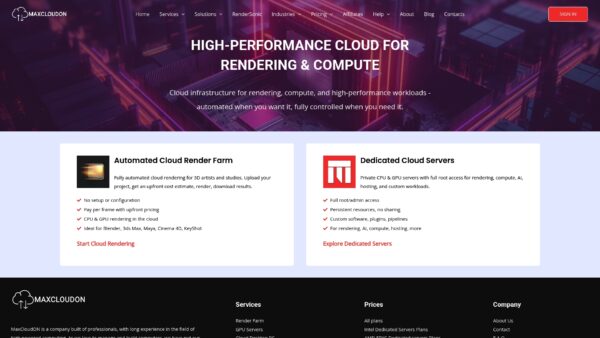
Take control of your render farm resources and meet your tight deadlines with confidence. Explore how MaxCloudON’s dedicated cloud hosting infrastructure can transform your production pipeline today at MaxCloudON. Discover seamless scalability, fast rendering speeds, and the security your creative assets deserve by visiting MaxCloudON. Ready to accelerate your studio’s growth and reliability? Get started now with MaxCloudON.
Frequently Asked Questions
What are the main benefits of using dedicated hosting for my render studio?
Dedicated hosting offers several key benefits, including faster rendering speeds due to dedicated GPUs, consistent performance without resource competition, full control over infrastructure settings, enhanced security for sensitive data, and easy scalability as your studio grows. To fully leverage these advantages, assess your studio's specific rendering needs before committing to a provider.
How can dedicated hosting improve my render turnaround times?
Dedicated hosting significantly reduces render times by utilizing dedicated graphics processors that outperform traditional CPUs. For example, a project that may take 48 hours on a CPU-only setup can be completed in as little as 4 to 6 hours with dedicated GPUs. Start by prioritizing your most complex projects for the fastest results.
What makes dedicated hosting more secure than shared hosting?
Dedicated hosting offers superior security by isolating your data on private servers, eliminating risks associated with sharing resources with other users. Implementing custom firewalls, encryption, and strong access controls ensures your sensitive production data remains protected. Review your security needs and adjust your protocols accordingly.
How does dedicated hosting help with managing multiple projects simultaneously?
With dedicated hosting, each project has its own allocated resources, ensuring consistent performance without interference from other tasks. This means that you can run multiple renders at the same time without worrying about one project slowing down another. Organize your workload efficiently so that you can maximize throughput across all ongoing projects.
Can I customize my dedicated hosting setup for specific software requirements?
Yes, dedicated hosting provides complete control over your infrastructure settings, allowing you to install the specific software and libraries necessary for your workflow. You can optimize configurations to best suit your production needs, enabling smoother operations and efficient rendering. Document your required configurations to facilitate quick future adjustments.
How does the pricing for dedicated hosting work?
Dedicated hosting typically features transparent pricing models with no hidden fees, allowing you to calculate costs based on the resources you actually use. This means you can plan your budget accurately, knowing exactly what you will pay each month without surprises. Analyze your expected resource usage to project your monthly expenses effectively.