
Cloud rendering has changed the way 3D artists and animation studios handle intensive projects. Unmatched speed and flexibility are now right at your fingertips, opening creative doors that once felt out of reach. With so many options available, finding the right cloud rendering solution can make a real difference for your work. For studios exploring SuperRendersFarm alternatives, the comparisons below highlight several strong options worth considering. Some platforms stand out for their simple interfaces, fast processing, and innovative features. Curious about which alternatives might fit your studio or artistic flow best? The sections ahead examine leading alternatives that can support complex tasks without slowing down your workflow.
MaxCloudON
At a Glance
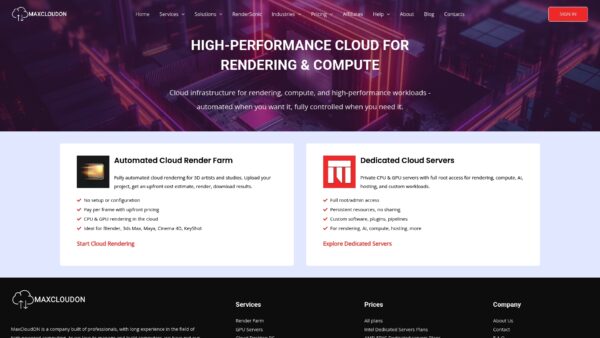
MaxCloudON delivers high performance cloud infrastructure built for heavy 3D rendering and compute workloads. The platform bundles cloud rendering farms, dedicated CPU and GPU servers, cloud desktops, and machine learning servers. Performance focused studios and AI teams will find its combination of speed, scalability, and customizable resources compelling. Pick this if you want a provider designed around predictable rendering throughput and specialized compute tasks.
Core Features
MaxCloudON centers on services that matter to large scale 3D and compute projects. The offering includes cloud render farm that support major 3D applications, RenderSonic – automated software solution for pay-per-job cloud rendering, dedicated cloud servers with full root access, cloud desktop PCs for remote work, and machine learning GPU servers for model training.
- Supports Maya, 3ds Max, Blender and other industry tools
- Provides scalable servers for AI and compute heavy tasks
- Offers cloud desktops for interactive remote work
- Includes dedicated cloud servers with full root/admin access
- Supports automated, pay-per-job cloud rendering via RenderSonic
- Enables predictable resource allocation without shared-node contention
- Allows custom software stacks, plugins, and pipeline configurations
- Suitable for both batch rendering and long-running compute tasks
Pros
- Broad service range: The platform offers render farm services, dedicated servers, and cloud desktops as part of a single product suite, which reduces vendor overhead.
- Fully customizable and scalable solutions: You can scale resources up or down to match shot complexity or training runs, helping control costs while keeping throughput high.
- Multi industry support: The service supports 3D rendering, AI, and hosting use cases which makes it useful for cross teams.
- Transparent pricing: Pricing information and plan outlines are available online so you can plan budgets before committing.
- Proven experience: The company states long standing experience in high powered computing which translates to fewer surprises during large projects.
Who It’s For
MaxCloudON is aimed at professionals and studios that need predictable, high powered rendering and compute capacity whether through full automation or full infrastructure control. Ideal users include 3D artists, VFX and animation studios, AI developers, and enterprise IT teams that require reliable cloud resources for rendering, simulation, or model training.
Studios that prefer hands-off, pay-per-job rendering can use RenderSonic, while teams that need custom software stacks, persistent environments, or long-running workloads can deploy dedicated CPU or GPU servers. If your pipeline depends on short render windows, complex scenes, or hybrid rendering and AI workflows, MaxCloudON fits both automated and advanced production needs.
Unique Value Proposition
MaxCloudON combines fully automated cloud rendering via RenderSonic with dedicated hardware infrastructure tailored for visual effects and compute-intensive workloads. This dual approach allows teams to choose between automation and deep system control based on project requirements.
Unlike platforms that lock users into a single workflow model, MaxCloudON supports both pay-per-job automated rendering and full root access on dedicated servers, enabling studios to scale from simple batch jobs to highly optimized production pipelines. Transparent pricing and a unified service offering reduce procurement friction for teams that value predictable costs and repeatable performance.
Real World Use Case
During a feature film production, a 3D animation studio uses RenderSonic to automate smaller batch renders while offloading complex lighting and multi-pass sequences to dedicated cloud servers on MaxCloudON. Jobs that previously took days on local hardware complete overnight without queue contention. Artists stay focused on creative work while the infrastructure absorbs peak demand through a mix of automation and dedicated resources.
Pricing
Pricing details are published on the website and organized by service type, including automated pay-per-job rendering and dedicated server plans. This allows studios to compare costs based on workflow style and scale usage appropriately during peak rendering or training periods.
Website: https://maxcloudon.com
SuperRendersFarm
At a Glance
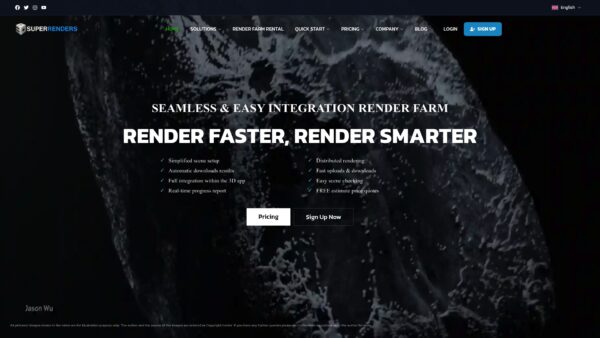
SuperRendersFarm is a California based cloud rendering provider that delivers fast and customizable rendering for professional pipelines. The platform supports both CPU and GPU rendering across major 3D packages and plugins. It targets studios and artists who need scalable parallel processing and offers dedicated server rental for large workloads. The service excels at handling large jobs quickly but can be costly for very small projects.
Core Features
SuperRendersFarm integrates with 3ds Max, Maya, Blender, Cinema 4D, and other industry tools and supports a wide range of plugins. Key capabilities include automatic scene analysis, fast upload and download speeds, and the option to rent dedicated servers for additional control. The platform provides unlimited nodes for large projects and automated result delivery after rendering completes, which helps teams keep tight production schedules.
Pros
Very fast rendering speeds: The service advertises rendering up to 1000 times faster, which shortens render windows for animation sequences and high resolution stills.
Broad software and plugin support: SuperRendersFarm works with major 3D applications and common plugins so studios avoid retooling scenes before upload.
Flexible pricing with volume discounts: The pricing model offers discounts up to 40 percent for bulk credit purchases which reduces per frame cost on large projects.
Around the clock support: 24/7 customer support helps resolve pipeline issues and keeps long renders moving through overnight batches.
Dedicated server rental available: Renting dedicated servers gives production teams more control over environment setup and resource allocation for complex jobs.
Cons
Higher cost for small projects: Pricing may be costly for individual artists or very small jobs because the platform optimizes for scale and throughput.
Requires reliable internet: You must upload project files and download results over the internet which adds time and risk for large datasets.
Connectivity can create delays: Relying on cloud infrastructure introduces exposure to network or data center delays that impact tight deadlines.
Who It’s For
SuperRendersFarm suits professional 3D artists, mid sized studios, and production companies that run complex scenes and need consistent performance. If your work includes VFX, architectural visualization, or product design visualization with tight delivery dates this service fits well. Solo hobbyists with minimal budgets will find the platform less attractive.
Unique Value Proposition
SuperRendersFarm combines unlimited nodes for large jobs with plugin level compatibility and dedicated server options. That mix lets studios accelerate heavy GPU tasks while keeping scene fidelity intact without rebuilding or simplifying scenes. The automated scene analysis and results delivery reduce manual steps in standard render workflows.
Real World Use Case
A VFX studio used SuperRendersFarm to render high resolution sequences for a feature film using GPU services to cut render time dramatically and meet a compressed delivery schedule. The studio benefited from dedicated servers for consistent results across frames and from 24/7 support during critical overnight renders.
Pricing
Pricing starts at $0.004 per GHz hour for CPU rendering and $0.003 per Octanebench hour for GPU rendering. Discounts up to 40 percent are available for bulk credit purchases and large projects use customized quotes.
Website: https://superrendersfarm.com/
RebusFarm
At a Glance
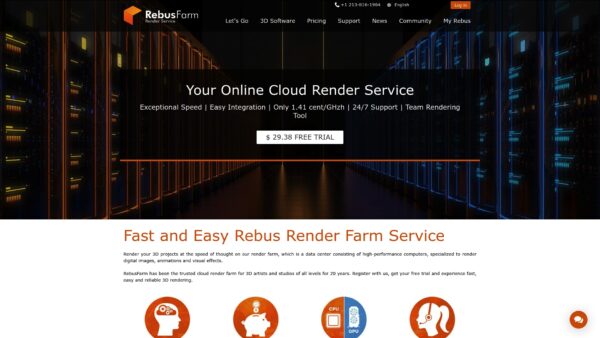
RebusFarm is a mature cloud render farm that helps 3D artists and studios move heavy renders off local machines and into dedicated cloud hardware. With over 20 years of service, it combines high performance CPUs and GPUs with a user friendly plugin workflow and 24/7 support. The platform emphasizes exact per second billing which can make costs predictable for burst rendering. If you need reliable, plugin driven integration and hands on support, RebusFarm is worth testing with its free credits.
Core Features
RebusFarm supports a wide range of 3D tools including 3ds Max, Cinema 4D, Maya, Blender and many popular plugins which allows you to keep your existing pipeline. The service offers dedicated plugins and the RebusFarm software for seamless integration and automated job submission. Hardware scales to powerful CPU and GPU nodes and billing is charged exactly by the second which aligns cost to actual render time. The company also highlights environmental efficiency and maintains tutorials and support resources for troubleshooting.
Pros
- Broad software support. RebusFarm supports many common 3D applications and plugins which reduces conversion work for studios.
- Free trial with credits. The free trial lets you validate render results and performance before committing budget.
- Fast rendering on powerful hardware. The service uses strong CPU and GPU resources to shorten render time for complex scenes.
- User friendly plugins. Dedicated plugins and client software make job submission and monitoring straightforward.
- Strong support and resources. 24/7 support and a library of tutorials help teams get up to speed quickly.
Cons
- Pricing varies by project. Costs depend on scene complexity and the software used which can lead to unpredictable bills for mixed projects.
- Initial setup requires time. New users may face a learning curve when configuring plugins and job parameters for optimal results.
- Dependent on internet speed. Uploading large assets and downloading results rely on your connection which can extend total turnaround time.
Who It’s For
RebusFarm suits 3D artists, visual effects studios, architectural visualization professionals and students who need reliable remote rendering. It appeals to teams that prefer plugin based workflows and want predictable unit based billing rather than flat rates. Smaller studios that need occasional burst capacity and larger teams that require consistent hardware both benefit from the platform.
Unique Value Proposition
RebusFarm combines long tenure in the rendering space with a plugin led workflow and per second billing. That mix delivers a practical path to offload heavy renders while keeping tight control over spend and preserving scene fidelity. The 24/7 support and educational resources reduce onboarding friction for teams migrating from local farms.
Real World Use Case
A 3D artist working on an animation uses RebusFarm to submit sequences via the plugin and render frames in parallel across many nodes. What used to take days on a local workstation completes in hours and integrates back into the artist pipeline without file rework. The result is faster delivery and reduced local hardware bottlenecks.
Pricing
Pricing is based on render time and is billed exactly by the second. Detailed rates and available discounts are listed on the RebusFarm pricing page which helps you model costs for specific projects.
Website: https://rebusfarm.net
RenderStreet Cloud Rendering
At a Glance
RenderStreet is a focused cloud rendering service built for Blender and Modo users who need reliable, predictable performance without buying hardware. It offers GPU rendering with NVIDIA L40s GPUs and flexible pricing that works for single artists or small and mid sized studios. The platform emphasizes simple workflow integration and fast turnarounds for animation and still renders. Good support and studio oriented plans make it a practical alternative to large generalist providers.
Core Features
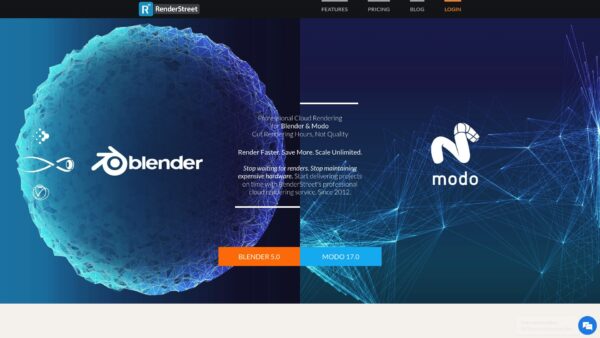
RenderStreet supports Blender 5.0 with Cycles X and Eevee Next and Modo 17.0 while offering GPU rendering on NVIDIA L40s GPUs for faster frame times. The service provides one click project upload that preserves bake caches and enables real time animation preview inside the browser. It also includes render groups and pass support so you can manage compositing layers and distributed jobs. Flexible pricing options cover pay per month, pay per hour, and studio packages for ongoing projects.
Pros
- Fast and scalable rendering delivers dynamic resource allocation so studios can scale up when deadlines tighten.
- GPU support with NVIDIA L40s GPUs speeds up complex Cycles X workloads and reduces wall clock time.
- Transparent pricing makes budgeting easier because pay monthly and hourly choices fit different project rhythms.
- Seamless workflow integration allows artists to keep existing pipelines without retooling scene files or render settings.
- Responsive customer support helps studios resolve issues and get renders back on schedule when problems appear.
Cons
- Limited visibility on supported render engines outside of Blender and Modo leaves uncertainty for users of other tools.
- Pricing specifics beyond the starting plan are not listed here so comparing total cost for large projects requires a sales conversation.
- Feature availability for newer engine versions may lag behind release cycles so cutting edge workflows might wait for updates.
Who It’s For
RenderStreet fits artists, freelancers, and small to mid sized studios that work primarily in Blender or Modo and need predictable render throughput. If you run scheduled episodes, batch projects, or short turnaround commercials and prefer a service that respects existing pipelines you will find this service useful. Studios that require broad engine support may need to confirm compatibility first.
Unique Value Proposition
RenderStreet focuses on delivering a studio friendly rendering experience with dedicated GPU acceleration, one click uploads, and clear billing models. The combination of Blender and Modo specialization plus useful browser previews reduces iteration friction and keeps artists in creative flow. It aims to replace hardware cost with predictable operational spending.
Real World Use Case
A mid sized animation studio uses RenderStreet to offload nightly renders for several Blender sequences. The studio assigns GPU nodes to heavy scenes, reviews in browser previews the next morning, and adjusts shots without waiting days for local queues to clear. It lets the studio meet delivery milestones while keeping capital expenditure low.
Pricing
Starting at $59.97 per month for unlimited rendering under the pay monthly plan. Hourly and studio plans offer additional options for episodic or mission critical workloads. Contact sales for detailed studio tier pricing and volume discounts.
Website: https://render.st
GarageFarm.NET
At a Glance
GarageFarm.NET is a cloud render farm that connects directly with your 3D software to remove rendering friction. It supports both CPU and GPU rendering at large scale while keeping costs competitive for studios and freelancers. The platform focuses on easy plugin integration and automated workflows so you spend less time managing render jobs and more time creating. Bottom line: reliable for fast turnarounds but less flexible if you want deep control over hardware.
Core Features
GarageFarm.NET offers plug and play integration with major 3D tools and a fully automated workflow that requires no IT management. The service scales to thousands of nodes with up to 20,000 CPU cores and 2,000,000 CUDA cores available for GPU workloads. Built in monitoring and 24 7 technical support keep renders moving and allow teams to hand off the heavy lifting. The platform supports a wide range of 3D applications and common plugins so you can import scenes with minimal changes.

Pros
- Easy to use with tight integration: The plugins make sending jobs from 3ds Max, Maya, Blender and other applications straightforward and fast.
- Affordable pricing model: Pay as you go costs and volume discounts make heavy rendering more budget friendly for studios with steady demand.
- Wide software support: The farm accepts many renderers and plugins which reduces the need to convert scenes or rewrite setups.
- Security and reliability: ISO 27001 certification and NDA support provide peace of mind when handling client assets.
- Flexible CPU and GPU options: You can choose the resource type that best matches your renderer and timeline.
Cons
- Pricing may be complicated for beginners to understand which can delay accurate job estimates.
- Cost can add up for very large or highly complex projects making long runs expensive compared to owning hardware.
- Limited control over hardware setup compared to running a local farm means you cannot tune the base system to custom needs.
Who It Is For
GarageFarm.NET fits freelance 3D artists small to large studios and animation and VFX professionals who want scalable rendering without managing machines. If you need quick turnarounds and support across multiple renderers this service removes operational overhead. If you require full hardware customization you will feel the limitation.
Unique Value Proposition
GarageFarm.NET combines extensive scale with simple integration so teams can offload heavy renders without changing pipelines. The mix of automated workflows, robust support and volume based pricing makes it practical for studios that need predictable performance and fast delivery.
Real World Use Case
A small animation studio uploads a complex Maya scene and selects GPU nodes to cut render time from days to hours. The team uses the GarageFarm.NET plugin to submit frames monitor progress and receive notifications when frames finish. Faster delivery lets the studio hit client deadlines and take on more projects.
Pricing
GarageFarm.NET uses a pay as you go pricing model based on usage measured in GHz OB or node hours with discounts for volume and high usage. That approach keeps upfront costs low and scales expenses with actual render demand.
Website: https://garagefarm.net
Cloud Rendering Platforms Comparison
This comparison table highlights key capabilities, advantages, limitations, and pricing models of leading cloud rendering platforms to help studios choose the right solution for their workflows.
| Provider | Core Features | Pros | Cons | Pricing |
|---|---|---|---|---|
| MaxCloudON | Automated cloud rendering via RenderSonic; Dedicated CPU and GPU servers for rendering and compute workloads. | Automated and dedicated workflows in one platform; Fully automated rendering via RenderSonic for 3ds Max, Maya, Blender, Cinema 4D, and KeyShot; Dedicated CPU and GPU servers with full root access; Transparent pricing; Highly scalable infrastructure; Supports BYOL licenses and custom plugins; Free trial available for cloud servers. 24/7 Free real-human support. | Dedicated server workflows require technical setup and configuration. | Pay-per-frame automated rendering with upfront cost estimates; Dedicated servers available on transparent daily, weekly, and monthly plans. |
| SuperRendersFarm | CPU/GPU rendering supports major 3D tools, plugins, automatic scene analysis, and offers unlimited nodes with dedicated server rentals. | Ultra-fast rendering; Volume discounts; Around-the-clock support. | Higher costs for smaller projects; Internet connectivity dependency. | CPU $0.004/GHz-hr; GPU $0.003/Octanebench-hr. |
| RebusFarm | Extensive plugin-driven workflow with per-second billing; 24/7 support for optimized pipeline integration. | Free trial; Predictable billing; Comprehensive support resources. | Project complexity may cause varied costs; Internet speed reliant. | Rates based on actual usage time. |
| RenderStreet | Specializes in Blender and Modo; offers GPU rendering with NVIDIA L40s GPUs; Supports popular engines like Cycles X and Eevee Next. | Transparent pricing; Efficient browser previews for rapid iterations; Seamless integration avoiding additional configurations. | Limited software compatibility; Detailed rates unavailable, requiring direct discussions for large studio plans. | Starts at $59.97/month for unlimited renders. |
| GarageFarm.NET | Plug-and-play workflow for scaling large renders with CPU/GPU services; ISO-certified security features. | Affordable for consistent projects; Highly flexible with intuitive integration; Major applications supported. | Cost structure requires understanding; Limited hardware control options. | Pay-as-needed pricing for used resources. |
Discover High-Performance Cloud Rendering Alternatives to SuperRendersFarm
If you are exploring alternatives to SuperRendersFarm for demanding 3D rendering and animation projects, you likely need a solution that balances performance, flexibility, and cost predictability. Many studios face challenges such as fluctuating rendering speeds, limited control over hardware environments, and pricing models that are difficult to forecast.
MaxCloudON addresses these challenges by supporting both automated and dedicated rendering workflows within a single platform. Teams that prefer hands-off processing can use RenderSonic, an automated desktop application for pay-per-job cloud rendering with upfront cost estimates. Studios that require deeper control can deploy dedicated cloud servers with full root access, enabling custom software configurations, plugins, and optimized rendering pipelines.
This dual approach allows studios and 3D artists to choose the workflow that best fits each project. Automated rendering simplifies batch jobs and short-term tasks, while dedicated infrastructure supports complex scenes, long-running workloads, and hybrid pipelines that combine rendering with simulation or AI model training.
For teams managing tight deadlines and evolving production demands, this flexibility can reduce workflow bottlenecks while maintaining predictable performance and cost control.
MaxCloudON’s focus on high-performance dedicated resources helps ensure consistent rendering throughput and stable environments without the limitations commonly associated with shared render farms. In addition to 3D rendering services, the platform also provides cloud desktops and infrastructure suitable for distributed production teams and compute-intensive workflows.
Ready to take your rendering pipeline to the next level? Explore our Rend It Archives for insights and start your journey with a platform built for predictability and power. Don’t let slow render farms hold back your potential. Visit MaxCloudON today and experience cloud rendering designed around your unique demands.
Frequently Asked Questions
What are some key features to look for in cloud rendering solutions for 3D artists?
Look for features like dedicated GPU support, scalability options, and integration with major 3D applications. Prioritize platforms that offer user-friendly interfaces and efficient workflows to streamline your projects.
How can I determine the cost-effectiveness of a cloud rendering service?
Evaluate the pricing structure, focusing on how costs relate to your rendering needs, such as per-hour or per-project billing. Consider running a small test project to compare costs and performance over similar workloads.
What steps should I take to migrate my rendering projects to a new cloud service?
Begin by assessing your current workflow and project requirements. Then, select a cloud rendering solution that meets those needs, upload your assets, and follow the platform’s guidelines for configuring rendering sessions to minimize downtime.
How do I ensure consistent performance with cloud rendering services?
Select a cloud provider with proven reliability and dedicated resources for your specific rendering tasks. Regularly monitor performance metrics and adjust your resource allocation to meet project demands effectively.
Can I integrate multiple rendering services for different projects?
Yes, consider using a mix of cloud rendering services to optimize for various project requirements. Create a project plan that outlines which service best fits each project’s needs and manage them in parallel for efficiency.
What should I consider when choosing between GPU and CPU rendering options?
Evaluate the complexity of your scenes and the rendering times associated with each option. For heavy 3D assets requiring high-quality outputs, prioritize GPU rendering due to its speed advantages, but also consider the cost implications for long-term projects.
Recommended
- What Is a Render Farm? The Key to Faster Rendering
- Best 3D Rendering Software in 2025: Top Tools Compared for Stunning Visuals
- Free Rendering Services vs Paid: Real Costs Explained
- Advantages of Cloud Rendering: From Local to Remote Renders
- best 3d modeling software for architecture and urban design | 3D Cityplanner