
When I first started working with Arnold Renderer, I quickly realized that the biggest challenge wasn’t learning the software itself – it was making sure my Arnold hardware setup could actually handle the workload. I had big creative ideas, but without the right gear, even simple 3D scenes took forever to process. That frustration pushed me to investigate what exactly makes a strong Arnold hardware workstation. I compared components, tested builds, and balanced performance with cost. In this post, I’ll share I’ll share everything I learned about choosing the right Arnold hardware – and how cloud rendering with MaxCloudON’s Arnold Render Farm became the ultimate solution.
What is Arnold Render?
Arnold, developed by Autodesk, is a powerful ray tracing renderer that simulates real-world lighting and materials to produce highly-photorealistic 3D images. It’s widely used in high-end visual effects, animation, and motion picture projects due to its predictable results, clean interface, and production-ready stability.
I first used it on a project that demanded realistic lighting and detailed materials. Unlike some other render engines, Arnold was intuitive – it let me focus on creativity, rather than endless settings. However, I quickly realized that Arnold’s performance depends heavily on the hardware powering it. Even with its optimizations, using underpowered components led to painfully slow render times. That’s when I began to seriously evaluate my Arnold hardware setup – and started exploring cloud rendering solutions for large, time-sensitive projects.
If you’re new to rendering, check out What is Rendering – The Ultimate Guide to understand the core principles behind how engines like Arnold process your 3D scenes.
Arnold Hardware Requirements
When I first tried running Arnold GPU rendering on my workstation, I underestimated how demanding it could be. The software itself is efficient, but without the right Arnold hardware, I found myself waiting hours for frames that should have taken minutes. That experience forced me to carefully evaluate the core components that had the biggest impact: CPU, GPU, and storage. Each played a crucial role, and I quickly learned that cutting corners on any of them would cost me more time and frustration than the money I thought I was saving.
I compared different brands, checked prices, and tested various configurations to find which hardware setups could handle the Arnold workload consistently. It wasn’t just about raw power – it was about balance, stability, and reliability across the entire system.
CPU – Essential for All Arnold Rendering
By default, Autodesk Arnold is a CPU-based renderer. That means even if you don’t have a powerful GPU, Arnold can run entirely on your CPU and still produce high-quality, production-ready results.
CPU rendering in Arnold is known for:
- High stability
- Full feature support
- Efficient memory handling for large scenes
Even when using Arnold GPU rendering, the CPU still plays a crucial role in scene preparation, data handling, and managing tasks that aren’t supported on GPU. I tested processors with many cores and high clock speeds, and I realized that Arnold hardware performance depends heavily on the CPU, even in GPU mode – Arnold used the CPU for scene setup and certain calculations. A weak CPU slowed everything down, so I invested in a mid-to-high range model that could keep up with my GPU and prevent bottlenecks during heavy workloads.
Recommended CPUs:
- Intel Xeon E5-series, such as E5‑2660 or E5‑2660v2
- AMD EPYC 7702 or Dual EPYC setups
These server-grade CPUs are built to sustain heavy, continuous loads – perfect for large batch renders, simulations, or heavy scenes that push your local hardware to the limit.
GPU – A Core Component of Your Arnold Hardware Setup
GPU rendering in Arnold relies on NVIDIA GPUs with CUDA cores. The most important factor is VRAM capacity – especially for complex scenes with large textures, geometry, and lighting calculations.
Recommended GPUs:
- NVIDIA RTX 3090 (24GB)
- NVIDIA RTX 4090 (24GB)
Want a broader comparison? Best GPU for Stable Diffusion: 2026 List includes top-performing cards that also excel in Arnold rendering.
Storage – The Unsung Hero
Many artists overlook storage – but in Arnold, it plays a much bigger role than you might expect. Fast storage improves scene loading, caching, and texture streaming, especially when working with large files or high-resolution assets. In my early days, I used slow HDDs and constantly ran into delays. Upgrading to NVMe SSDs dramatically improved my workflow by reducing loading times and ensuring smooth playback in the render view.
Ultimately, switching to faster storage allowed me to work without constant interruptions – a clear reminder that storage is just as crucial as the CPU or GPU when it comes to optimizing your Arnold hardware setup.
Recommended Hardware to Use with Arnold GPU Rendering
After extensive testing, I found that the following Arnold hardware configuration delivered the best performance for Arnold GPU rendering under real workflow conditions:
For the CPU, I used Intel Xeon E5‑2660 / E5‑2660v2, available in the MaxCloudON Intel plans, as well as AMD EPYC 7702 and dual EPYC configurations, offered through MaxCloudON’s dedicated server lineup. These server-grade processors provided the multi-threaded stability and performance needed for demanding scene preparation and high-volume rendering.
For the GPU, both the NVIDIA RTX 3090 (24GB) and the NVIDIA RTX 4090 (24GB) handled large, complex scenes with ease, offering enough VRAM to avoid crashes and slowdowns during GPU-intensive workloads.
In terms of storage, I used at least 500GB of NVMe SSD, which eliminated the bottlenecks I previously faced with HDDs. These fast drives were essential for smooth caching, quick project loading, and handling high-resolution textures without interruptions – an important part of a well-balanced Arnold hardware system.
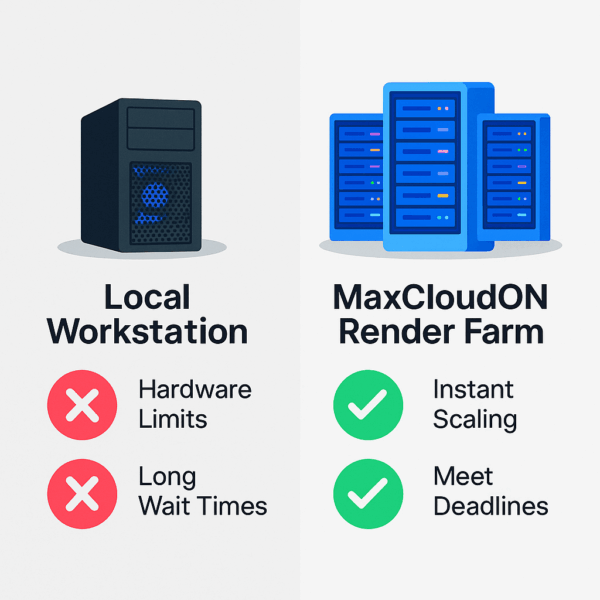
If your current workstation can’t keep up – or if your projects have outgrown your hardware – switching to scalable cloud servers like MaxCloudON is a cost-effective way to access professional-grade performance on demand, without the burden of constant hardware upgrades. That’s exactly what I did – and it completely changed how I work on large-scale Arnold rendering projects.
Benefits of Using MaxCloudON Arnold GPU Rendering
Even after upgrading my Arnold hardware with the best components I could afford, I still hit a wall when projects became too large for my local system. That’s when I turned to MaxCloudON. Instead of constantly buying new hardware components, comparing specs, and worrying about outdated gear, I gained instant access to fully managed Arnold hardware environment in the cloud, optimized for 3D rendering. Their infrastructure was built on reliable hardware and configured for performance, giving me confidence in every render session.
For me, this meant no more wasting time researching which hardware to buy or testing different builds that might fail under pressure. MaxCloudON gave me flexibility – I could start rendering locally, then scale to the cloud whenever deadlines demanded more speed or my scene complexity outpaced my hardware.
This hybrid workflow saved me money, reduced stress, and let me focus on creativity instead of system limitations. The biggest benefit? Knowing I had access to the latest rendering hardware anytime I needed it – without the endless cycle of upgrades.
Conclusion
After countless hours of testing and fine-tuning my Arnold hardware setup, I came to a clear realization: success in GPU rendering isn’t just about creativity – it’s about having the right tools to support it. I experimented with different components, compared performance vs. price, and invested in hardware that could handle demanding production workloads. Some parts failed under pressure, while others proved to be reliable long-term solutions. Eventually, I hit the ceiling of what my local setup could do. That’s when MaxCloudON became a game-changer – offering me access to high-performance rendering infrastructure without the constant expense or hassle of upgrades.
In the end, the takeaway was simple: whether you’re building your own rig or scaling with cloud rendering, choosing the right Arnold hardware is the foundation of efficient, professional rendering.
Frequently Asked Questions
What is the minimum GPU requirement for Arnold GPU rendering?
Arnold GPU rendering requires a CUDA-enabled NVIDIA GPU with at least 8GB of VRAM. For complex scenes with large textures or geometry, 12GB or more is strongly recommended to ensure smooth performance and avoid crashes.
Do I still need a powerful CPU if I’m using Arnold GPU rendering?
Yes. Even when using Arnold in GPU mode, the CPU is still responsible for tasks like scene preparation, data processing, and operations not yet supported on the GPU. A mid-to-high-end multi-core processor will help avoid bottlenecks and improve overall rendering speed.
How much storage space is needed for Arnold rendering projects?
Arnold projects can generate large caches, textures, and image sequences, so fast storage is essential. A minimum of 500 GB SSD or NVMe storage is recommended to handle heavy scenes and ensure smooth read/write performance during rendering.
Is cloud rendering for Arnold better than upgrading my local hardware?
In many cases, yes. With MaxCloudON’s Arnold Render Farm, you get instant access to high-performance CPUs and GPUs without the cost of buying and maintaining new hardware. This lets you scale your rendering power on demand, which is ideal for large, complex, or time-sensitive projects.