
Choosing between Cinema 4D and After Effects is a decision many motion designers face in real production work. While both tools are essential in modern workflows, they serve very different purposes. This article breaks down Cinema 4D vs After Effects from a practical, workflow-focused perspective.
When I first started working in motion graphics, I constantly found myself torn between Cinema 4D and After Effects. Both tools were available to me, but I didn’t always know which one to open when a new project arrived. Sometimes I needed to create realistic 3D objects and animations. Other times, I simply wanted to add effects composition and motion graphics to existing footage.
Over time, I realized that understanding the strengths and limitations of each was essential. This comparison became part of my everyday workflow, helping me save time while consistently improving the quality of my projects. For anyone working in motion graphics or 3D design, the choice between Cinema 4D and After Effects is still highly relevant today.
Choosing the right tools is only one part of the process – understanding how they fit into modern 3D rendering pipelines is just as important for long-term growth.
What Is the Difference Between Cinema 4D and After Effects?
Through hands-on experience, the core difference became clear. Cinema 4D is a 3D modeling, animation, and scene creation software, built for creating objects, environments, cameras, and lighting in full three-dimensional space. After Effects, on the other hand, is primarily a 2D motion graphics and compositing tool, designed for working with footage, layers, effects, and animations inside a timeline.
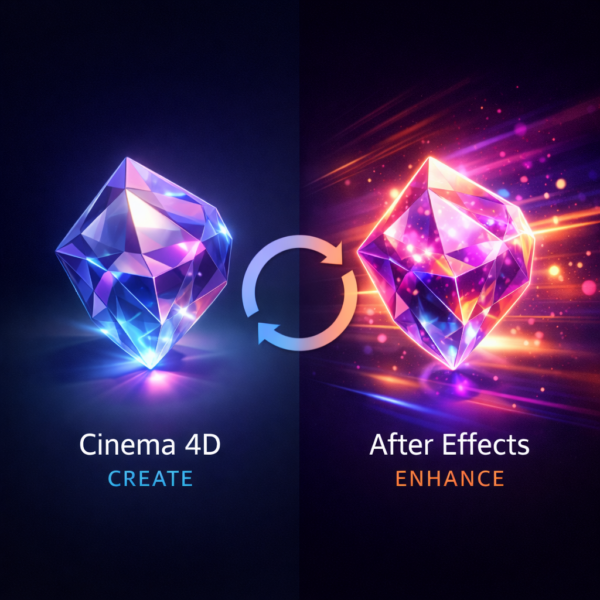
When I need to create objects, textures, or extruded text, Cinema 4D is the natural choice. When the goal is to edit footage, add layers, control effects composition, or polish animations, After Effects excels. In simple terms, Cinema 4D focuses on building, while After Effects focuses on enhancing and compositing.
This distinction becomes even clearer once you understand how 3D rendering works compared to compositing and post-production.
Cinema 4D vs After Effects: Features and Compatibility
One of the biggest challenges early on was moving project files between the two tools. Fortunately, the compatibility between Cinema 4D and After Effects solves much of this problem.
Cinema 4D integrates smoothly with After Effects. I can import scene data, use a comp camera, and adjust render settings depending on project requirements. Cinema 4D Lite, included with After Effects, provides access to basic 3D tools without leaving the composition workflow. This level of compatibility allows me to create, edit, and export animations without breaking the pipeline, making it possible to combine both tools in a single production process.
As projects grow in complexity, the ability to scale rendering resources becomes just as important as software compatibility.
Plugins
As projects become more complex, plugins play an increasingly important role. After Effects includes a wide range of built-in effects, but advanced projects often require additional tools to enhance visual quality. I’ve used plugins to add realistic textures, control lighting, and simulate particles.
Cinema 4D also has a strong plugin ecosystem. Its plugins allow deeper control over objects, materials, and scene data, especially when pushing render quality beyond default settings. Depending on the render settings and project complexity, plugins can dramatically change the final result. Learning how to integrate them effectively became a key part of improving my workflow.
Ease of Use
Ease of use is often one of the first deciding factors. After Effects is generally easier for beginners. Its layer-based workflow, effects includes, and familiar timeline make it accessible early on. Creating compositions, editing footage, and adding shape layers feels straightforward.
Cinema 4D requires more patience at the beginning. The interface is more technical, and learning how to create and manipulate objects inside a 3D scene takes time. However, once the fundamentals are understood, Cinema 4D provides far greater control. Creating my first extruded text object felt like a breakthrough, opening the door to true 3D workflows. After Effects is faster for quick edits, while Cinema 4D rewards learning with deeper creative freedom.
3D Editing: Cinema 4D vs After Effects
When it comes to true 3D editing, Cinema 4D clearly stands out. Cinema 4D allows full control over objects, cameras, lighting, and scenes. The physical renderer enables realistic lighting and shadows, while precise camera control makes complex animations possible.
Cinema 4D Lite inside After Effects offers a simplified way to create basic 3D elements without leaving the composition, but it cannot replace the full Cinema 4D experience. I often use Cinema 4D layers to integrate 3D objects directly into After Effects timelines, combining effects and 3D elements seamlessly. By adjusting render settings, textures, and lighting, I can enhance output quality depending on the project’s needs and delivery requirements.
Modeling Capabilities Compared
Modeling is where the difference between Cinema 4D and After Effects becomes unmistakable. After Effects is not built for 3D modeling. While it handles shape layers and effects composition well, it lacks the depth needed to create detailed objects. Cinema 4D is designed specifically for modeling. It allows me to create complex objects, edit geometry, apply textures, and fully control scene data. One project that stands out involved building a product prototype in Cinema 4D and then importing it into After Effects to polish the final composition with effects CC. This workflow demonstrates how Cinema 4D handles creation, while After Effects enhances presentation.
Texturing
Texturing highlights another clear distinction. Cinema 4D offers an intuitive texturing workflow. Materials can be applied quickly, parameters adjusted visually, and polished results achieved with minimal effort. This approach is ideal when speed matters. Blender aside, After Effects does not compete here. Cinema 4D’s material system is purpose-built for 3D surfaces. Node-based workflows exist in other tools, but within this comparison, Cinema 4D remains the practical choice for consistent, production-ready texturing.
Rendering
Rendering is often the most decisive factor. Cinema 4D provides stable, production-ready rendering that integrates smoothly into its workflow. Scenes can be set up, lit, and rendered with predictable results – an important factor for client work and deadlines. After Effects does not replace a true 3D renderer, but it complements Cinema 4D by handling compositing and final output efficiently. When render times become a bottleneck – especially with high-resolution scenes or complex lighting – offloading final frames to a render farm becomes a practical solution. For Cinema 4D and After Effects projects, I rely on MaxCloudON cloud render farm services to scale rendering power on demand without changing my creative workflow.
Workflow and Project Integration
Workflow integration is where using both tools together truly shines. Cinema 4D is built with professional production pipelines in mind. Importing footage, exporting scene data, and collaborating on complex projects feels structured and reliable.
After Effects adds flexibility on the compositing side. Its open workflow allows rapid iteration, visual adjustments, and final polish. Together, they create a balanced pipeline – Cinema 4D for creation, After Effects for refinement.
For artists who prefer working remotely or across multiple machines, using a cloud desktop PC can further streamline this combined Cinema 4D and After Effects workflow.
Cinema 4D vs After Effects: Side-by-Side Comparison
| Aspect | Cinema 4D | After Effects |
|---|---|---|
| Core Purpose | 3D modeling & animation | 2D motion graphics & compositing |
| Learning Curve | Steeper but deeper | Easier for beginners |
| 3D Editing | Full 3D control | Limited via Cinema 4D Lite |
| Modeling | Advanced object modeling | Not designed for modeling |
| Rendering | Physical renderer, high realism | Compositing-focused |
| Workflow Role | Scene creation | Enhancement & polish |
| Best Use Case | 3D objects, animations, lighting | Effects, motion graphics, editing |
If you’re still exploring which tools and engines fit your needs, this overview of the best 3D rendering software provides additional context beyond Cinema 4D and After Effects.
Choosing Between Cinema 4D and After Effects
The choice between Cinema 4D and After Effects is not about which software is better overall – it’s about which tool fits the task. Cinema 4D is the right choice when creating and modeling 3D objects, building scenes, and controlling lighting and cameras. After Effects excels at editing footage, adding effects composition, and polishing animations.
By combining both, I developed workflows that consistently improved quality and efficiency. The most effective approach is to understand what each tool does best and use them together where it makes sense.
In the end, Cinema 4D or After Effects isn’t a rivalry – it’s a partnership.
Sources:
- Adobe After Effects Official
- Maxon Cinema 4D Official
- Greyscalegorilla
- Creative Bloq
- CG Director
- FX Guide
Frequently Asked Questions
Can I use Cinema 4D and After Effects together?
Yes. They integrate seamlessly through scene data, comp cameras, and shared workflows.
Which one - Cinema 4D or After Effects - is better for beginners?
After Effects is easier to start with, while Cinema 4D requires more learning but offers deeper control.
How do render settings affect quality?
Render quality depends on lighting, textures, and renderer settings in Cinema 4D, while After Effects influences final compositing quality.
What is the role of Cinema 4D Lite?
Cinema 4D Lite allows basic 3D creation directly inside After Effects but does not replace the full Cinema 4D feature set.