

Evaluating a top alternative to AWS Deadline Cloud?
MaxCloudON stands out for its ease of use, predictable pricing, and dedicated GPU/CPU rendering power, making it a strong choice for 3D artists, studios, and animation teams looking for faster, more efficient workflows. In this comparison, we walk through AWS Deadline Cloud and MaxCloudON side by side – covering registration, setup, 3D software support, pricing models, and real-world performance – to help you choose the cloud rendering solution that truly fits your workflow and your budget.
Cloud rendering services, like AWS Deadline Cloud and its top alternative – MaxCloudON, are essential for 3D artists, enabling quick and large-scale production of visual effects, animations, and designs. This blog post compares the 3D rendering services offered by AWS and MaxCloudON, detailing each step from registration to the final output to help you make an informed decision based on your specific needs and budget.
Registration Process – AWS Deadline Cloud vs. MaxCloudON
AWS Deadline Cloud
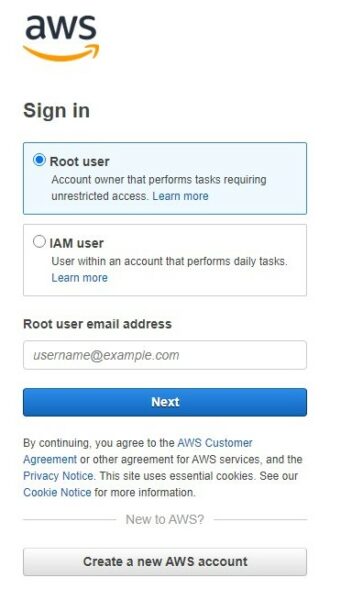
Registering for AWS Deadline Cloud can be particularly confusing for new users, especially when faced with the initial decision between a Root user and an IAM user. This process can be unclear for those unfamiliar with AWS terminology and account management. Moreover, the early requirement to provide bank card details and confirm a $1 payment can be a concern for those cautious about online financial commitments.
Upon completing registration, you receive the Free Basic Support Plan. More advanced support options are available but come at an additional cost, which can become significant for users who need hands-on assistance or faster response times.
MaxCloudON
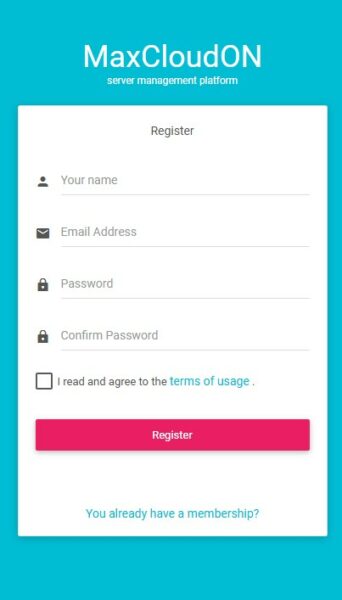
Signing up for the MaxCloudON dedicated cloud servers for rendering is easy and only requires email confirmation. Detailed instructions and support are available throughout the registration and setup process, making it accessible even for users without prior cloud infrastructure experience.
Unlike AWS, MaxCloudON does not require payment details during registration and does not enforce transaction validation before service exploration. A major advantage is the availability of free 24/7 support, allowing users to receive assistance without additional fees.
Having explored the registration processes of AWS Deadline Cloud and MaxCloudON, let’s now look at the setup and configuration stages. This next section compare how each platform manages the technical setup, offering insights into the user-friendliness and customization capabilities of AWS and MaxCloudON rendering services.
Setup & Configuration – AWS Deadline Cloud vs. MaxCloudON
AWS Deadline Cloud
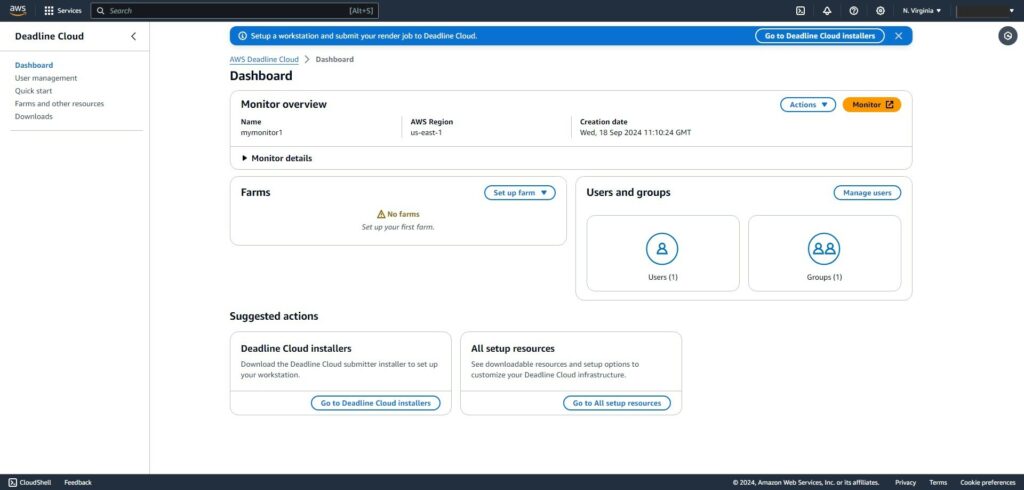
AWS Deadline Cloud provides a dashboard that guides you in configuring your cloud based render farm. While the system supports automated scaling and integration with other AWS services, it assumes a strong understanding of the Deadline management tool and the broader AWS ecosystem.
Users must be comfortable working with AWS services, permissions, and workflows to fully benefit from the platform. For newcomers to cloud rendering, the learning curve can be steep and time-consuming, especially if their primary goal is simply to render 3D scenes rather than manage cloud infrastructure.
MaxCloudON
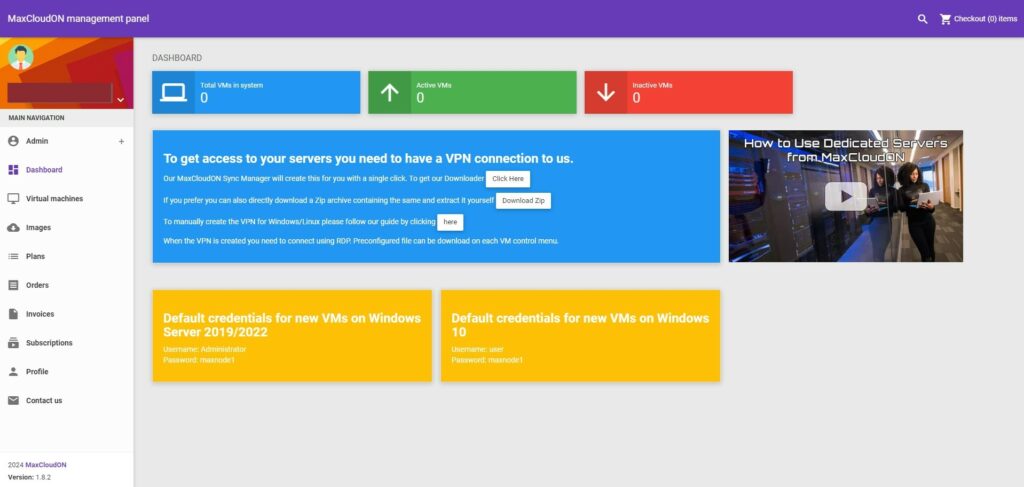
MaxCloudON focuses on simplicity and direct control. Users can quickly configure dedicated cloud servers for rendering and begin working without navigating complex service dependencies or orchestration layers. The dashboard allows easy selection of hardware resources and rapid deployment of virtual machines for private cloud-based rendering (learn more about What a render farm is and how it works). MaxCloudON also provides a detailed guide on how to use its dedicated cloud servers.
Once a server is configured with the required 3D software and plugins, it can be saved as a reusable image. This makes scaling predictable and eliminates repetitive setup when launching additional render nodes. MaxCloudON also offers a 48-hour free trial of a CPU server, enabling you to test connectivity, upload and download speeds, and overall performance before committing financially.
For teams that want Deadline-like automation without AWS complexity, MaxCloudON also offers RenderSonic – cloud rendering automation software. RenderSonic removes manual setup entirely, allowing users to upload their project, render, and download results without managing servers, images, or infrastructure.
Now, let’s examine the 3D rendering software capabilities of both AWS Deadline Cloud and MaxCloudON. This section will outline how each service supports various 3D applications and assess their effectiveness in handling complex rendering tasks.
3D Rendering Software and Capabilities
AWS Deadline Cloud
AWS Deadline Cloud supports a wide range of 3D software through Usage-Based Licensing (UBL), including Autodesk Maya, 3ds Max, Blender, and Cinema 4D. This model allows users to pay for software licenses only while rendering, which can be useful for short or irregular workloads.
However, UBL costs can increase significantly during long render jobs or large-scale projects. Users must also confirm software version availability and consider whether they already own licenses, as using AWS-managed licenses alongside existing ones may lead to unnecessary duplication. The platform relies entirely on the Deadline management system, which limits compatibility with alternative render managers such as Backburner.
MaxCloudON
MaxCloudON provides infrastructure compatible with all major 3D rendering software, plugins, and custom scripts, including the Best 3D Rendering Software for 2026. You can bring your own licenses (BYOL) and install any 3D software, allowing you to use existing licenses for software like Autodesk Maya, 3ds Max, or V-Ray without incurring additional costs. This approach allows studios and freelancers to extend their existing software investments directly into the cloud.
Users can also configure a wide range of render management tools, including Autodesk Backburner, Smedge, Royal Render, and Deadline, giving them full freedom to adapt the platform to their established workflows.
For users who prefer not to manage render managers, licenses, or server images themselves, MaxCloudON also offers RenderSonic, its cloud rendering automation software. RenderSonic removes the need for manual configuration by handling job submission, rendering, and output delivery automatically, providing a streamlined alternative for teams that want a fully managed rendering workflow.
After exploring the setup process and 3D software capabilities of AWS Deadline Cloud and MaxCloudON, we will now evaluate their performance and pricing. We will delve into the efficiency and cost-effectiveness of both services, providing insights into which might offer the best value for different project sizes.
Performance and Speed – MaxCloudON as a Top Alternative to AWS Deadline Cloud
AWS Deadline Cloud is designed for high scalability and tight integration with the broader AWS ecosystem. This makes it suitable for large organizations that already rely heavily on AWS services and need elastic resources for complex pipelines. However, this scalability often comes with higher and less predictable costs.
Though smaller in scale, MaxCloudON – considered by many as a top alternative to AWS Deadline Cloud – provides a level of scalability that suits 99.99% of users, engaged in rendering tasks, and offers the same performance as that of AWS Deadline Cloud, but at a considerably lower cost.
MaxCloudON delivers performance that meets the needs of the vast majority of rendering professionals while maintaining predictable pricing. For small to medium studios and independent artists, this balance often results in comparable rendering performance without the overhead of managing extensive cloud infrastructure. Users focused on faster output can also explore practical optimization techniques in the guide on how to render faster.
Cloud Rendering Pricing – AWS Deadline Cloud vs. MaxCloudON
AWS Deadline Cloud
AWS Deadline Cloud follows a pay-as-you-go pricing model based on compute usage, storage, data transfer, and, where applicable, usage-based software licensing. While flexible, this model requires careful monitoring, as costs can increase quickly depending on render duration, scaling behavior, data transfer and software usage.
MaxCloudON
MaxCloudON offers two clear pricing approaches, depending on how users prefer to work.
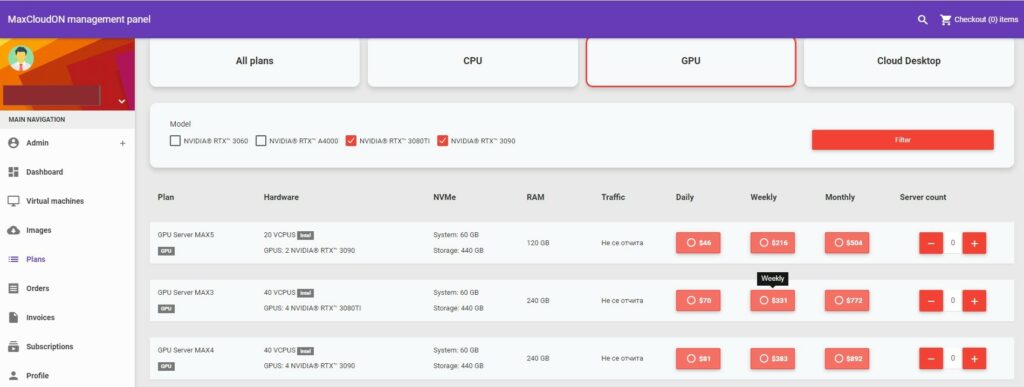
For users who choose dedicated cloud servers for rendering, pricing is transparent and prepaid, based on server configuration and usage time. There are no additional fees for setup, traffic, networking, or support. Daily, weekly, and monthly plans make costs predictable and easy to scale. Full details are available on the pricing page.
For users who prefer an automated workflow, RenderSonic uses a usage-based model, where costs are calculated per rendered output, allowing users to pay only for what they render without committing to server rental periods.
Support and Community Insights
AWS provides basic support to all users, with more advanced assistance available through paid support plans. While these plans can be effective, they may feel impersonal unless users opt for higher-tier subscriptions.
MaxCloudON offers personalized 24/7 support via email, backed by a team specialized in 3D rendering workflows. Many users find this direct communication more approachable and responsive compared to large, tiered support systems.
Final Thoughts – MaxCloudON as the Cost-Effective Alternative to AWS Deadline Cloud
AWS Deadline Cloud and MaxCloudON both offer powerful cloud rendering capabilities, but they are designed for different types of users and workflows. AWS Deadline Cloud is well suited for teams already embedded in the AWS ecosystem and comfortable managing complex cloud infrastructure, orchestration layers, and usage-based cost models.
MaxCloudON takes a more straightforward approach to cloud rendering. With dedicated cloud servers for rendering, users gain full control over their software, licenses, and workflows while benefiting from predictable, prepaid pricing and direct technical support. For teams that prefer automation without managing infrastructure, MaxCloudON also provides an alternative workflow through its automated rendering solution, allowing users to choose the level of control or simplicity that best fits their needs.
The right choice ultimately depends on your priorities. If flexibility across a broad cloud ecosystem outweighs cost predictability and simplicity, AWS Deadline Cloud may be a fit. If ease of use, transparent pricing, and rendering-focused support are more important, MaxCloudON offers a practical and cost-effective alternative.
Studios and independent professionals looking for predictable costs and direct control can explore MaxCloudON’s cloud rendering services to determine the best fit for their workflow.