

A cloud render farm is a distributed computing system that processes 3D rendering tasks using remote GPU and CPU servers instead of local hardware. By splitting frames or image tiles across multiple machines, cloud render farms allow artists and studios to render projects significantly faster than a single workstation.
For teams working with complex scenes, high-resolution animations, or large frame sequences, cloud rendering removes hardware limitations and enables scalable production pipelines. Instead of investing in expensive render nodes, studios can access powerful infrastructure on demand and process projects in parallel.
This guide explains how cloud render farms work, their key benefits, pricing approaches, and how they integrate into modern 3D production workflows. If you are new to rendering pipelines, you may also want to explore our detailed guide on what is 3D rendering and how it works.
| Point | Details |
|---|---|
| Faster rendering | Cloud render farms accelerate rendering by distributing frames across multiple GPU and CPU servers working in parallel. |
| Cost visibility | Many cloud platforms provide upfront cost estimates or transparent pricing models to help manage rendering budgets. |
| Workflow automation | Automated job distribution and desktop integration simplify rendering pipelines and reduce manual setup. |
| Software compatibility | Support for Blender, 3ds Max, Maya, KeyShot, and Cinema 4D ensures seamless workflow integration for most 3D production environments. |
| Scalable infrastructure | Cloud platforms allow studios to scale rendering capacity without purchasing additional hardware. |
Introduction to Cloud Render Farms
Cloud render farms operate as distributed rendering services in the cloud, offloading compute-heavy tasks from local hardware. Instead of maintaining expensive render nodes in your studio, you upload 3D scenes to remote servers that process frames in parallel. This model shifts the burden of hardware ownership, maintenance, and upgrades to the service provider. Cloud render farm allows artists and studios to access high-performance infrastructure without building their own render farm.
Traditional local render farms require substantial capital investment in GPUs, CPUs, cooling infrastructure, and ongoing electricity costs. You also need technical staff to manage render nodes, troubleshoot failures, and update software. Cloud render farms eliminate these overhead expenses. The fundamental difference lies in scalability and accessibility. Local farms have fixed capacity determined by your hardware investment while cloud farms can scale rapidly depending on project demands. Instead of maintaining idle hardware in your studio, you typically pay only for the rendering resources you actually use.
Key characteristics of cloud render farms include:
- Distributed computing architecture splitting tasks across multiple servers
- Pay-per-use pricing models tied to actual rendering time
- No hardware ownership or maintenance responsibilities
- Scalable infrastructure for handling peak workloads
- Remote access from any location with internet connectivity
For studios producing high-resolution animations, architectural visualizations, or VFX sequences, cloud render farms provide the computational power needed to meet deadlines without massive upfront hardware investments. Understanding render farm basics helps you evaluate whether cloud rendering fits your production needs.
How Cloud Render Farms Work: Technical Architecture
Cloud render farms use task distribution across GPU and CPU nodes, integrated with desktop apps to optimize upload performance and latency. When you submit a render job, the platform analyzes your scene file and automatically splits it into smaller tasks assigned to available servers.
Distributed computing forms the backbone of cloud rendering. Your animation or still image gets divided into individual frames or tiles. Each server processes its assigned portion simultaneously. Once all tasks complete, the platform reassembles the final output and makes it available for download.
Many render farm platforms use dedicated hardware resources to ensure stable performance. Unlike shared cloud instances where multiple users compete for the same CPU cycles, dedicated servers provide exclusive access to computational power, which is essential for GPU rendering efficiency. This isolation prevents performance degradation from other users’ workloads.
Desktop application integration streamlines the workflow. Instead of manually uploading files through a web portal, you install software that connects your 3D application directly to the render farm. Application such as RenderSonic for fully-managed cloud rendering allows artists to submit render jobs, estimate costs, and monitor progress without manually managing render nodes. This integration handles:
- Automatic scene file packaging with dependencies
- Real-time cost estimation before rendering starts
- Progress monitoring and render preview generation
- Automatic download of completed frames
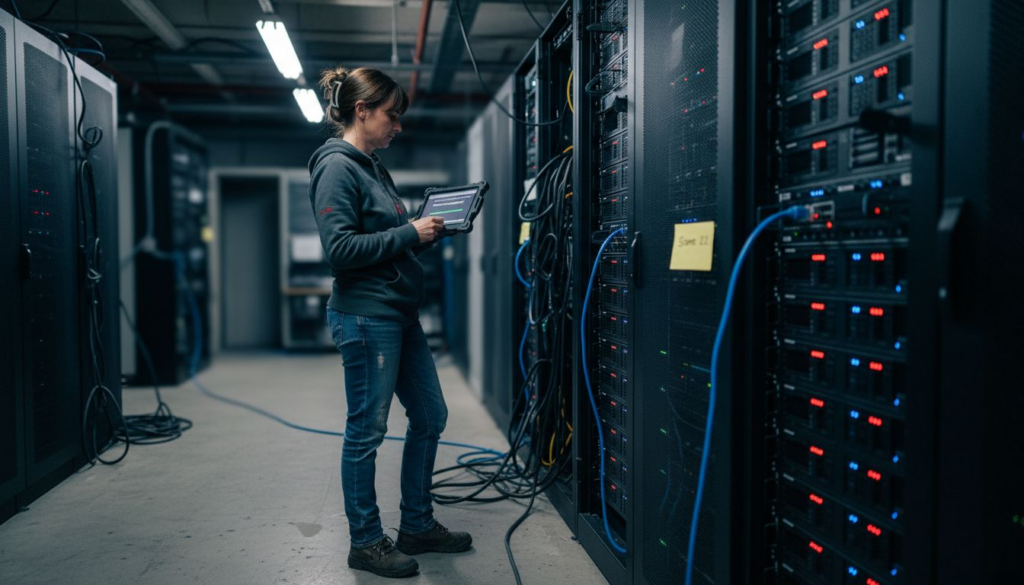
Latency-reducing techniques and bandwidth optimization speed data transfer. Compression algorithms reduce file sizes without quality loss. Content delivery networks cache frequently used assets closer to your location. These optimizations matter when transferring gigabytes of texture maps, geometry caches, and rendered frames.
Automation plays a crucial role in seamless job queue handling. The render farm software detects optimal server configurations for your specific software and plugins. It manages render priorities, handles errors automatically, and retries failed frames without manual intervention.
Pro Tip: Before uploading your first full project, test with a single frame or short sequence to verify that all textures, plugins, and dependencies transfer correctly. This quick check prevents wasted rendering time on incomplete scene files.
Understanding the render farm workflow helps you optimize scene preparation and maximize cloud rendering efficiency.
Infrastructure Spotlight
To get the most out of a cloud farm, you need to match your software to the right hardware:
● RenderSonic Automation: Skip the manual setup with our one-click cloud rendering tool.
● How to Render Faster: Optimization tips to reduce your total render time.
Benefits of Automation and Workflow Integration
Automation enables efficient job distribution and resource management, cutting setup and maintenance overhead. When you submit a render job, automated systems handle server allocation, software configuration, and task scheduling without human intervention.
Automated job distribution balances workloads across servers. The platform monitors server availability in real time and assigns tasks to maximize throughput. If a server fails mid-render, automation detects the failure and reassigns the task to another node without disrupting the overall job.
Pre-render preview tools enable quality control before full renders. Many platforms generate low-resolution previews showing lighting, materials, and camera angles. This allows artists to detect problems early instead of discovering issues after hours of rendering.
Many cloud render platforms also provide cost estimates before rendering begins. These estimates are typically based on scene complexity, resolution, and server type, helping studios plan rendering budgets more effectively.
Automation significantly reduces manual setup and hardware maintenance tasks. You avoid:
- Installing and updating render software across multiple machines
- Troubleshooting hardware failures and network issues
- Managing render queue priorities and server allocation
- Monitoring electricity consumption and cooling systems
Integration with studio pipelines minimizes human error and speeds delivery. Automated workflows, supported by automation process guide, connect rendering directly to asset management systems, review platforms, and delivery infrastructure. Files move through production stages without manual file transfers or format conversions.
Pro Tip: Leverage automation APIs to trigger renders automatically when artists check in updated scene files. This continuous rendering workflow catches issues faster and keeps projects moving forward without manual intervention.
Exploring benefits of cloud rendering reveals how cloud platforms transform production efficiency beyond simple speed gains.
Pricing Transparency and Cost Estimation
Understanding render farm pricing is an important part of evaluating whether cloud rendering fits your production workflow. Cloud render farms typically provide tools that help artists estimate rendering costs before starting large jobs. These estimates usually take into account factors such as scene complexity, frame count, output resolution, and the type of GPU or CPU servers used.
Depending on the provider, pricing models may include pay-per-frame rendering, prepaid credits, or fixed server pricing. Each approach offers different advantages depending on how frequently a studio renders projects and how predictable its workload is.
In many situations, cloud rendering can reduce overall operational costs compared to maintaining a local render farm. When calculating the total cost of ownership for local infrastructure, studios must consider hardware purchases, electricity consumption, cooling systems, physical space, and ongoing maintenance.
The table below illustrates typical cost components when comparing local rendering infrastructure with cloud render farm services.
| Cost Component | Local Render Farm | Cloud Render Farm |
|---|---|---|
| Hardware purchase | Significant upfront investment | Not required |
| Electricity (annual) | Continuous operating cost | Included in usage |
| Cooling and space | Required | Not required |
| IT maintenance | Internal IT responsibility | Managed by provider |
| Software licenses | Often required separately | Depends on platform |
| Rendering capacity | Limited by hardware | Scalable on demand |
Cloud rendering also improves budget forecasting for many studios. By testing small frame samples before rendering an entire project, artists can estimate approximate rendering costs and make adjustments before committing large compute resources.
Transparent pricing models have helped increase adoption of cloud render farms across animation studios, visualization teams, and VFX pipelines. Modern platforms often display real-time usage data during rendering, helping users track costs while a project is running.
Pro Tip: Compare blender render farm pricing across providers by rendering the same test scene on each platform. Pricing structures vary significantly, and actual performance per dollar matters more than advertised rates.
For deeper automation pricing insights, examine how automated resource allocation optimizes costs by matching workloads to appropriate server types.
Common Misconceptions About Cloud Render Farms
Cloud render farms offer flexible infrastructure and automated workflows that address several common misconceptions about cloud rendering. These myths often prevent artists from exploring cloud-based rendering solutions even when they could benefit from additional compute power.
Myth one: Cloud rendering always costs more than owning hardware. This misconception ignores total cost of ownership. While cloud usage charges accumulate, they eliminate upfront hardware investment, maintenance labor, electricity, and cooling expenses. For studios rendering intermittently, cloud infrastructure can often be more cost-effective than maintaining idle local hardware.
Myth two: Cloud rendering means loss of control over render settings and quality. In reality, you maintain complete control over software versions, plugins, render settings, and output specifications. Many platforms provide desktop integrations or plugins that allow artists to submit render jobs directly from their 3D applications while keeping familiar render settings.
Myth three: Bandwidth and latency issues make cloud rendering impractical. Modern integration tools mitigate this concern through:
- Incremental uploads sending only changed files
- Background transfer while you continue working
- Compressed file formats reducing transfer times
- Content delivery networks caching assets regionally
Limitations do exist for very small projects where cloud overhead reduces cost effectiveness. Rendering a single low-resolution frame locally may take seconds, while uploading scene files and downloading results introduces additional steps. Cloud rendering becomes more efficient for medium to large projects where distributed processing provides clear advantages. Understanding these realities helps artists make more informed decisions. Studios that initially hesitate about cloud rendering often discover that these misconceptions prevented them from exploring scalable rendering infrastructure.
When choosing a provider, it is important to compare the best cloud render farms to see which fits your specific engine. For example, if you are looking for SuperRendersFarm alternatives, you should look for providers that offer unshared, dedicated nodes rather than shared virtual instances. Similarly, studios looking for a AWS Deadline Cloud alternative often prefer MaxCloudON for its simplicity and direct server access.
Supported Software and Security Considerations
Compatibility spans Blender, 3ds Max, Maya, KeyShot, Cinema 4D and other industry-standard 3D applications. Cloud render farms support specific software versions and plugin ecosystems relevant to professional production environments. Before committing to a platform, verify compatibility with your exact software configuration and third-party plugins.
Some cloud render farms provide dedicated GPU and CPU servers that ensure stable performance by offering exclusive access to computational resources. Other platforms rely on shared infrastructure where multiple users share the same hardware. Dedicated hardware can provide more consistent performance, which is particularly important when meeting production deadlines.
Professional render farm providers typically implement strong security practices such as encrypted file transfers and secure storage. Data protection measures often include:
- TLS encryption for all file transfers between your computer and cloud servers
- Encrypted storage for scene files and rendered output
- Isolated storage preventing cross-customer data access
- Automatic data deletion after project completion
Some providers also comply with standards such as GDPR or ISO 27001, depending on their infrastructure and security policies. Studios working with confidential client assets or operating in regulated industries should review a provider’s security documentation before production integration.
Energy efficiency through GPU acceleration can reduce environmental impact compared to older CPU-only rendering approaches. Modern GPUs deliver higher performance per watt, and large data centers often optimize cooling and power distribution more efficiently than local workstations. This efficiency translates to lower carbon footprints for your rendering workloads.
Evaluating compatible software and security features helps ensure the selected render farm platform meets both technical and compliance requirements before integration into production pipelines.
Software-Specific
Optimized environments for the industry’s most popular tools:
● Blender Render Farm: Fully-managed renders in the cloud with Cycles and Eevee support.
● VFX Cloud Rendering: Scalable pipelines for high-end animation studios.
● Maya Render Farm Service: Scalable GPU-accelerated pipelines for high-end animation and VFX.
Impact on Production Speed and Scalability
Cloud rendering can significantly reduce production timelines and is one of the most effective ways to render faster for complex scenes. By distributing workloads across multiple servers, it allows hundreds or thousands of frames to be processed simultaneously instead of relying on a single workstation.
Local render farms are constrained by the number of available machines. When multiple projects compete for the same hardware, render queues can become a major production bottleneck. Cloud platforms solve this problem by scaling resources dynamically based on project requirements.
Scalable cloud infrastructure is particularly valuable for studios facing burst workloads or tight delivery schedules. Instead of purchasing hardware sized for peak demand, teams can temporarily scale their rendering capacity in the cloud and release it when the project is completed.

The comparison below illustrates typical differences between local and cloud rendering environments.
| Metric | Local Render Farm | Cloud Render Farm |
|---|---|---|
| Large animation project | Limited by available hardware | Parallel processing across many nodes |
| High-resolution still images | Dependent on workstation power | Faster through distributed rendering |
| Server scaling time | Days or weeks (hardware purchase) | Minutes |
| Peak capacity limit | Fixed by hardware investment | Highly scalable |
| Idle resource cost | Hardware remains unused | Pay only for active usage |
Real-world production environments often benefit significantly from distributed rendering. Architectural visualization studios rendering hundreds of camera angles or VFX teams processing thousands of frames can complete projects much faster when workloads are distributed across multiple servers.
Large data centers also benefit from optimized power and cooling systems. Compared with individual office workstations, modern GPU infrastructure can deliver higher performance per watt, reducing overall energy consumption per rendered frame.
Understanding how cloud infrastructure scales helps studios choose rendering solutions that match their project complexity, deadlines, and production workflows.
Evaluating production speed and scalability across different render farm platforms helps teams select services that align with their performance requirements and production workflows.
Conclusion: Integrating Cloud Render Farms into Production Pipelines
Selecting the right cloud render farm requires evaluating several key factors.
- Software compatibility is one of the first criteria to check. Verify that your exact 3D application versions, render engines, and plugins are supported by the platform.
- Pricing transparency is equally important. Choose providers that clearly explain their pricing model and allow you to estimate rendering cost before starting a job. Understanding how pricing works helps studios plan budgets and avoid unexpected costs during production.
- Hardware configuration also plays a major role in performance. Platforms offering modern GPU or CPU infrastructure typically deliver significantly faster rendering throughput than limited local hardware or outdated render nodes.
Tradeoffs include data transfer times for large scene files and reduced cost effectiveness on very small projects. Studios with fast internet connections can upload assets quickly, while slower connections may introduce delays. For small tasks involving only a few frames, local rendering may sometimes be faster than preparing and transferring a cloud job.
A stepwise approach can simplify cloud rendering integration:
- Test with non-critical projects to verify workflow compatibility
- Benchmark render times and costs against your local infrastructure
- Train production staff on desktop application features and best practices
- Gradually increase cloud usage as confidence and expertise grow
- Monitor cost metrics and optimize scene preparation for efficiency
Pilot projects before full migration reduce risk and reveal workflow adjustments needed for smooth production. Teams often begin with smaller scenes before gradually moving more complex workloads to a cloud render farm as part of their production pipeline.
Cloud rendering technology continues evolving with improved automation, faster data transfer methods, and increasingly powerful GPU architectures.
For additional implementation guidance, explore cloud rendering integration tips covering technical configuration and pipeline optimization strategies.
Discover MaxCloudON Cloud Render Farm Services
If you are exploring cloud rendering after reading this guide, platforms like MaxCloudON provide infrastructure designed for demanding 3D production workflows.
MaxCloudON offers dedicated GPU and CPU cloud servers for rendering, simulations, and other compute-intensive workloads. In addition to infrastructure access, the platform includes RenderSonic, an automated software that allows artists to focus on creativity – jobs submission and progress is handled automatically without manually managing render nodes. Artists working with Blender, 3ds Max, Maya, KeyShot, and Cinema 4D can use this infrastructure to process large projects in the cloud while maintaining full control over software environments and rendering settings.
To learn more, explore the cloud render farm services on MaxCloudON or review specialized solutions such as Blender render farm and V-Ray render farm for high-performance 3D production workflows.
Frequently Asked Questions
What types of projects are best suited for cloud rendering?
Cloud rendering excels for medium to large projects requiring significant computational resources. Animated sequences, high-resolution architectural visualizations, VFX shots with complex simulations, and product rendering campaigns benefit most from distributed processing across multiple servers.
How do I estimate the cost before submitting a render job?
Most cloud platforms provide upfront cost calculators analyzing your scene complexity, frame count, and resolution. Upload a test frame or scene file, and the platform estimates total rendering costs based on actual resource requirements before you commit to the full job.
Is my data safe when using a cloud render farm?
Reputable platforms encrypt all data in transit using TLS and at rest using AES-256 encryption. Look for providers with ISO 27001 certification and GDPR compliance documentation. Many platforms automatically delete project files after completion, and you can request immediate data removal.
Can I control render settings remotely?
You maintain complete control over all render parameters through desktop applications that mirror your local software interface. Adjust lighting, materials, camera settings, output formats, and quality parameters exactly as you would locally. The cloud platform executes your specifications without modifying settings.
What internet speed do I need for effective cloud rendering?
Minimum 50 Mbps upload speed handles most projects adequately. Faster connections reduce initial upload times proportionally. Studios with gigabit fiber complete transfers in minutes, while slower connections take longer but don’t impact final render quality or throughput once files reach the cloud.